How to identify if claims where transmitted with errors?
Modified on: Thu, 9 Jan, 2025 at 1:46 PM
- Go to the Billing screen.
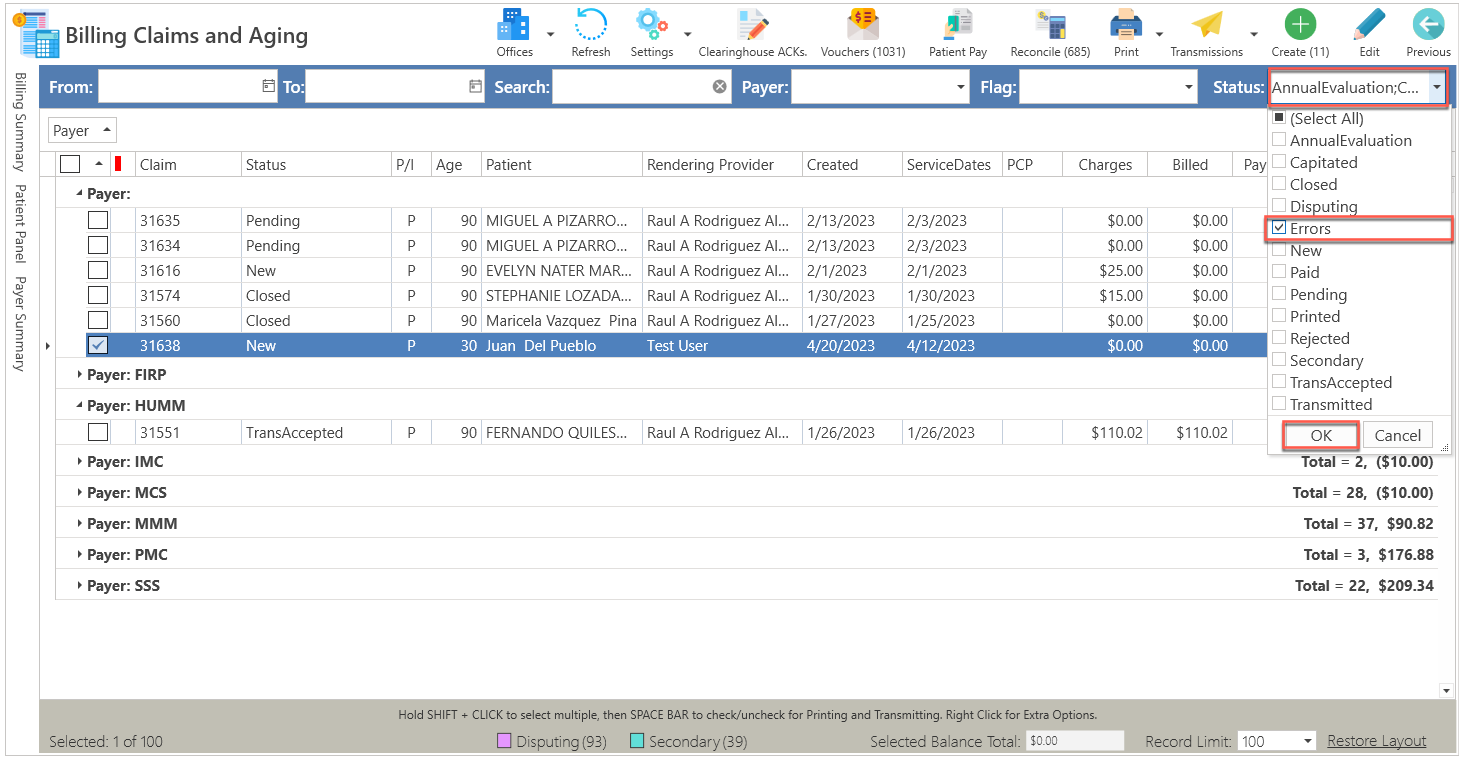
- Select in the Status box, the Errors option and then press the Ok button.
- All claims in error, if any, will be displayed.
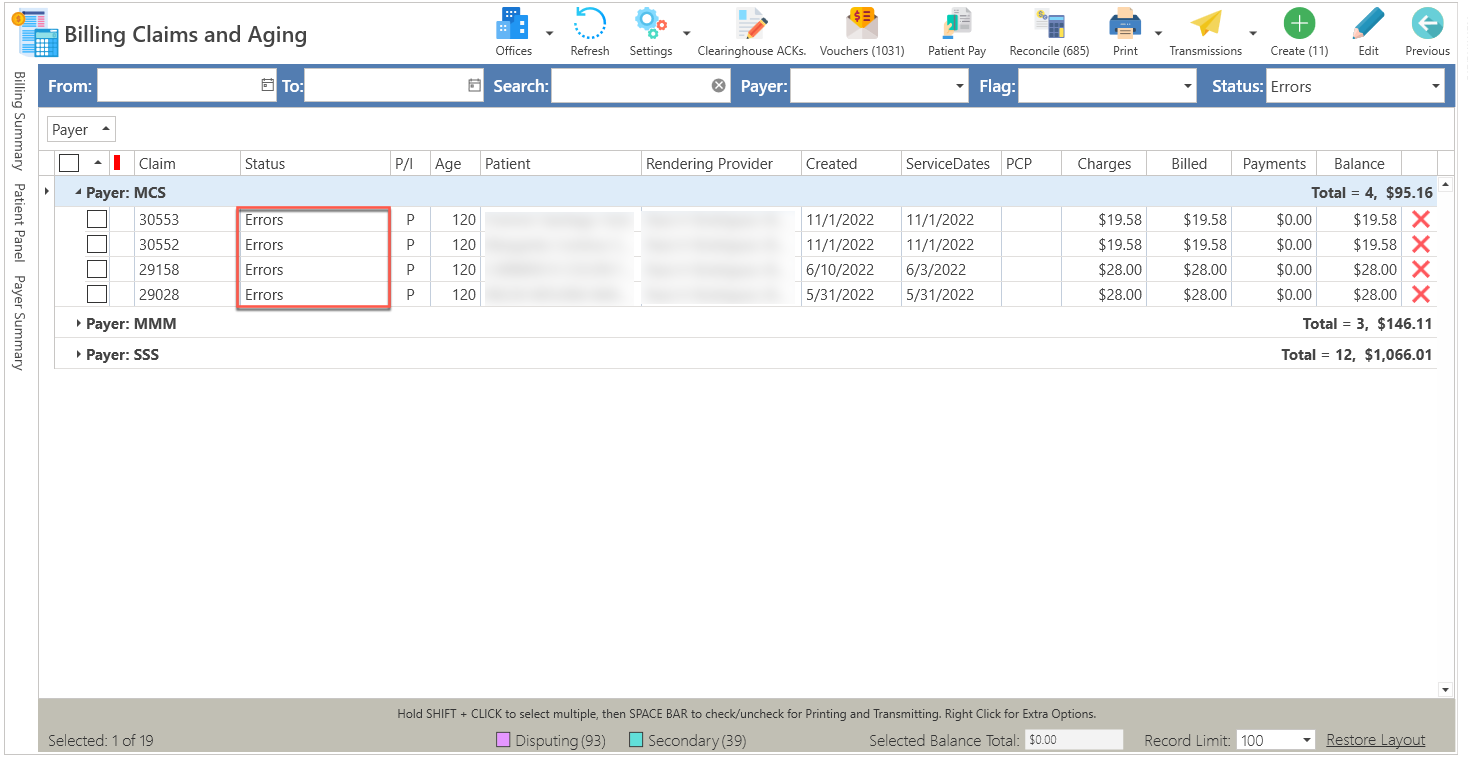
- Right-click on the claim you wish to edit and retransmit.
Recommended Article:
- Learn More About: Billing / Transmissions / Transmit / Claim Transmission Receipt
Did you find it helpful? Yes No
Can you please tell us how we can improve this article?