How to print the patient demographic report?
Modified on: Thu, 13 Mar, 2025 at 3:23 PM
There are several options for printing the patient demographic report.
Option #1
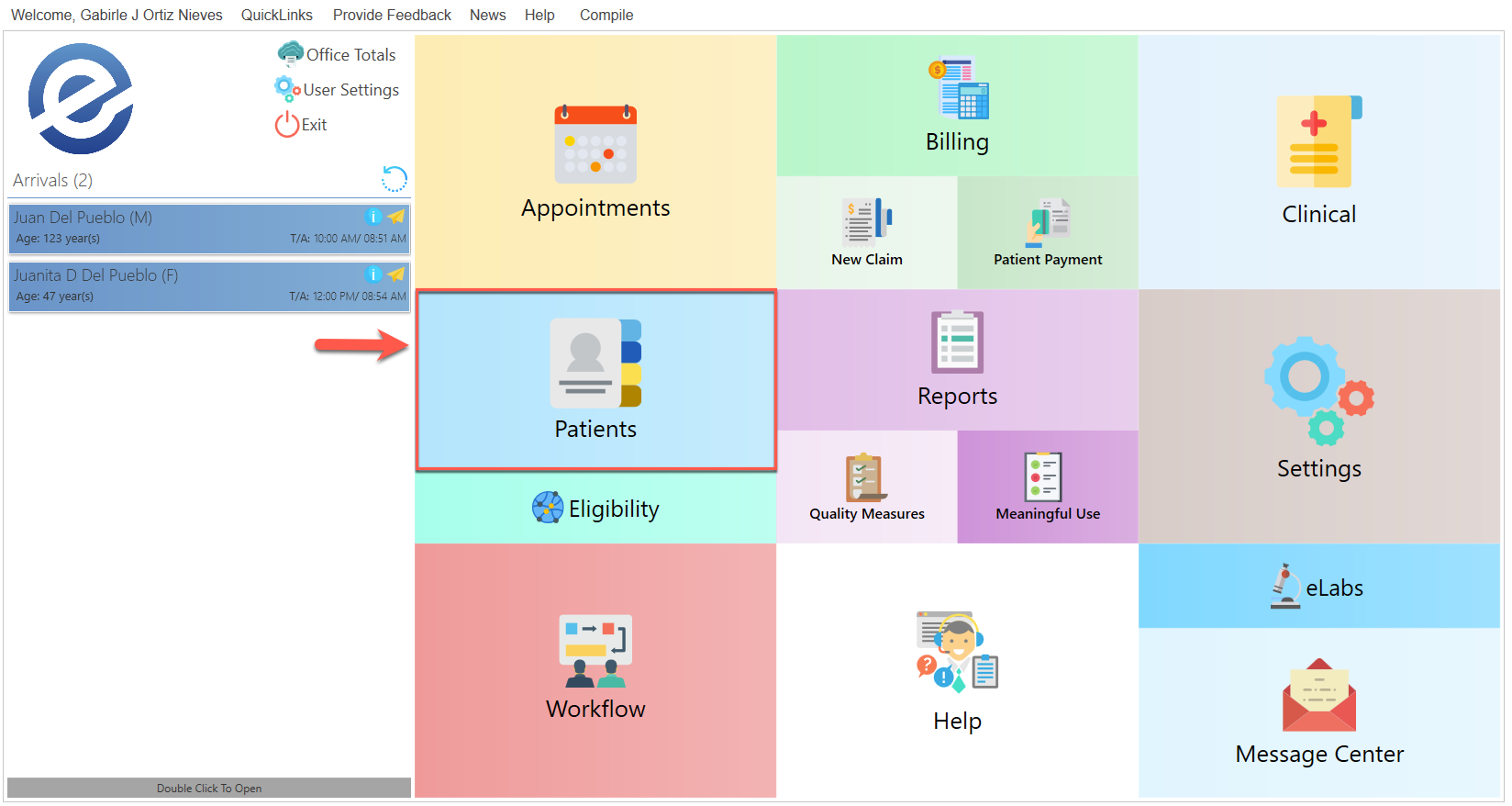
- In the main menu, press the Patients button.
- The following screen will be displayed:
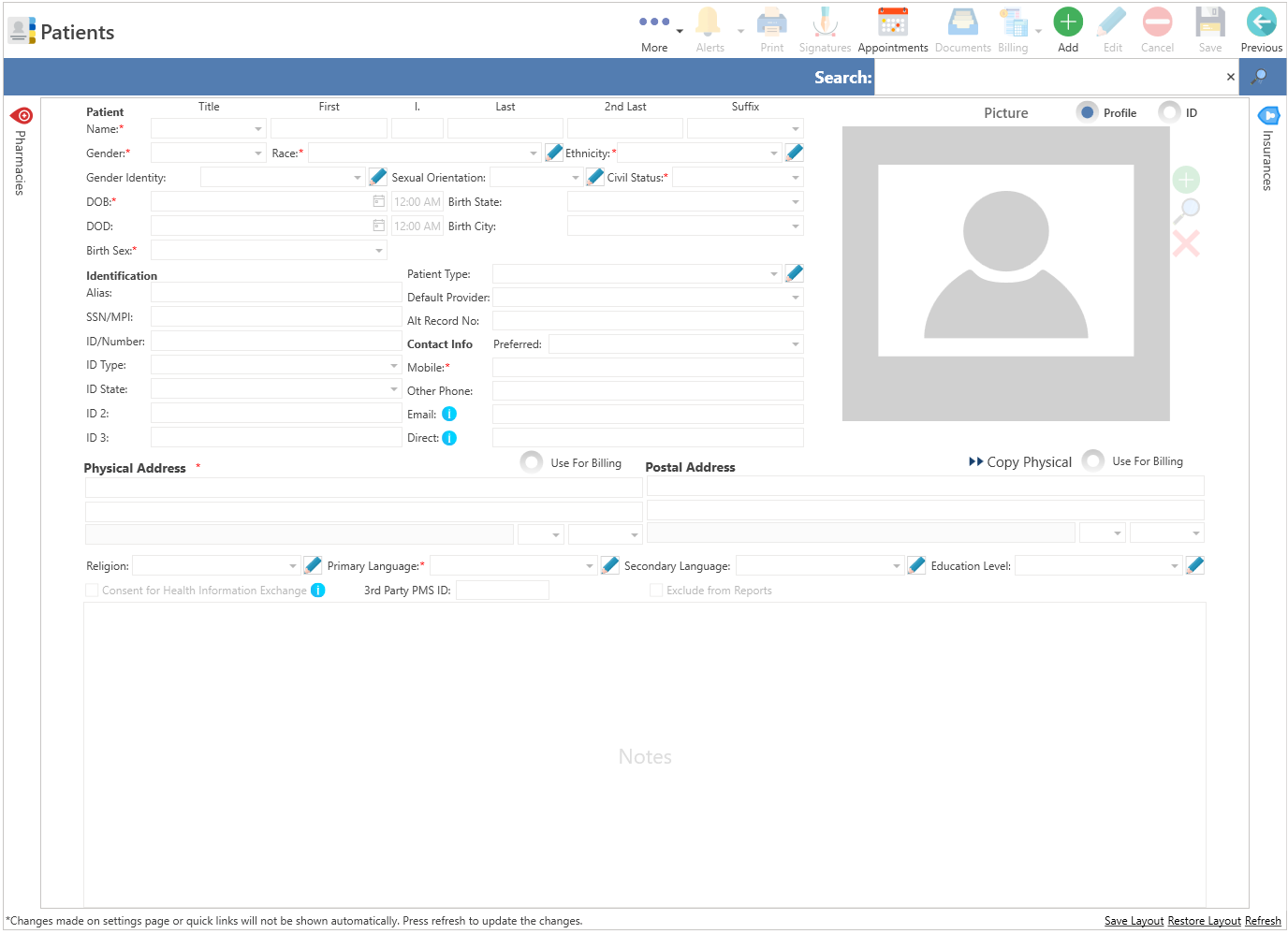
- Select the patient for whom you wish to print the demographic report.
Press the Print button located at the top of the screen.
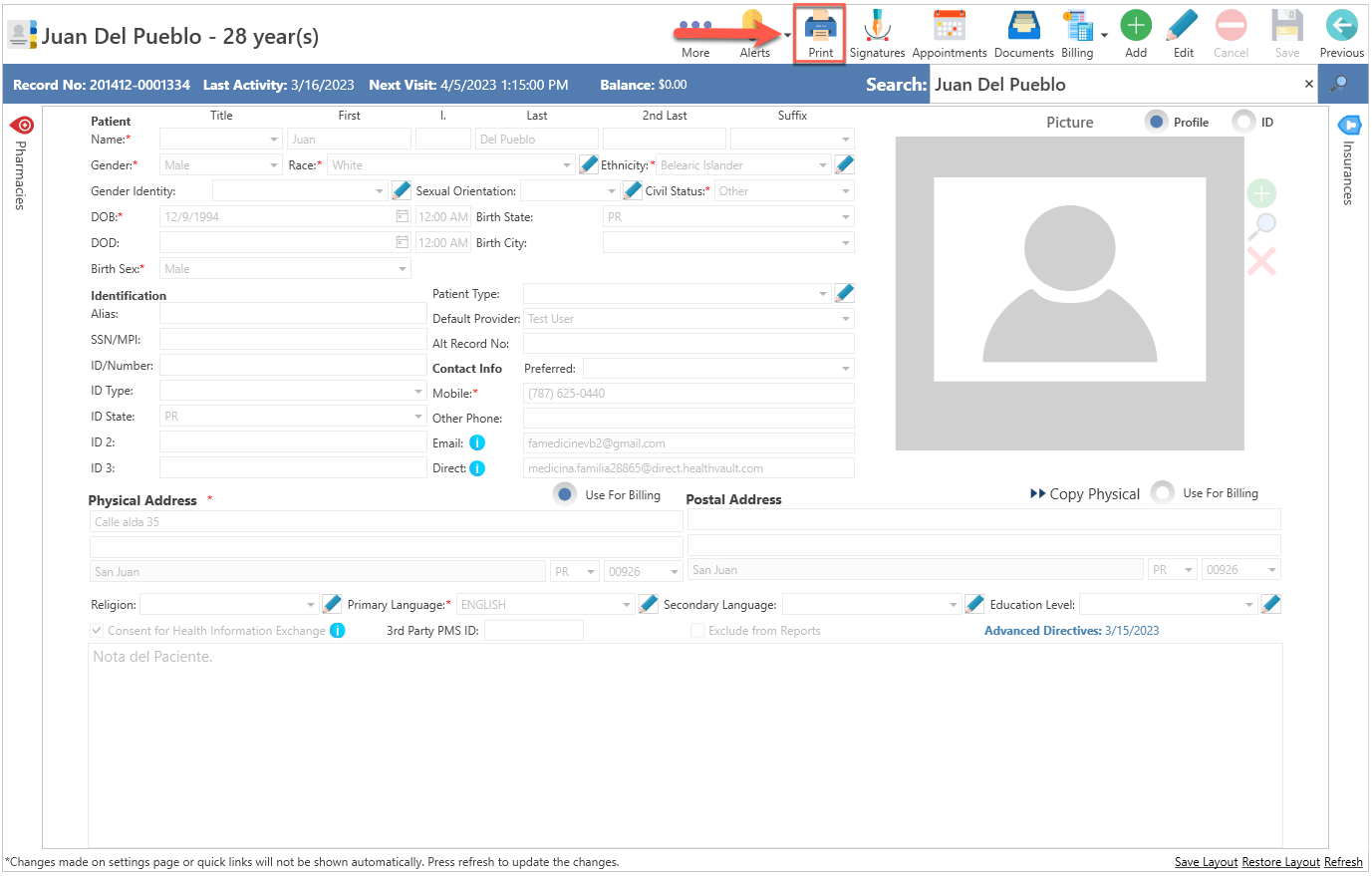
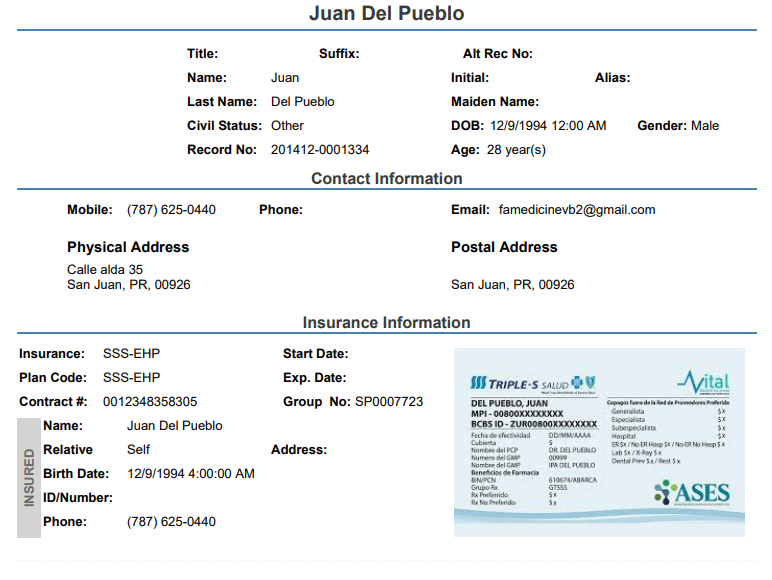
- Automatically, the patient's demographic report will be displayed for printing.
Option #2
- Click on the QuickLinks text, located at the top of the screen.
- Select the Patients option.
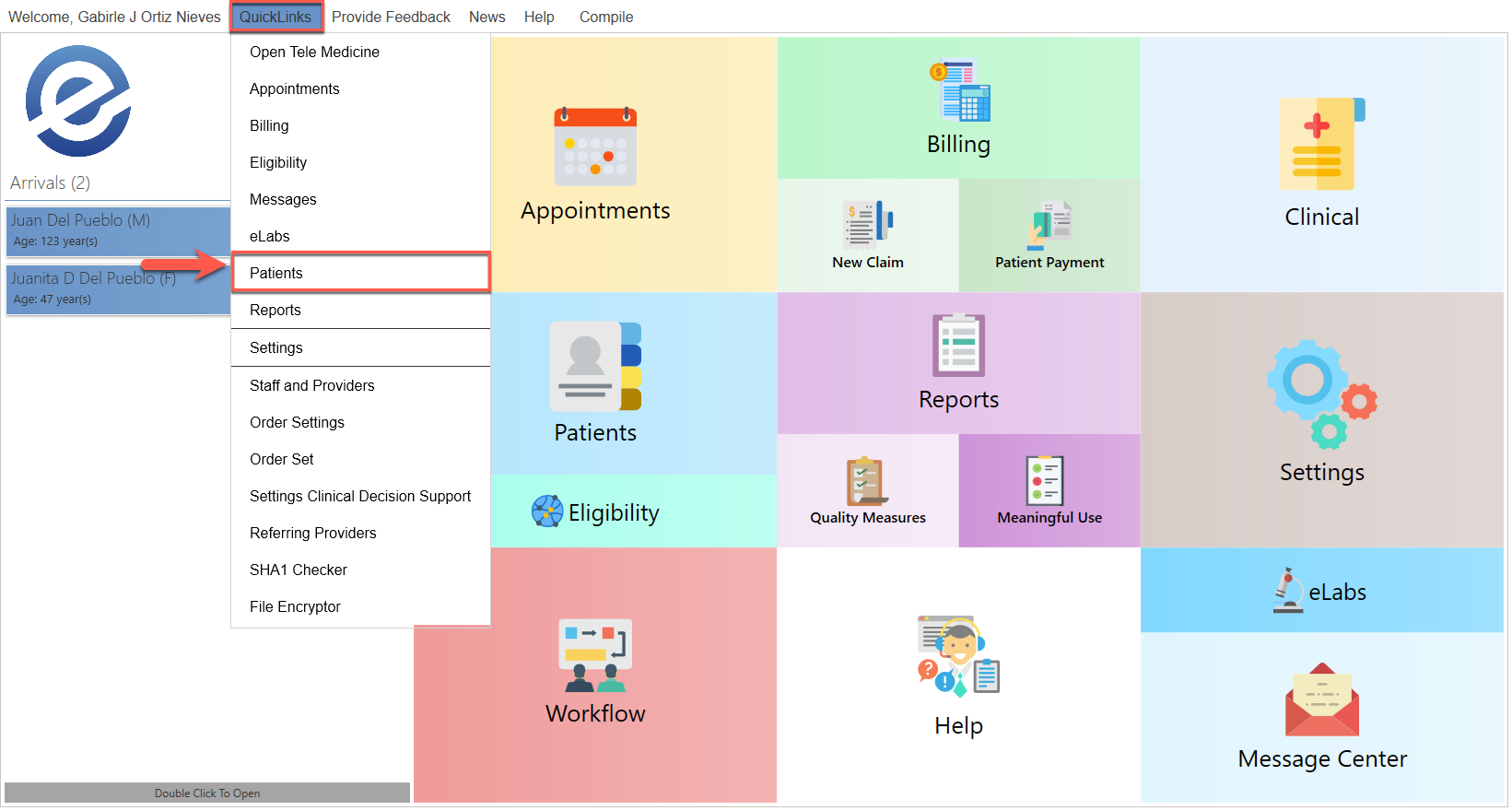
- The following screen will be displayed:
- Select the patient for whom you wish to print the demographic report.
Press the Print button located at the top of the screen.
Automatically, the patient's demographic report will be displayed for printing.
Recommended Article:
- Learn More About: Patients / Print
Did you find it helpful? Yes No
Can you please tell us how we can improve this article?