Advanced Progress Note Settings / Restore Layout
Modified on: Fri, 31 Jan, 2025 at 3:21 PM
Description
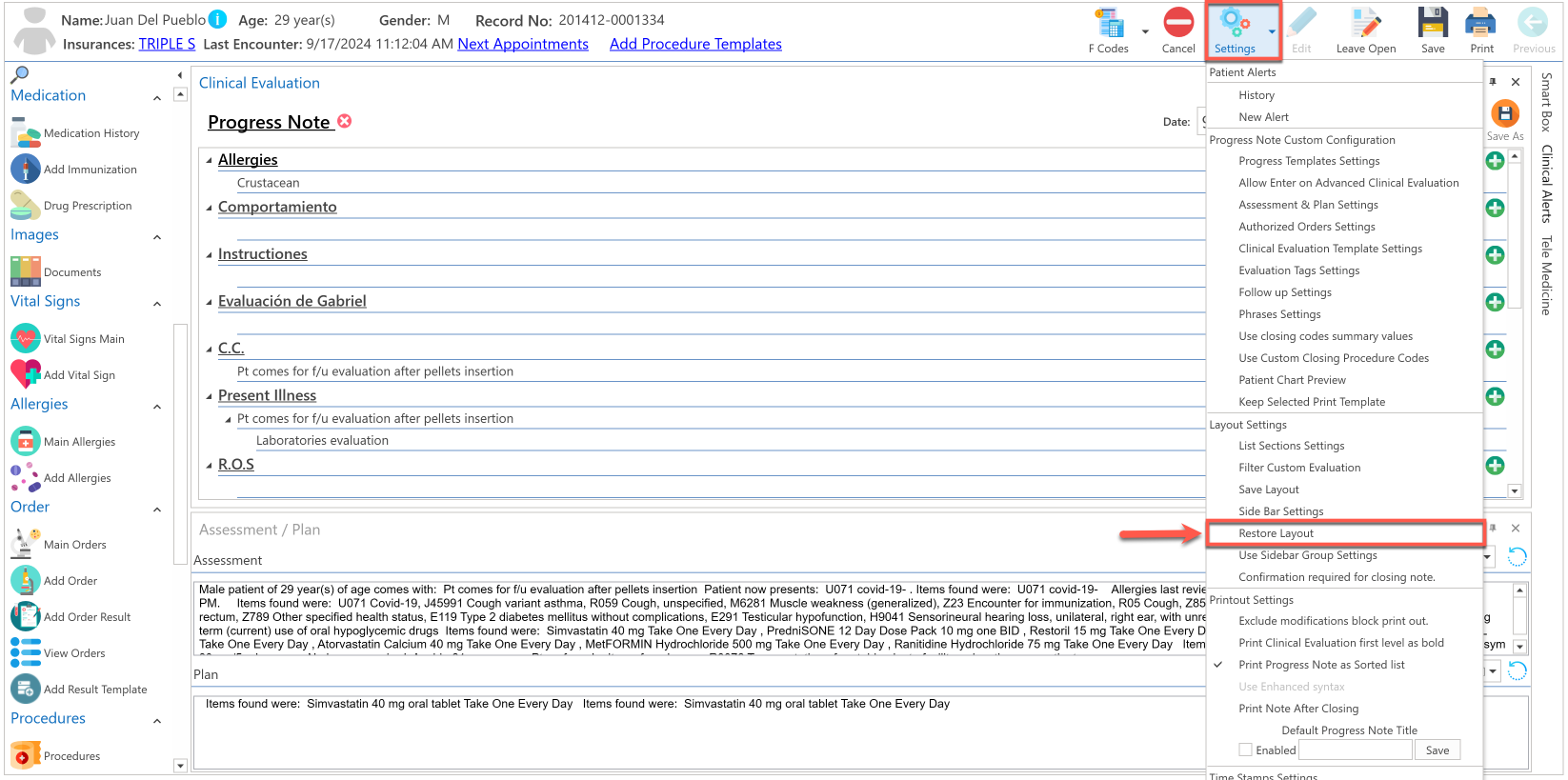
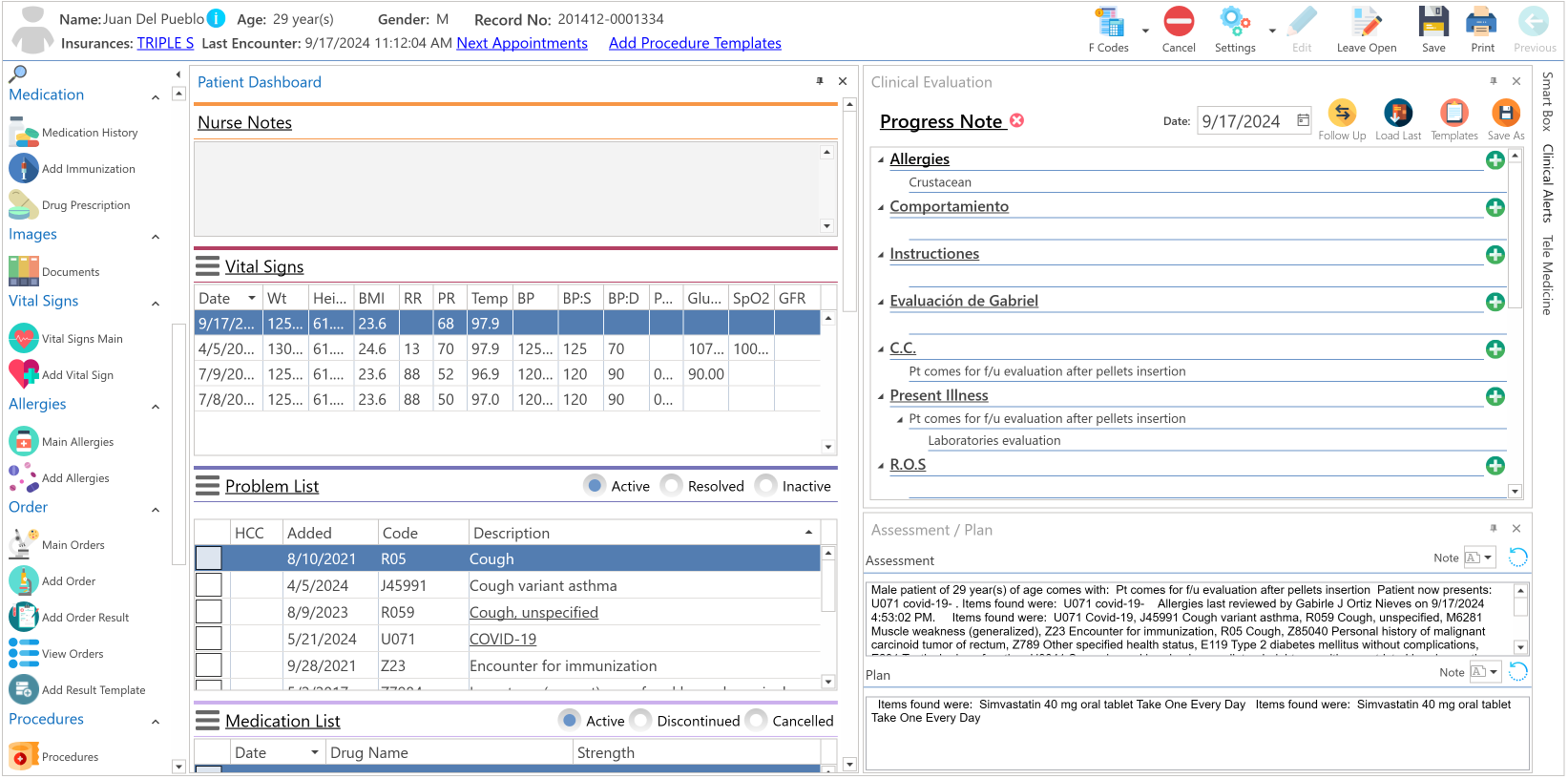
This function restores the Progress Note screen to its default configuration in instances where windows have been altered, whether unintentionally or intentionally.
Access
Through Main Menu
- Click on the Clinical button in the main menu.
- Select a patient from any section of the Clinical Records screen.
- Once a patient is selected, click on the Settings button located at the top of the screen.
- Then, choose the List Sections Settings option.
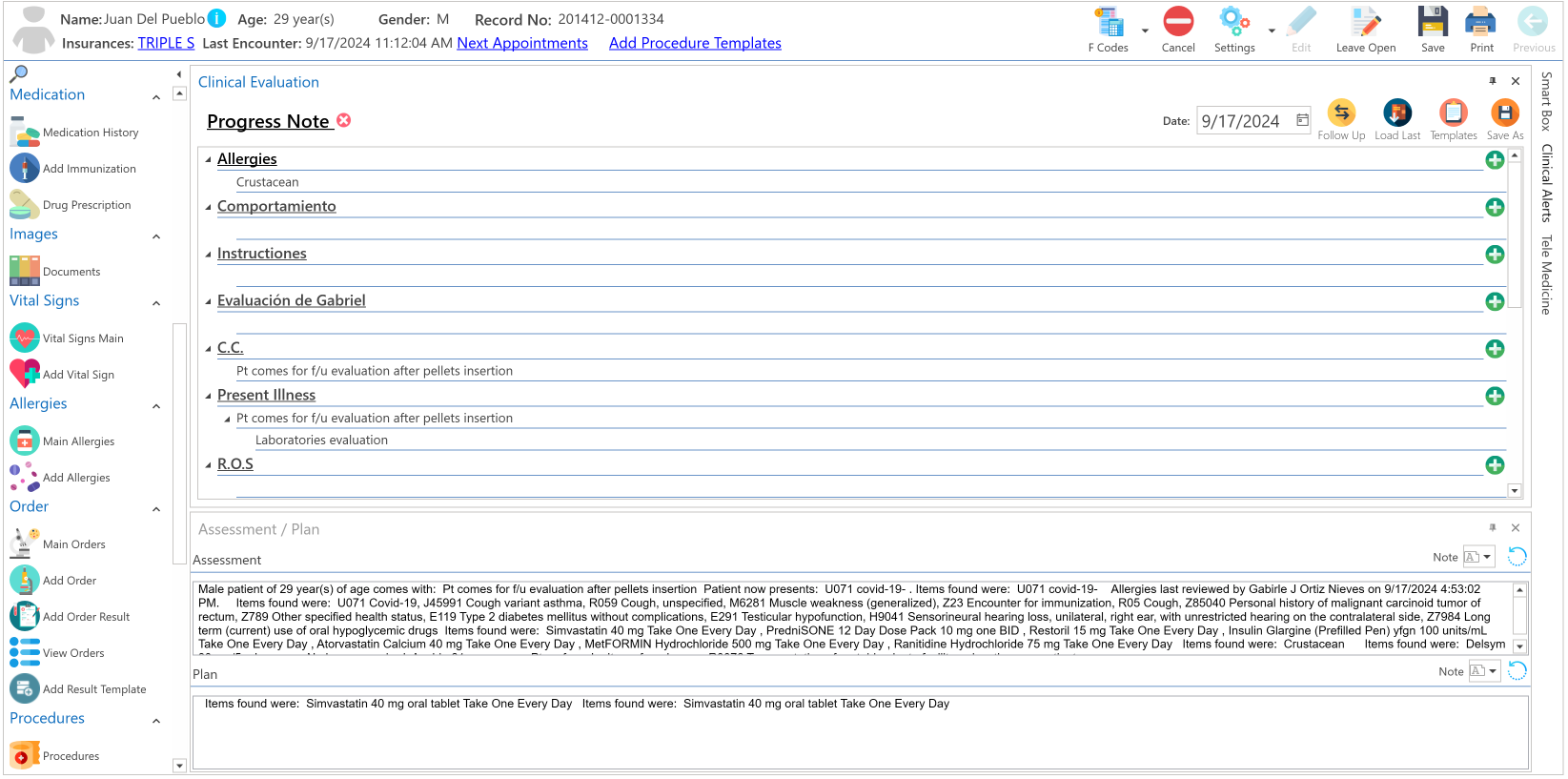
Example: Current View
After using the Restore Layout function
Recommended Article:
Did you find it helpful? Yes No
Can you please tell us how we can improve this article?