Appointments / Reports / Communication
Modified on: Thu, 13 Mar, 2025 at 11:43 AM
Description
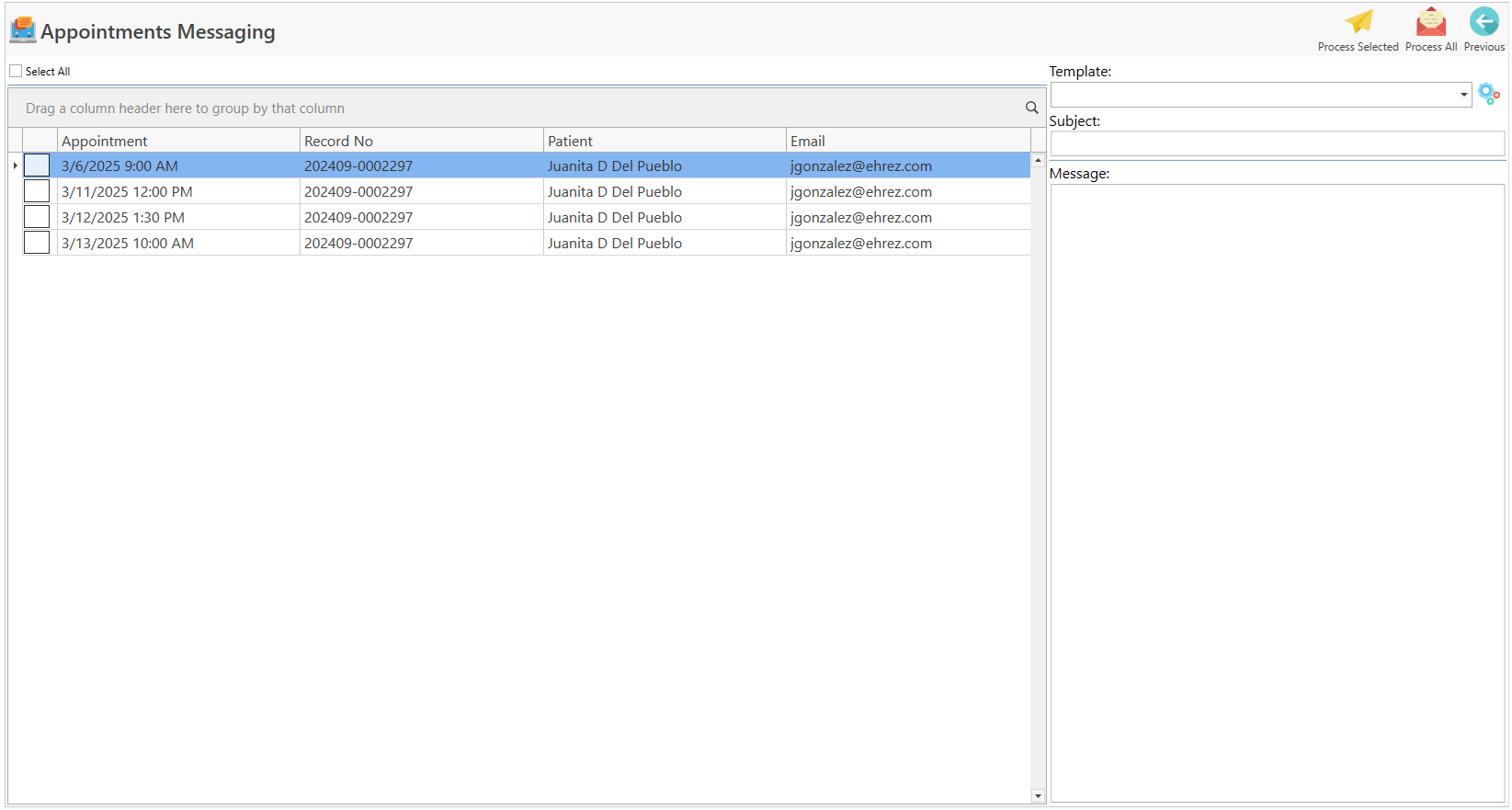
Screen is used to send appointment reminders to a selected patient or group of patients.
Access
Through Main Menu
- In the main menu, press the Appointments button.
- Press the More button located at the top of the screen and select the Reports option.
- Or press the Reports button located in the Side Panel section.
- Then press the Communication button located at the top of the screen.
Through QuickLinks
- Press the QuickLinks text located at the top of the screen.
- Select the Appointments option, press the More button located at the top of the screen, and select the Reports option.
- Select the Patients option, then press Appointments located at the top of the screen.
- Press the More button, located at the top of the screen, and select the Reports option.
- Press the Reports button in the Side Panel section.
- Then press the Communication button located at the top of the screen.
Through Patients
- In the main menu, press the Patients button.
- On the Patients screen, click the Appointments button located at the top of the screen.
- Then, on the Appointments screen, press the More button located at the top of the screen, and select the Reports option.
- Press the Reports button in the Side Panel section.
- Then press the Communication button located at the top of the screen.
Configuration
- Email Templates: Press the Settings button located next to the Templates field on the Appointments Messaging screen. You can also go to Settings/Offices/Templates and press the Reminder Email Templates button located at the top of the screen.
Bellboy
- Process Selected: When pressed, it will send the appointment reminder email to the patient selected.
- Process All: Pressing send automatically sends the appointment reminder to all patients displayed on the screen.
- Previous: Pressing will close the screen.
Sections
- Select All: Select the patient(s) to whom you want to send an appointment reminder.
- Check Mark: Select the patient(s) who will be sent the appointment reminder.
- Record No: Display the patient's record number.
- Patient: Display the name of the patient to whom the appointment reminder will be sent.
- Email: Email of the patient to whom the appointment reminder will be sent.
- Template: Section to select the Template that has been previously configured.
Subject: Enter the title of the reminder message to be sent.
Message: Type the reminder message you want to send or displays the message, previously configured.
Did you find it helpful? Yes No
Can you please tell us how we can improve this article?