How do we register patient's payments through appointments?
Modified on: Fri, 31 Jan, 2025 at 10:28 AM
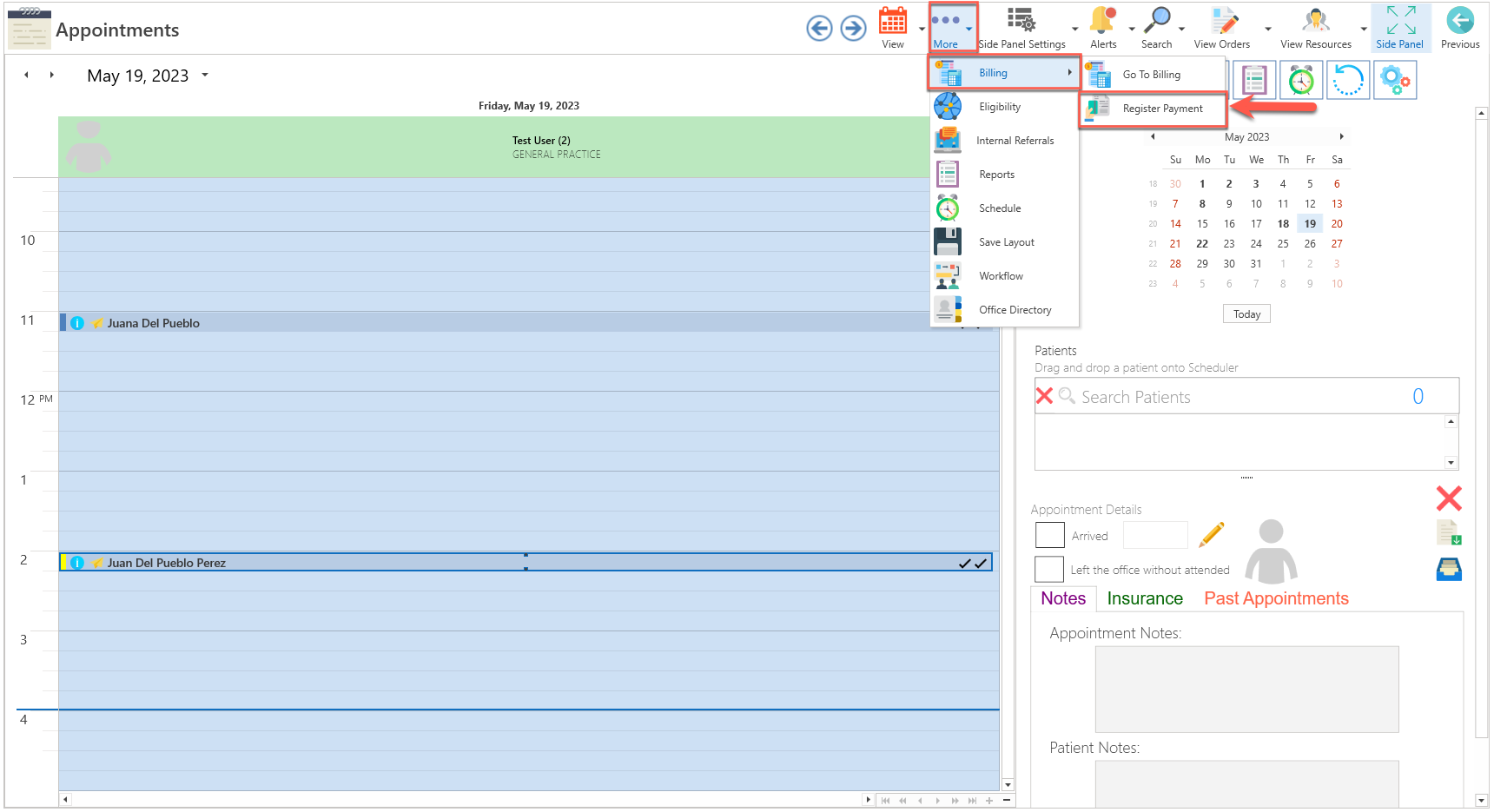
- Navigate to the Appointments screen.
- Select the More button, which is situated at the top of the screen.
- Choose the Billing option, followed by Register Payment.
- The following screen will be displayed:
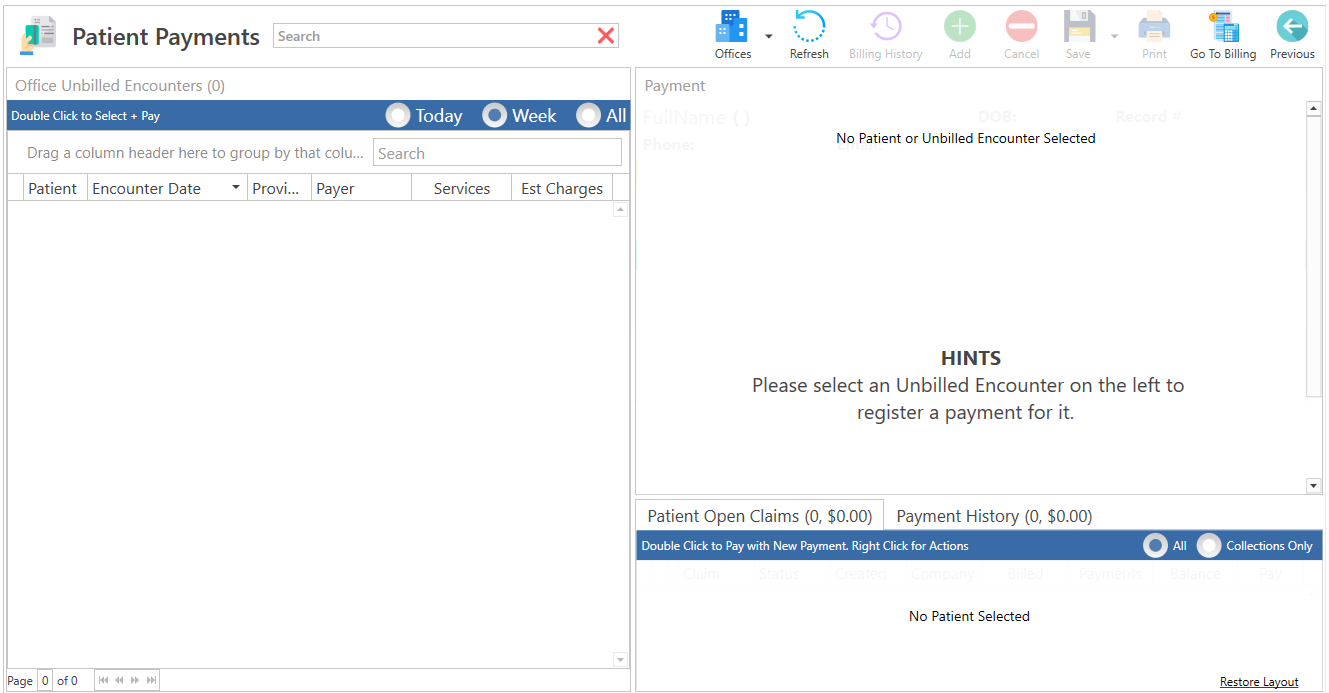
- If there is a selected patient, the patient's information, will be displayed, to register the payment.
- Proceed to record the corresponding patient's payments.
Recommended Article:
Did you find it helpful? Yes No
Can you please tell us how we can improve this article?