Advanced Progress Note / Settings / Use closing codes summary values
Modified on: Mon, 27 Jan, 2025 at 10:34 AM
Description
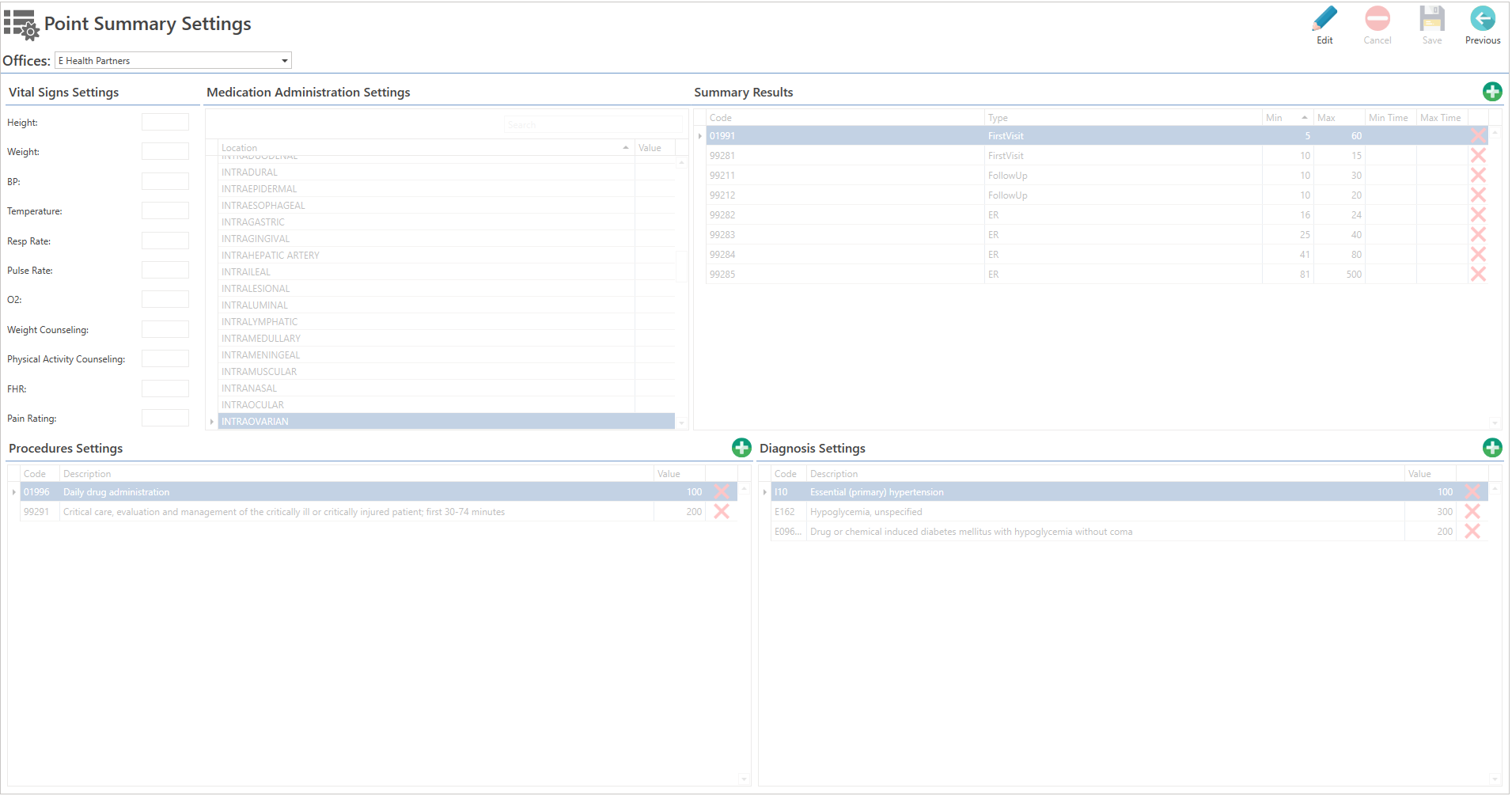
To configure the summary of points values for procedure calculations when closing a progress note, you must first set them up in the Settings/Clinical/Point Summary Values Settings screen.
Access
Through Settings
- Select the Settings button in the main menu.
- Then choose the Clinical option and click on the Point Summary Values Settings button.
Through QuickLinks
- Click on the QuickLinks text at the top of the screen.
- Then select the 'Settings' option, click on the Clinical button, and choose the Point Summary Value Settings button.
Sections
- Vital Signs Settings: Enables configuration of vital signs values.
- Medication Administration Settings: Enables configuration of the route's value for administered medications.
- Summary Results: Enables configuration of the value, as well as the minimum and maximum time, for CPT codes.
- Procedures Settings: Enables the configuration of procedure values.
- Diagnosis Settings: Enables configuration of diagnostic values.
Did you find it helpful? Yes No
Can you please tell us how we can improve this article?