How to edit a pediatric patient developmental measures configuration?
Modified on: Mon, 17 Mar, 2025 at 11:47 AM
There are several options for editing the configuration of the pediatric patient's developmental measures.
Option #1
Click on the QuickLinks text, located at the top of the screen.
Select the Settings option.
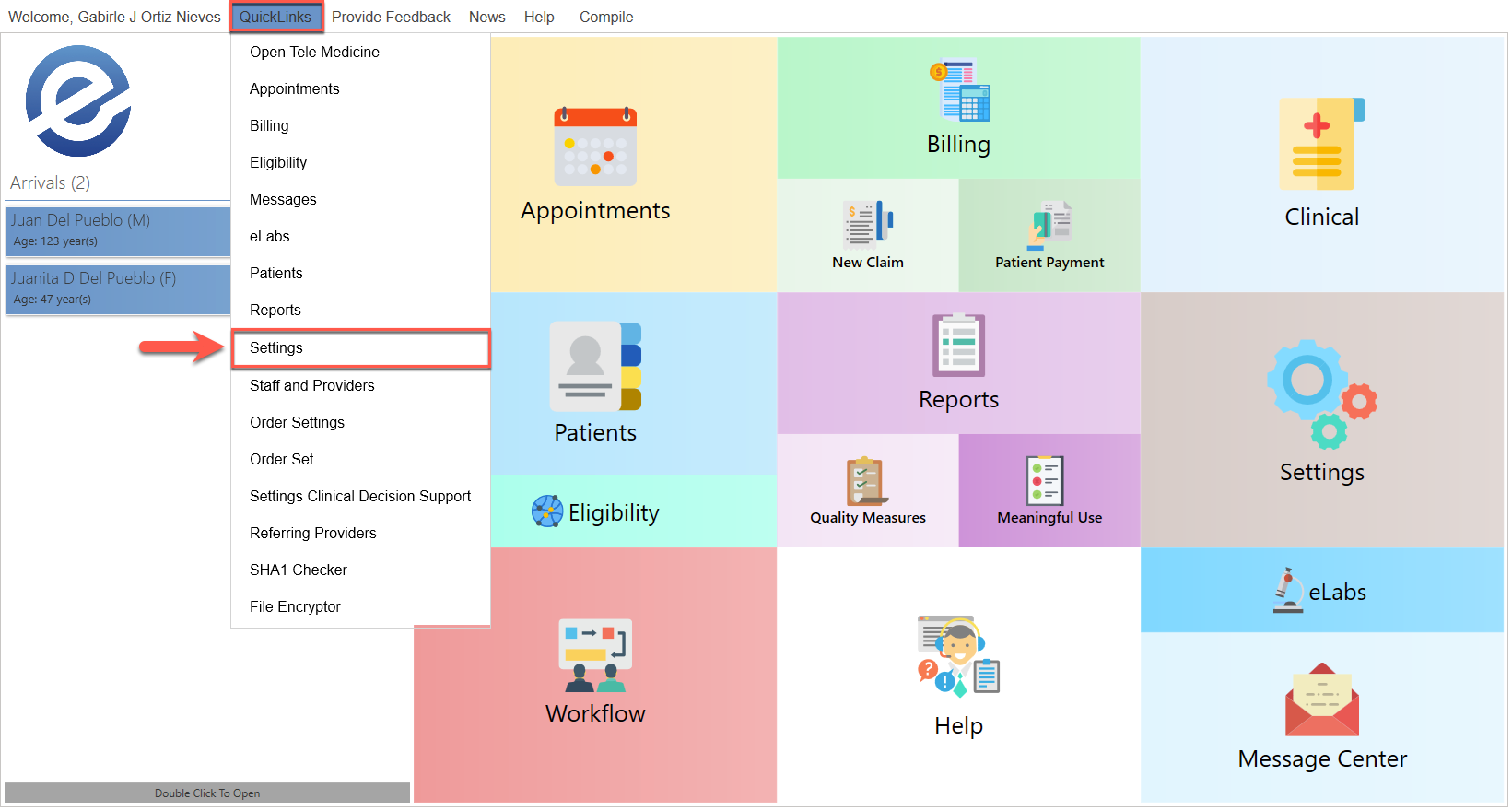
- The following screen will be displayed:
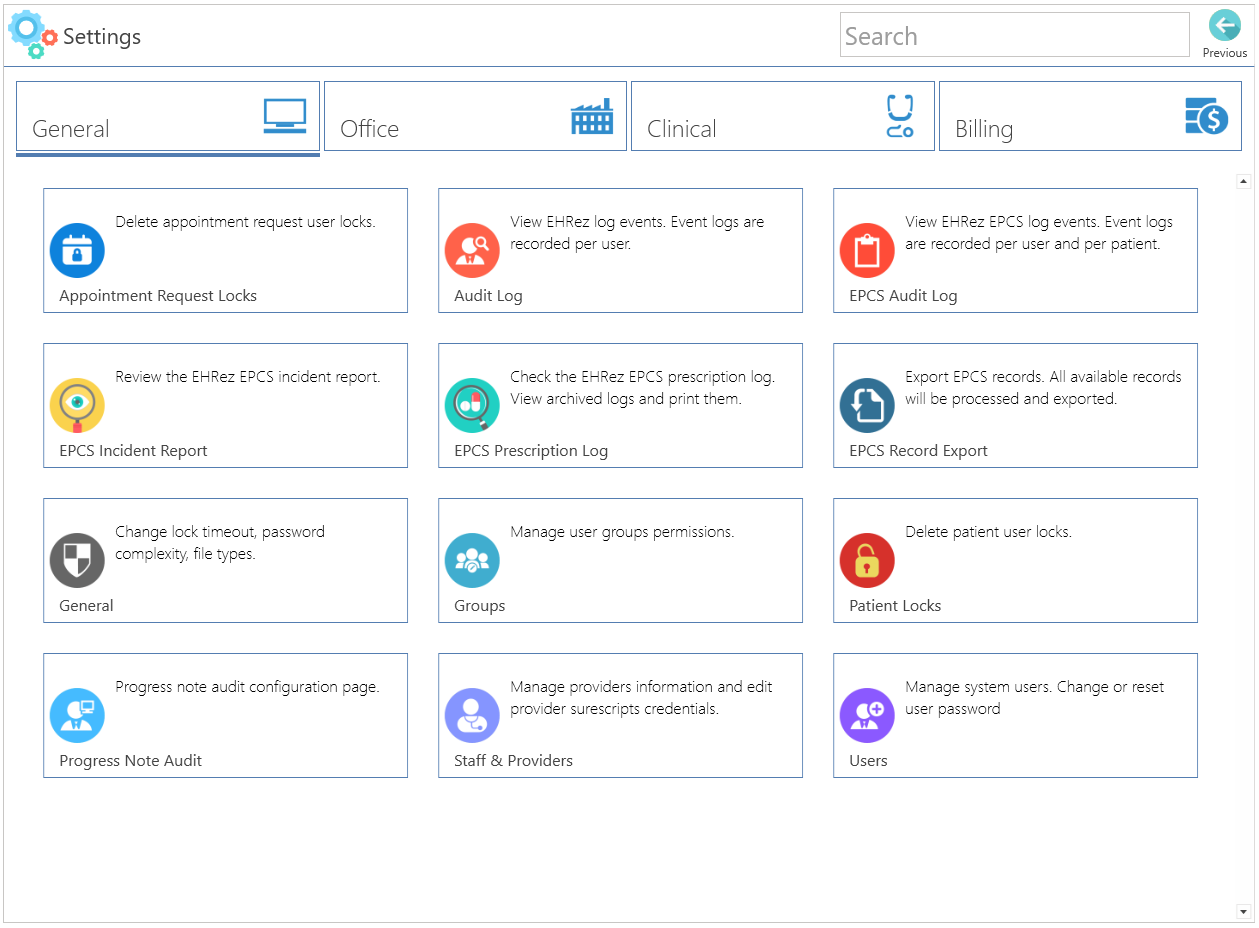
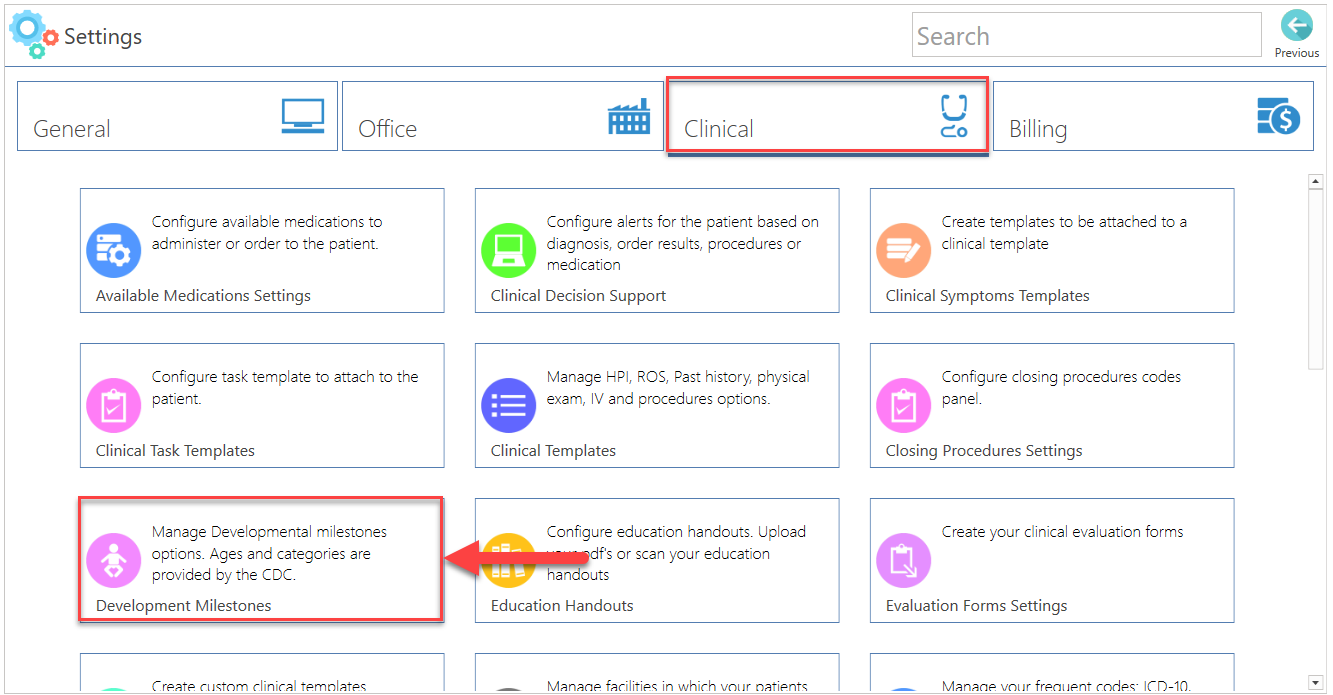
- Click on the Clinical button and then select the Developmental Milestones option.
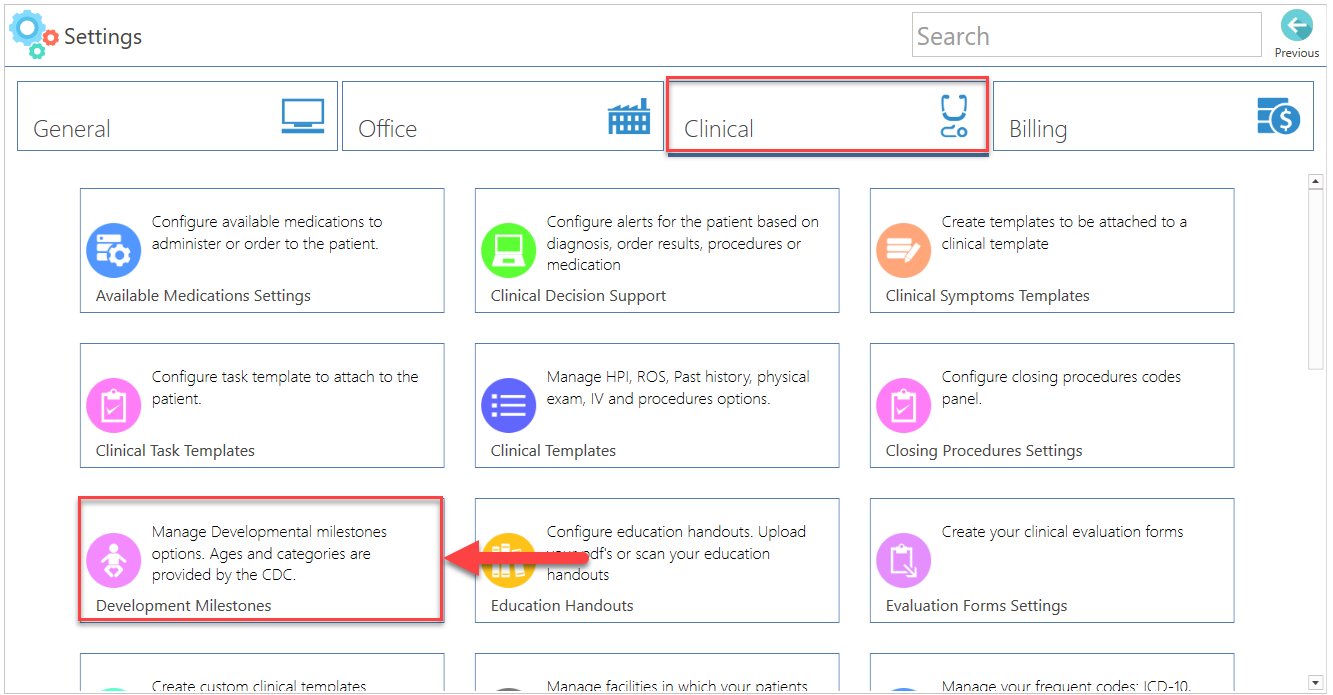
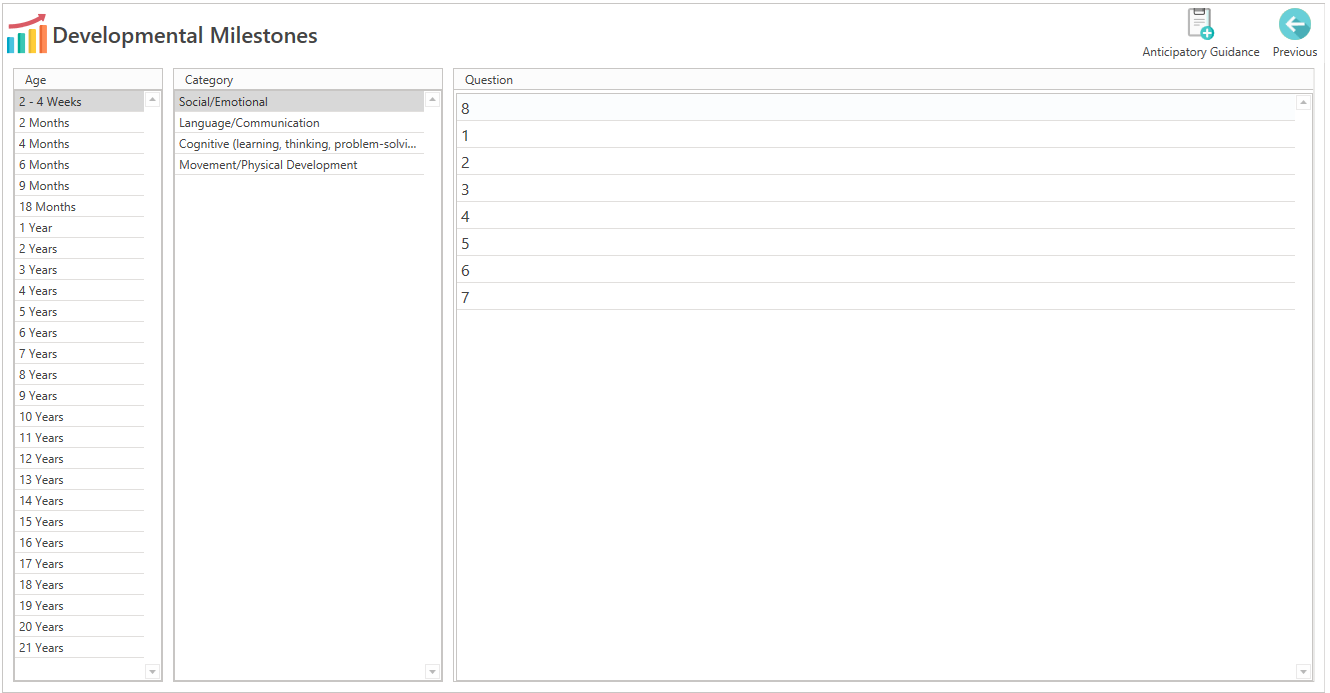
- The following screen will be displayed:
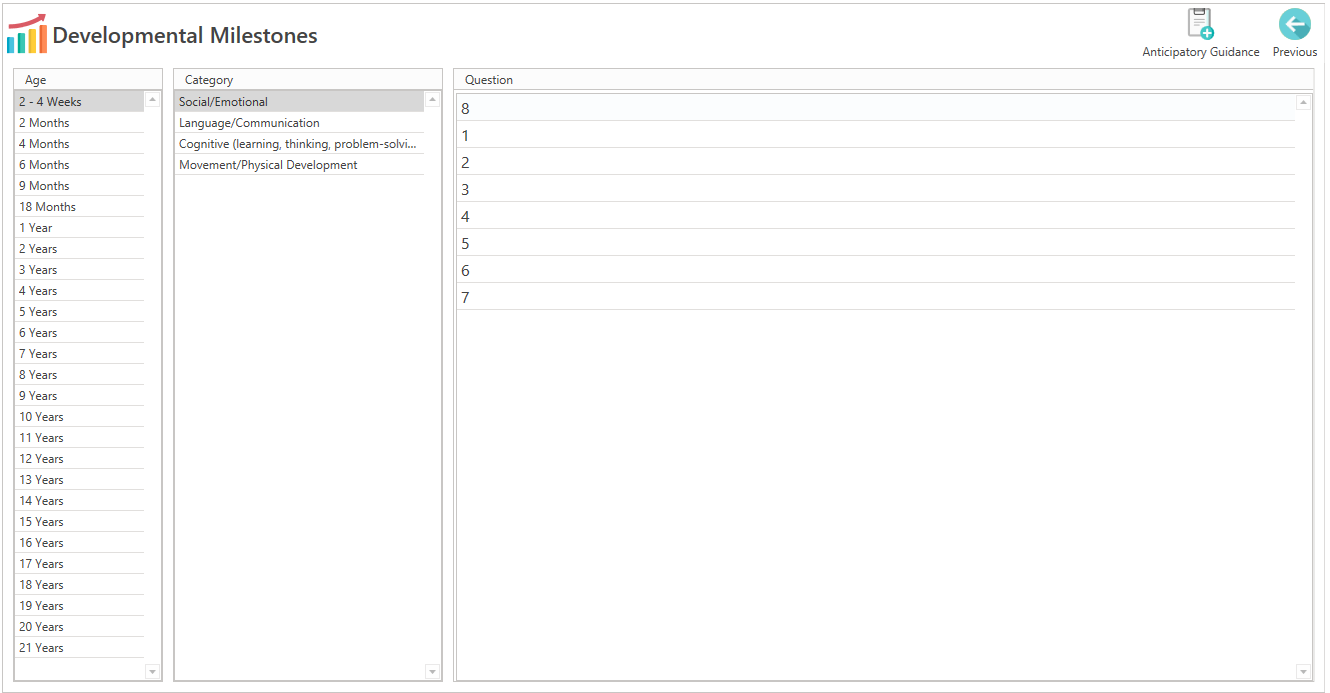
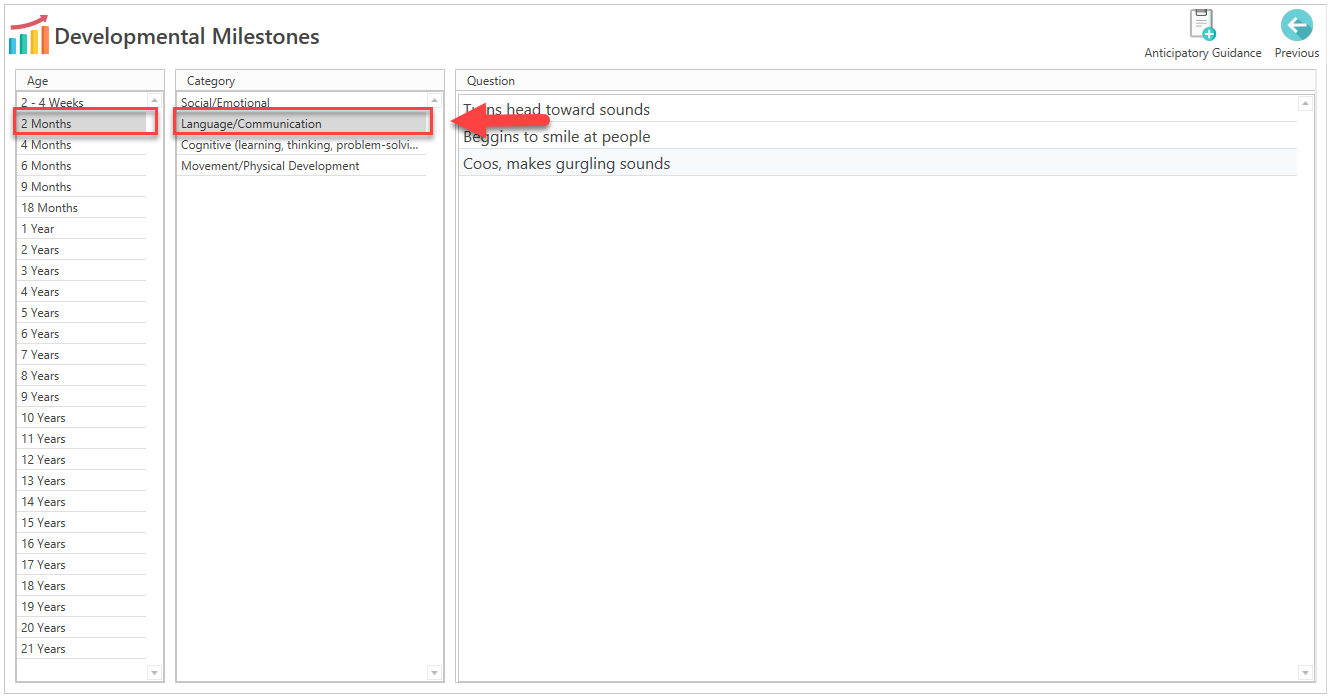
- Select the age, category and question you want to edit.
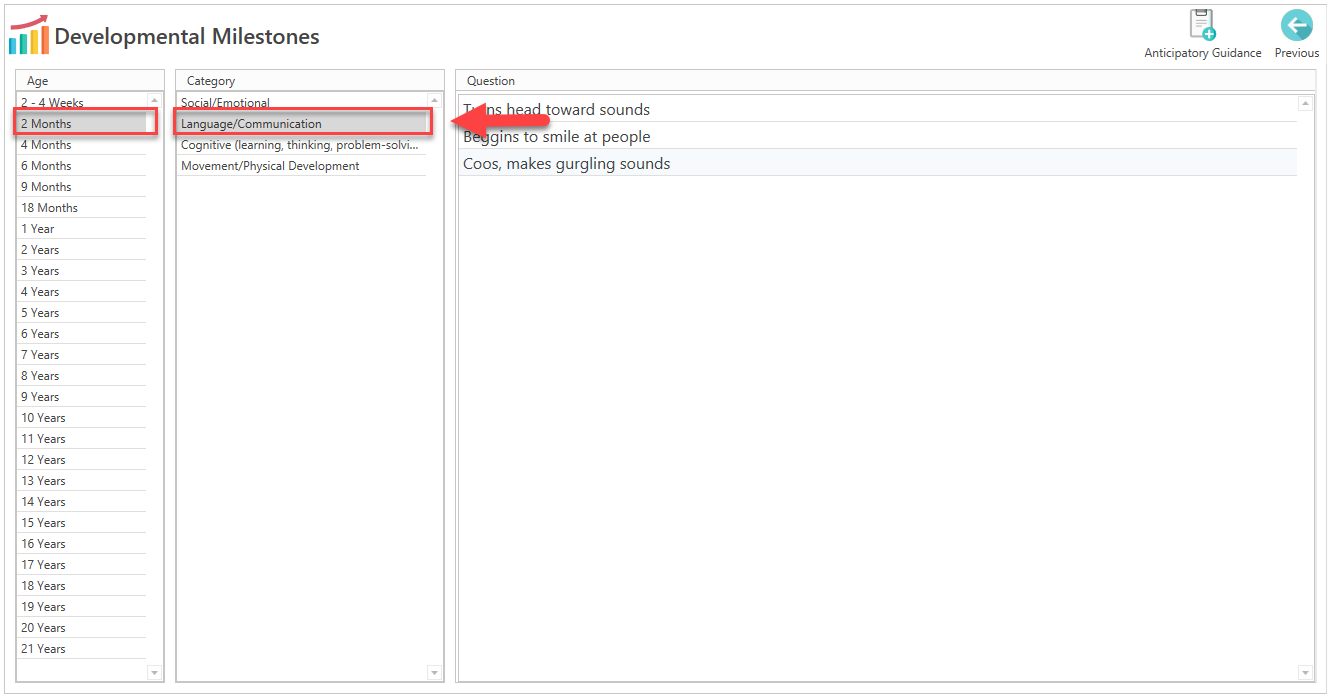
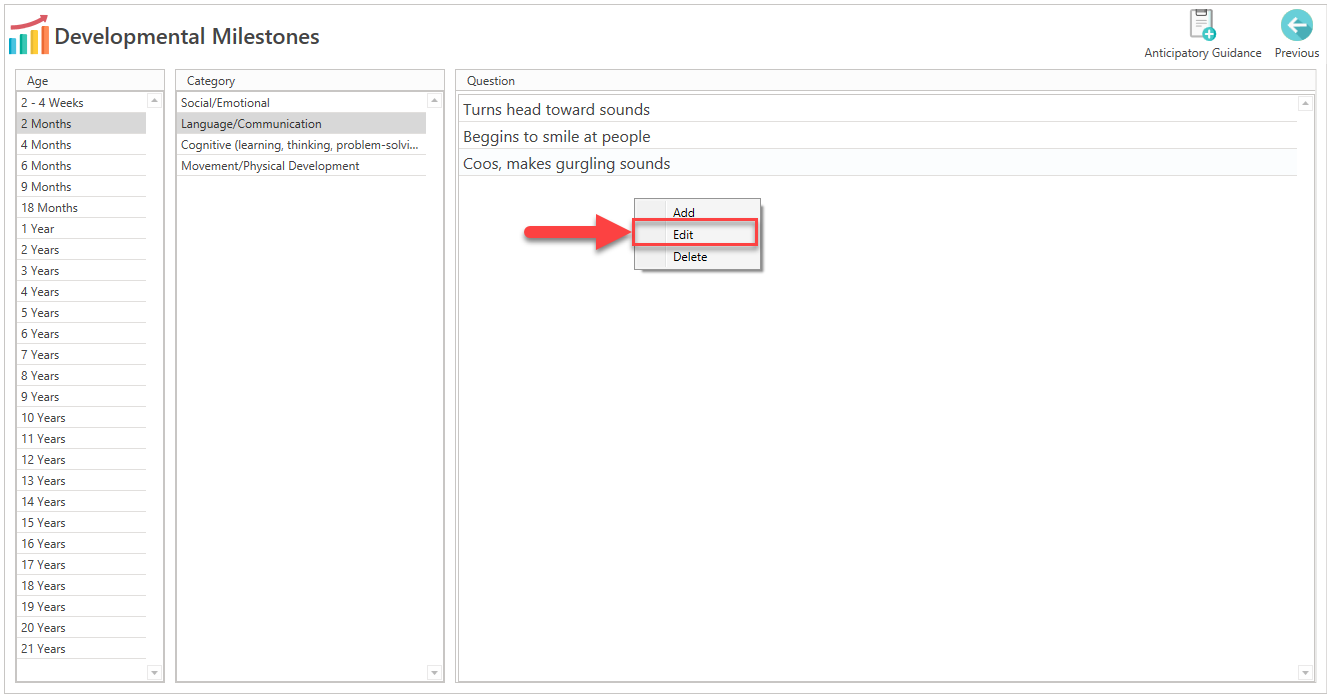
- Select the question you wish to edit, then press the right mouse button.
- Select the Edit option.
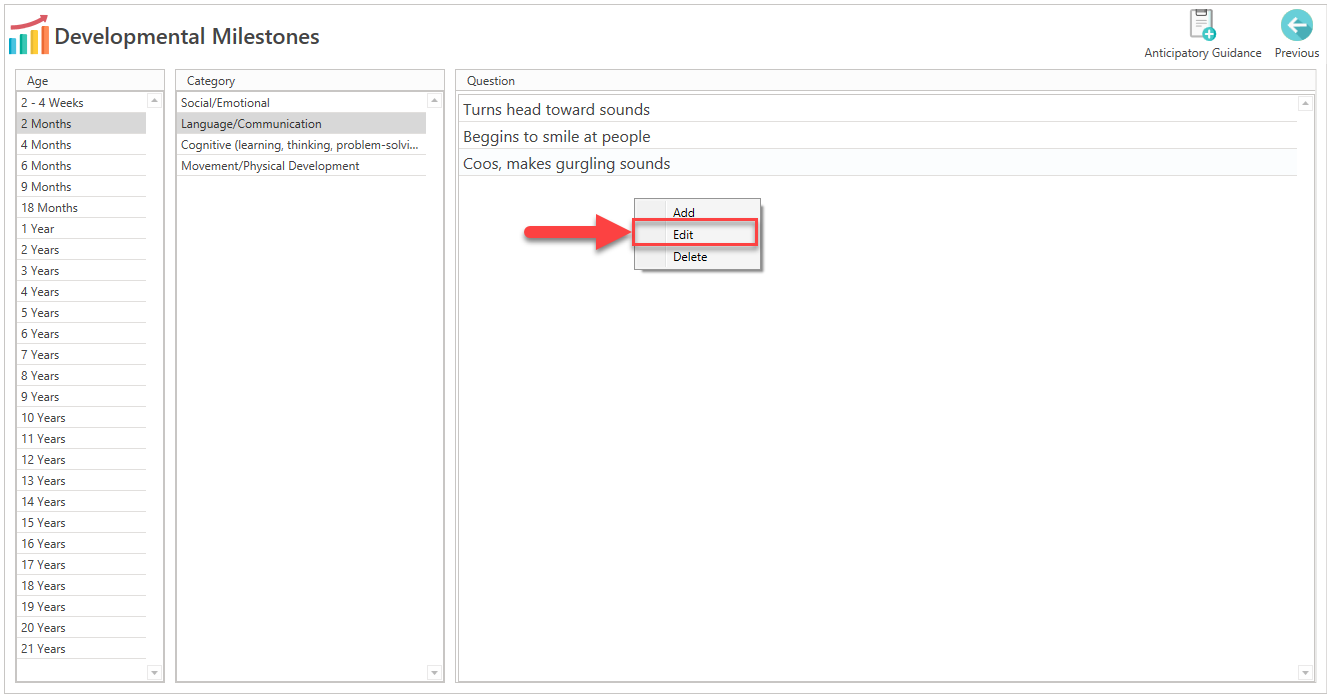
- Make the corresponding modifications and then press the Enter key.
- The changes will be automatically saved.
Option #2
- Press the Settings button in the main menu.
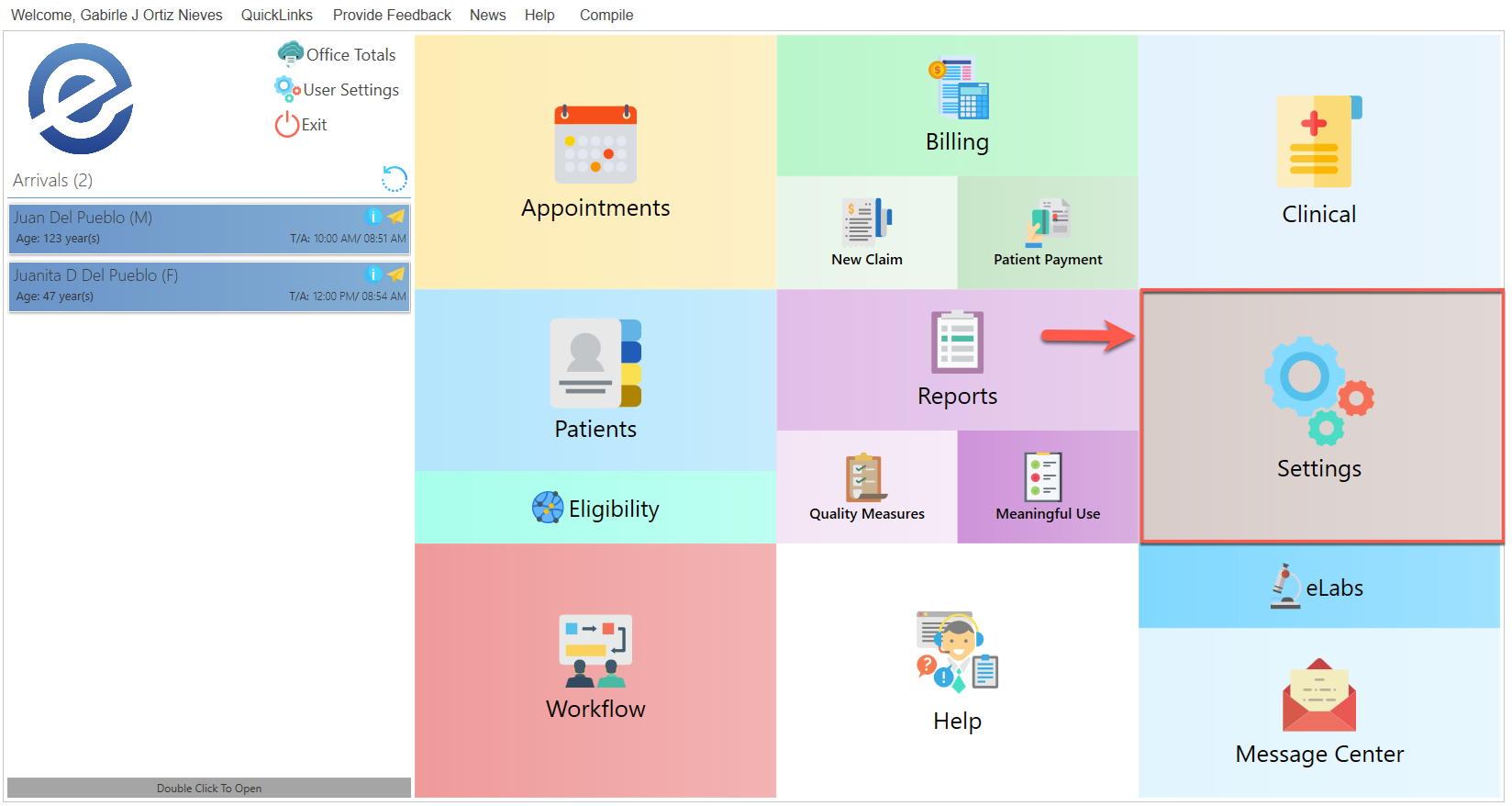
- The following screen will be displayed:
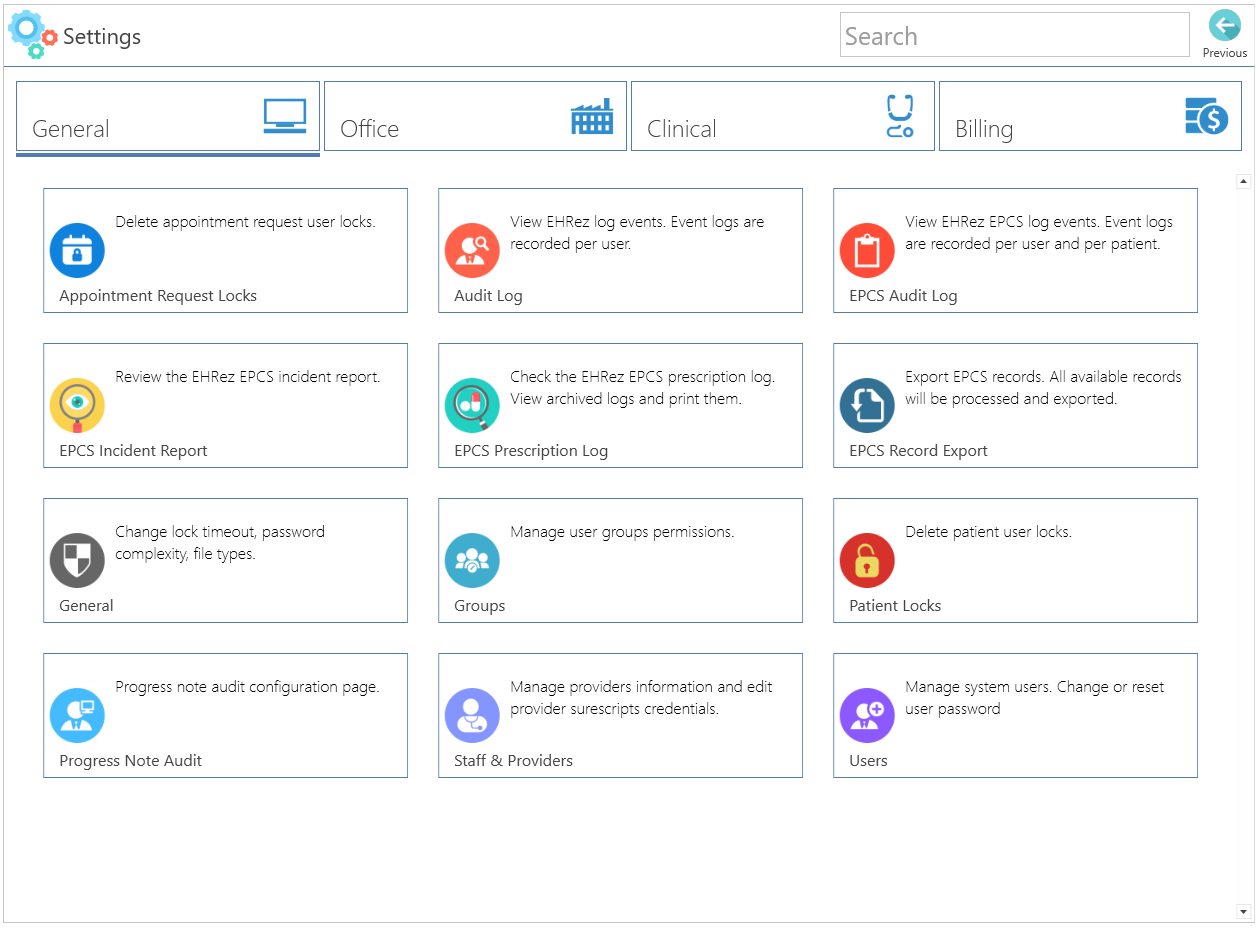
- Click on the Clinical button and then select the Developmental Milestones option.
- The following screen will be displayed:
- Select the age, category and question you want to edit.
- Select the question you wish to edit, then press the right mouse button.
- Select the Edit option.
- Make the corresponding modifications and then press the Enter key.
- The changes will be automatically saved.
Recommended Article:
- Learn More About: Settings / Clinical / Developmental Milestones
Did you find it helpful? Yes No
Can you please tell us how we can improve this article?