How are progress notes assigned to an auditor?
Modified on: Thu, 13 Mar, 2025 at 5:42 PM
There are several options for assigning a progress note to an auditor.
Option #1
Click on the QuickLinks text, located at the top of the screen.
Select the Settings option.
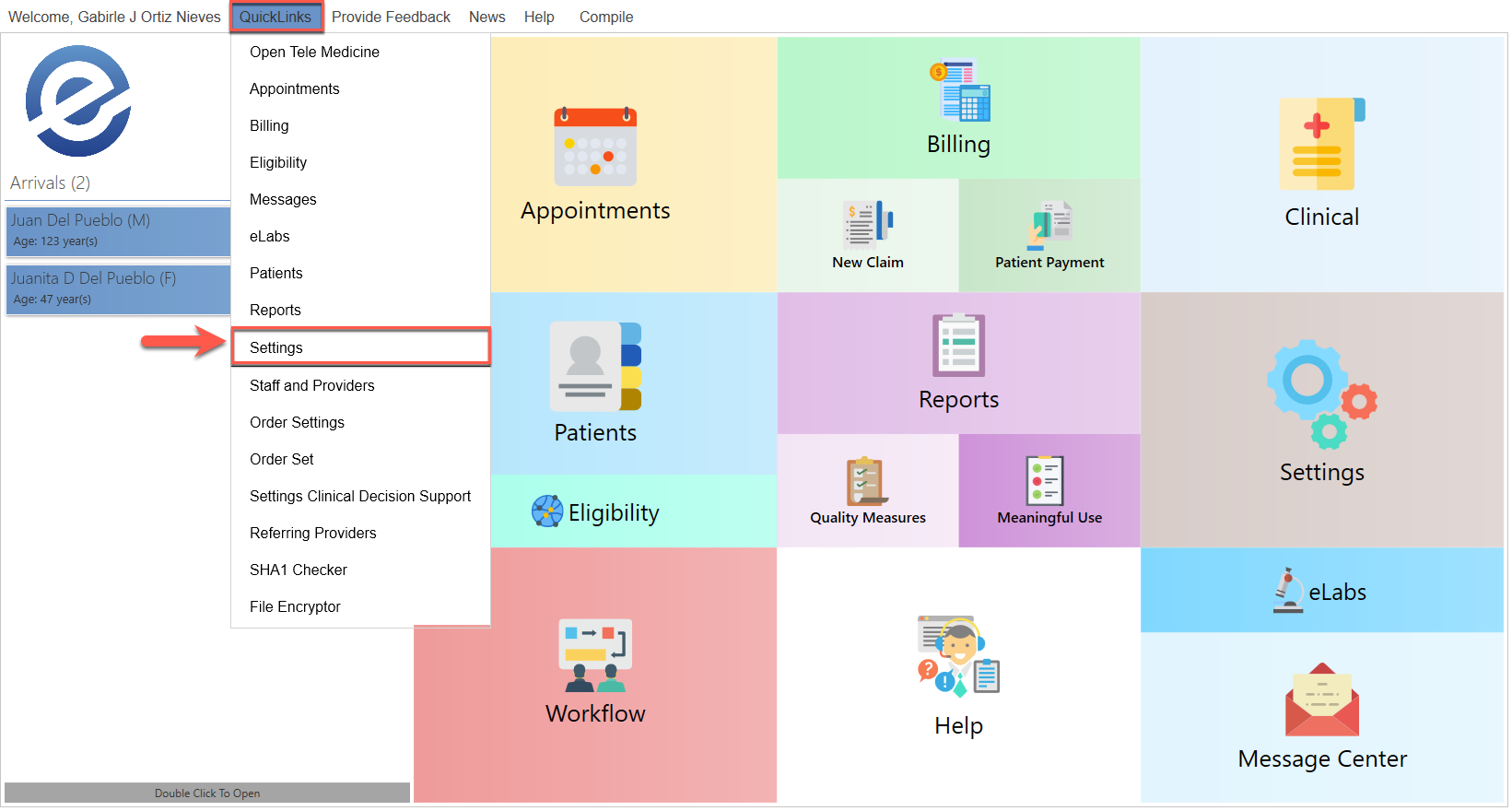
- The following screen will be displayed:
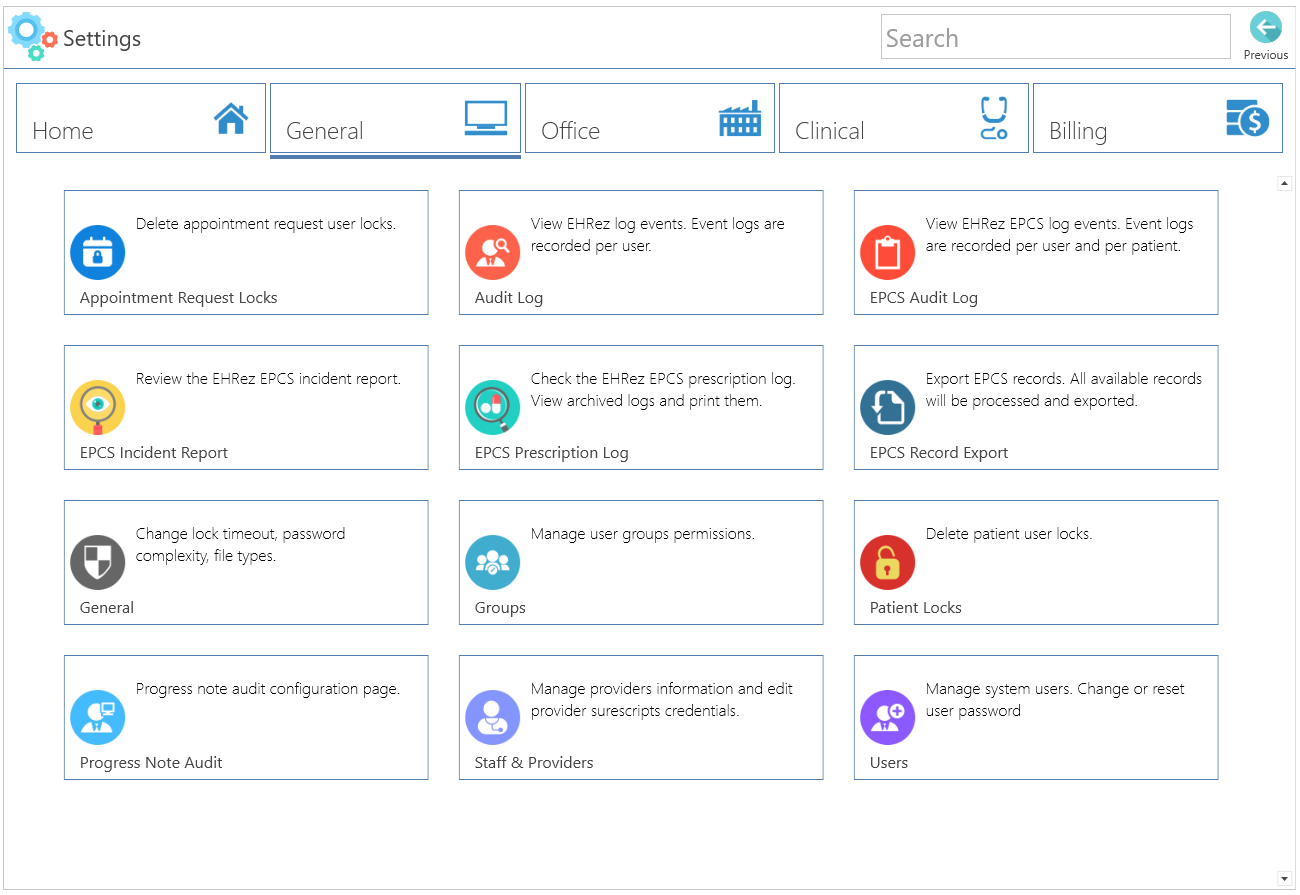
- Press the General button and select the Progress Note Audit option.
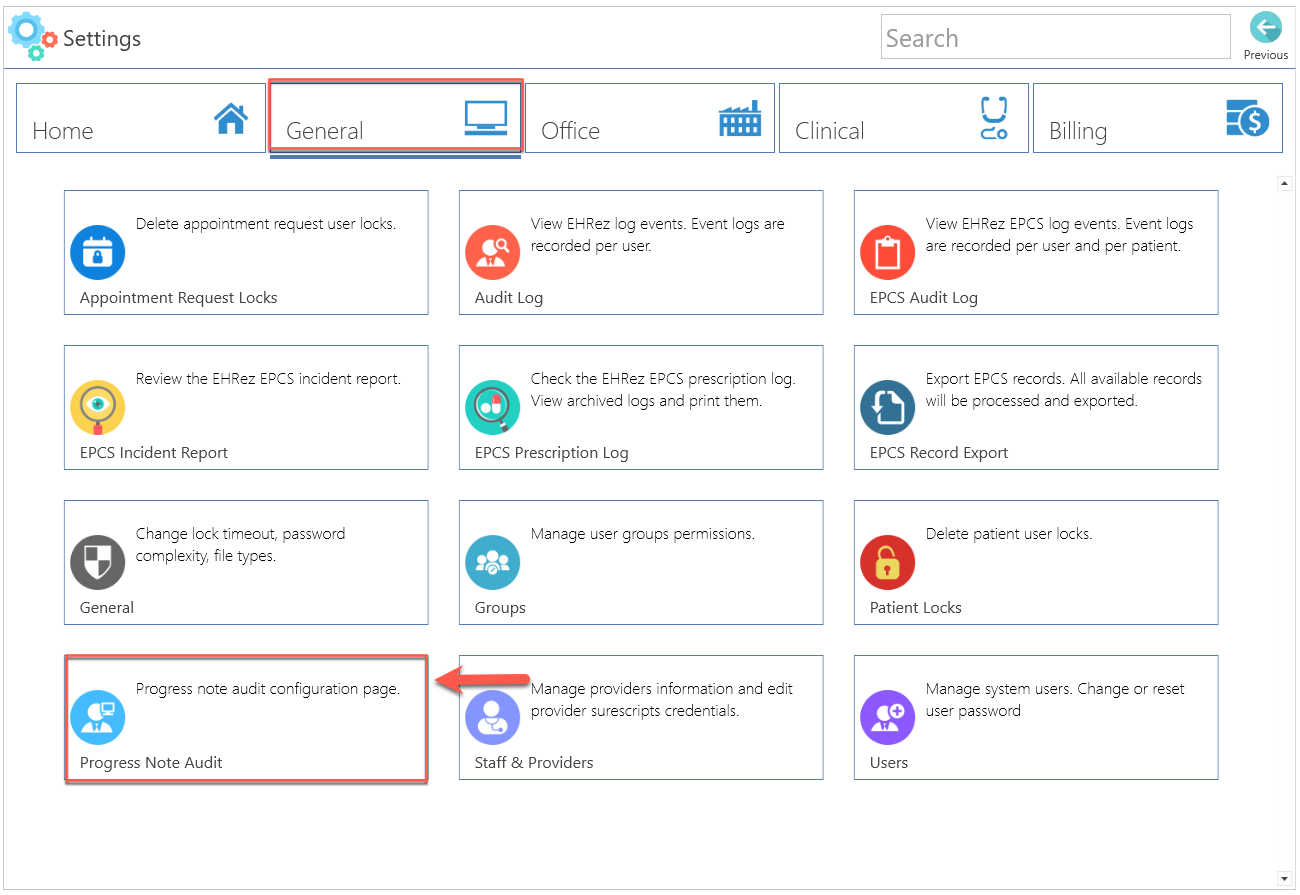
- The following screen will be displayed:
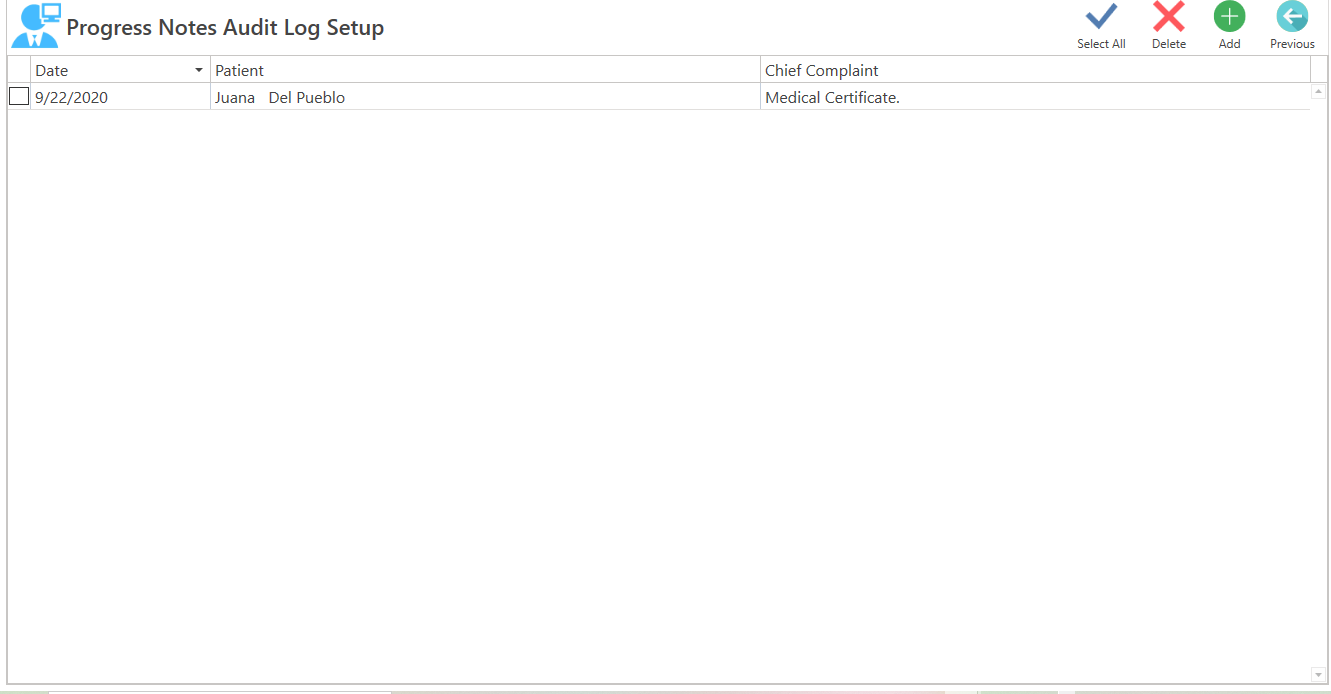
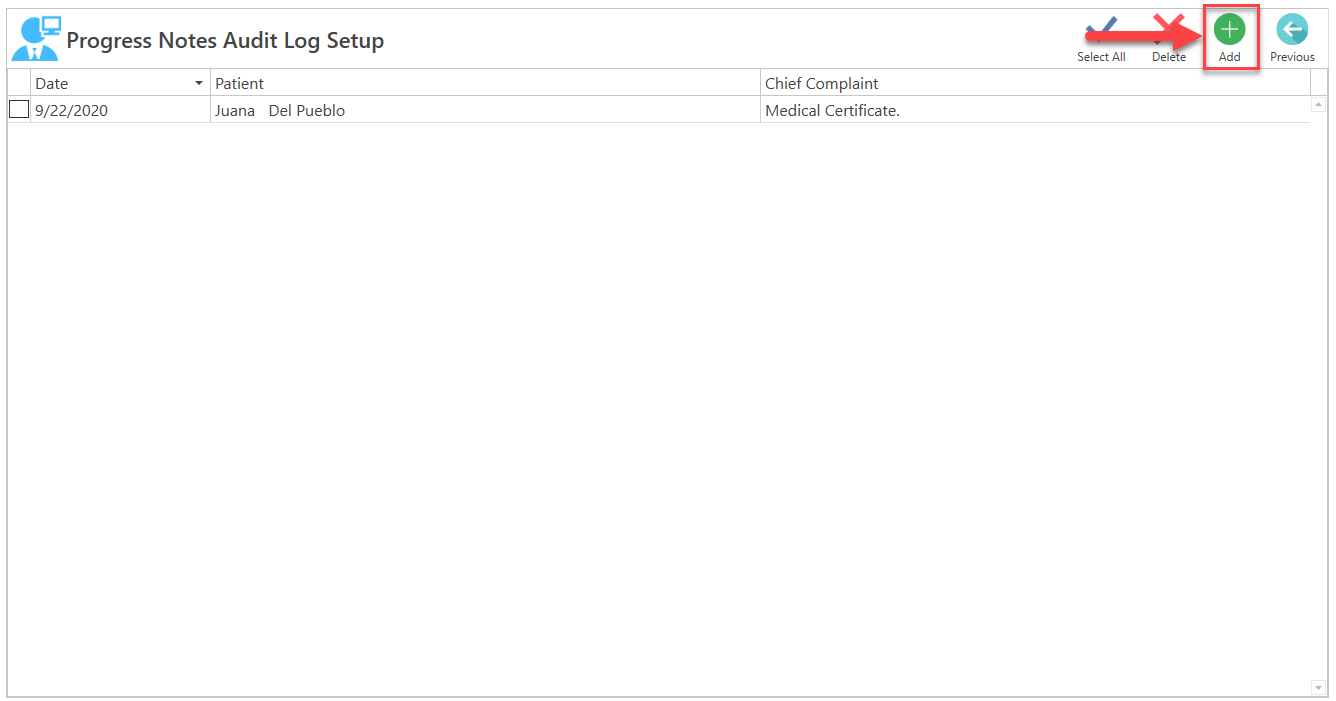
- Press the Add button, located at the top of the screen.
- Perform a patient search.
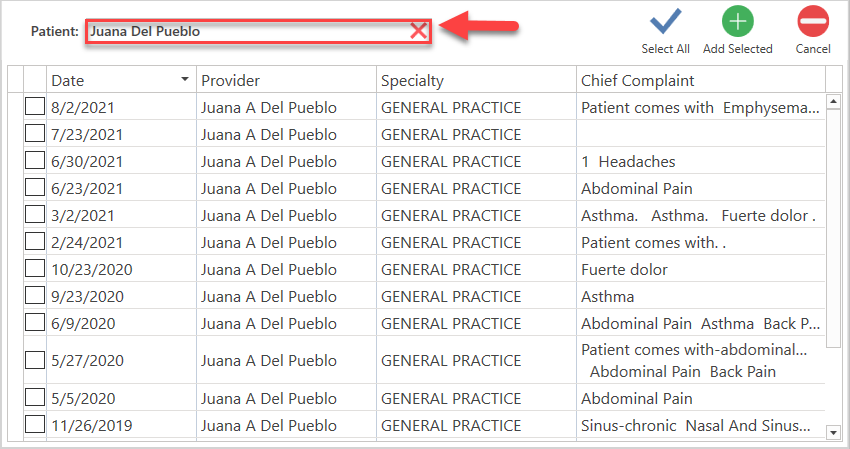
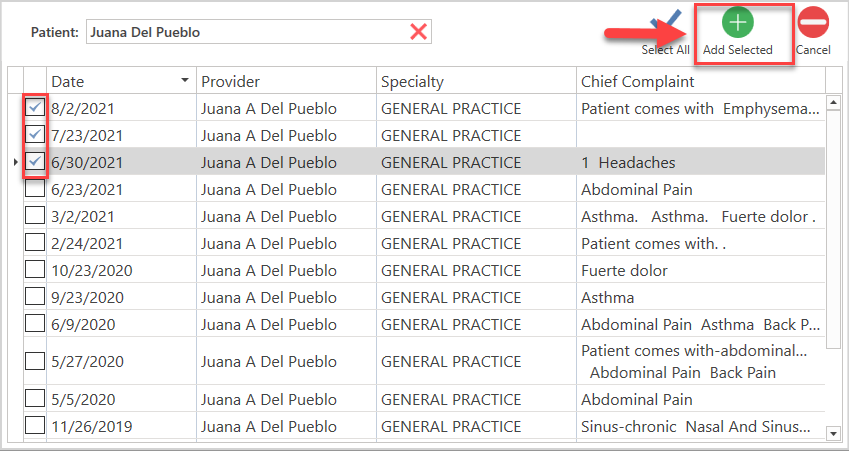
- The patient's progress notes will be displayed, select the ones to be audited.
- Once selected, press the Add Selected button.
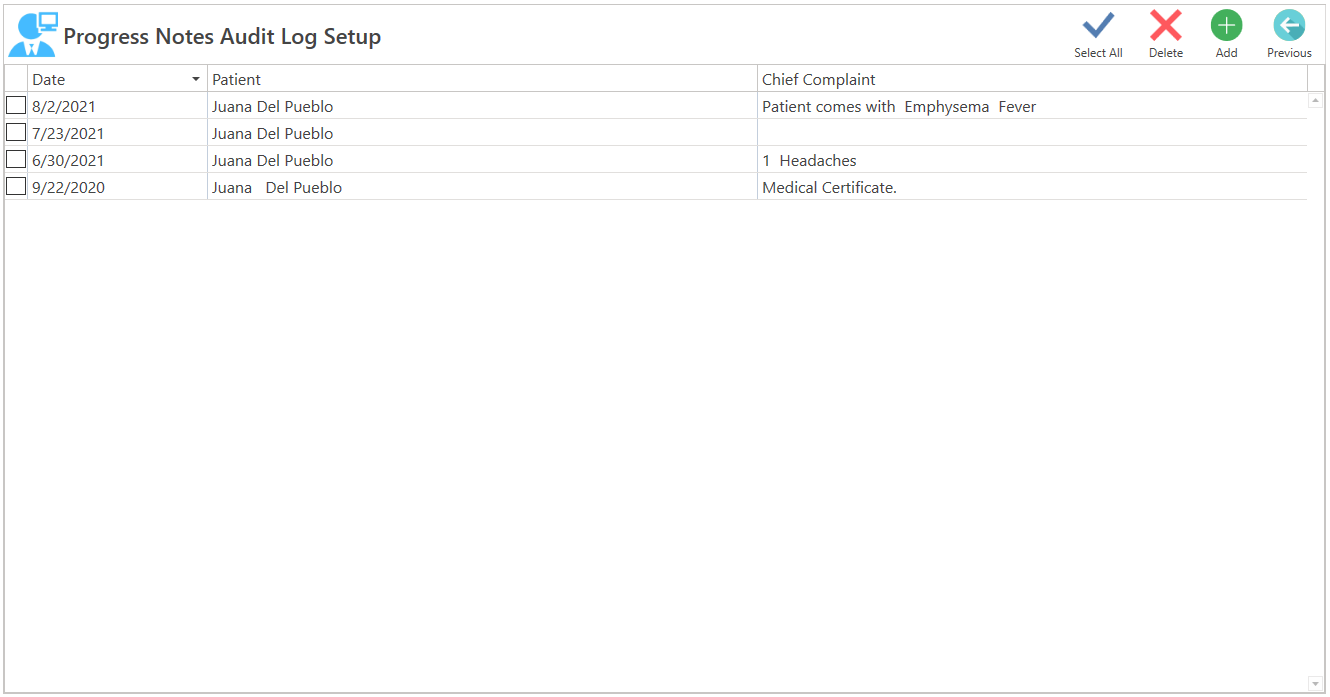
- These will be displayed in the Progress Note Audit Log Setup table.
Option #2
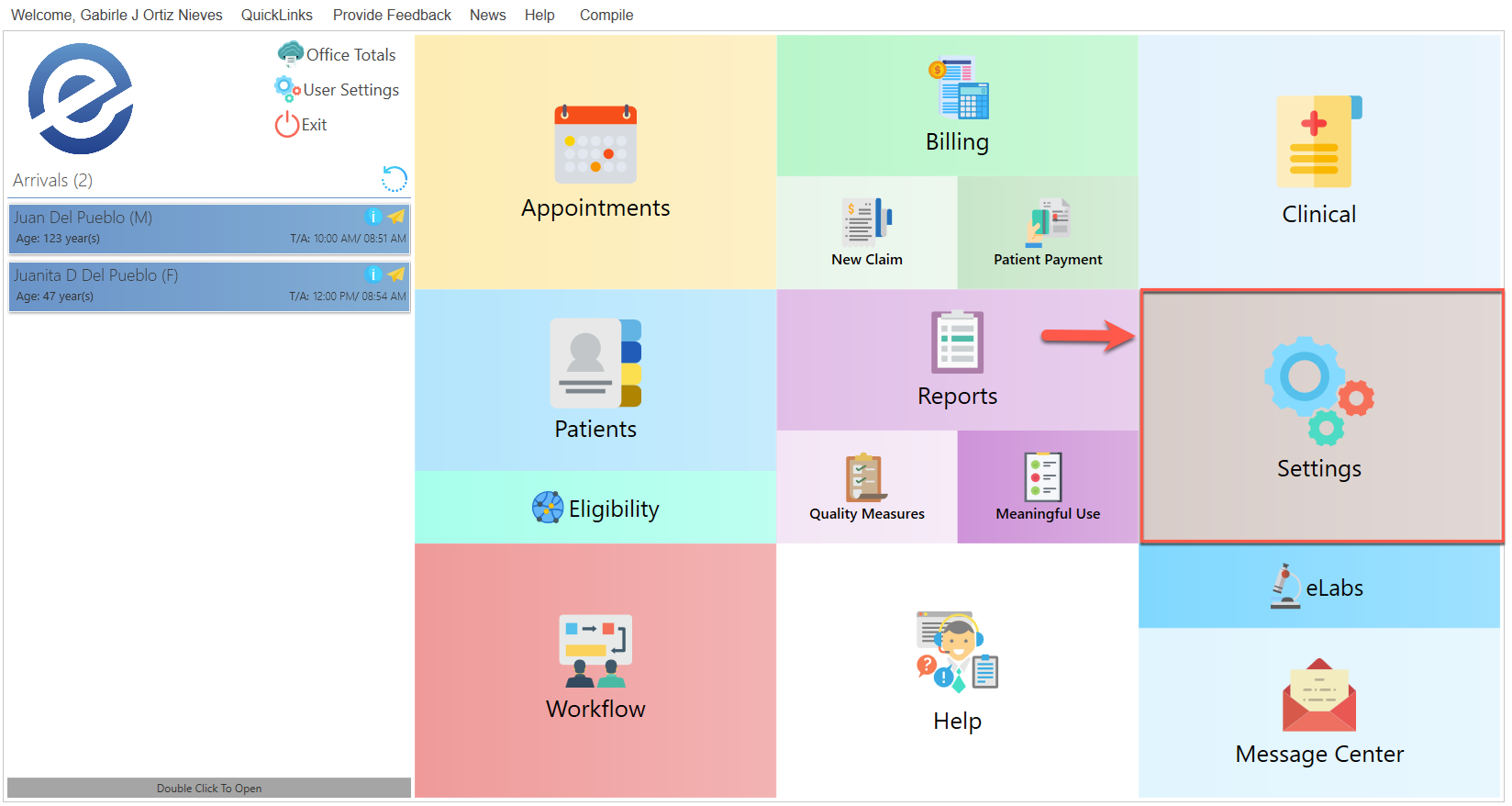
- Press the Settings button in the main menu.
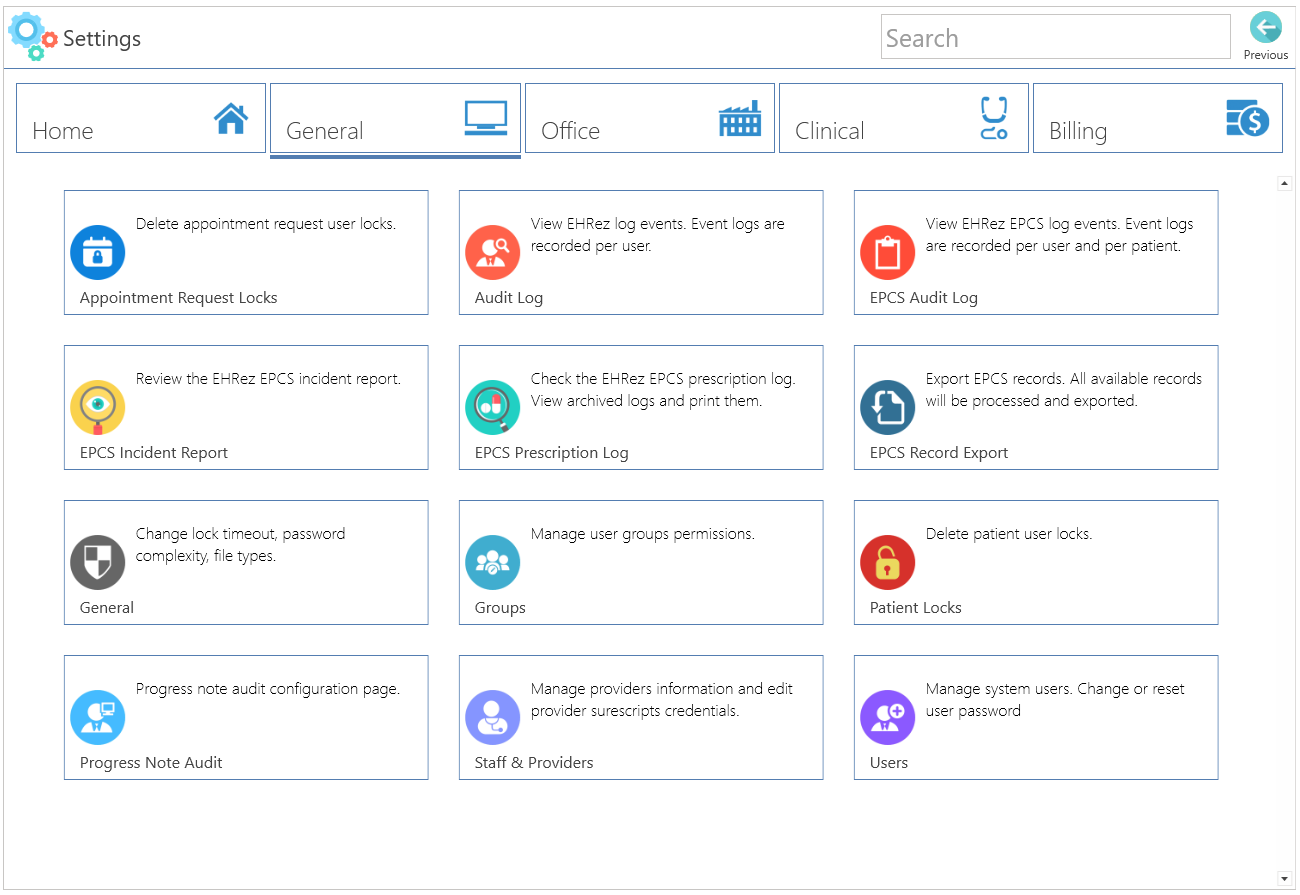
- The following screen will be displayed:
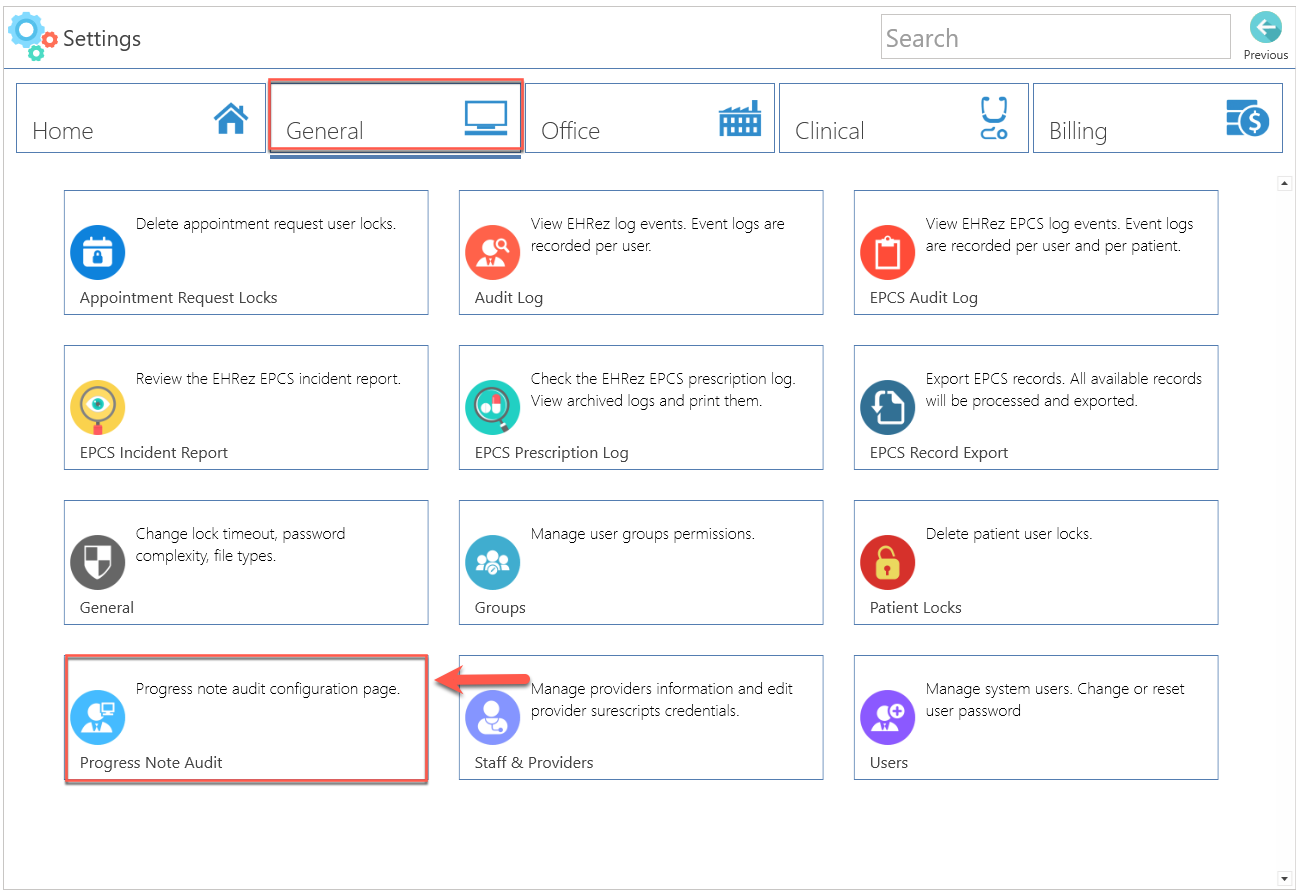
- Press the General button and select the Progress Note Audit option.
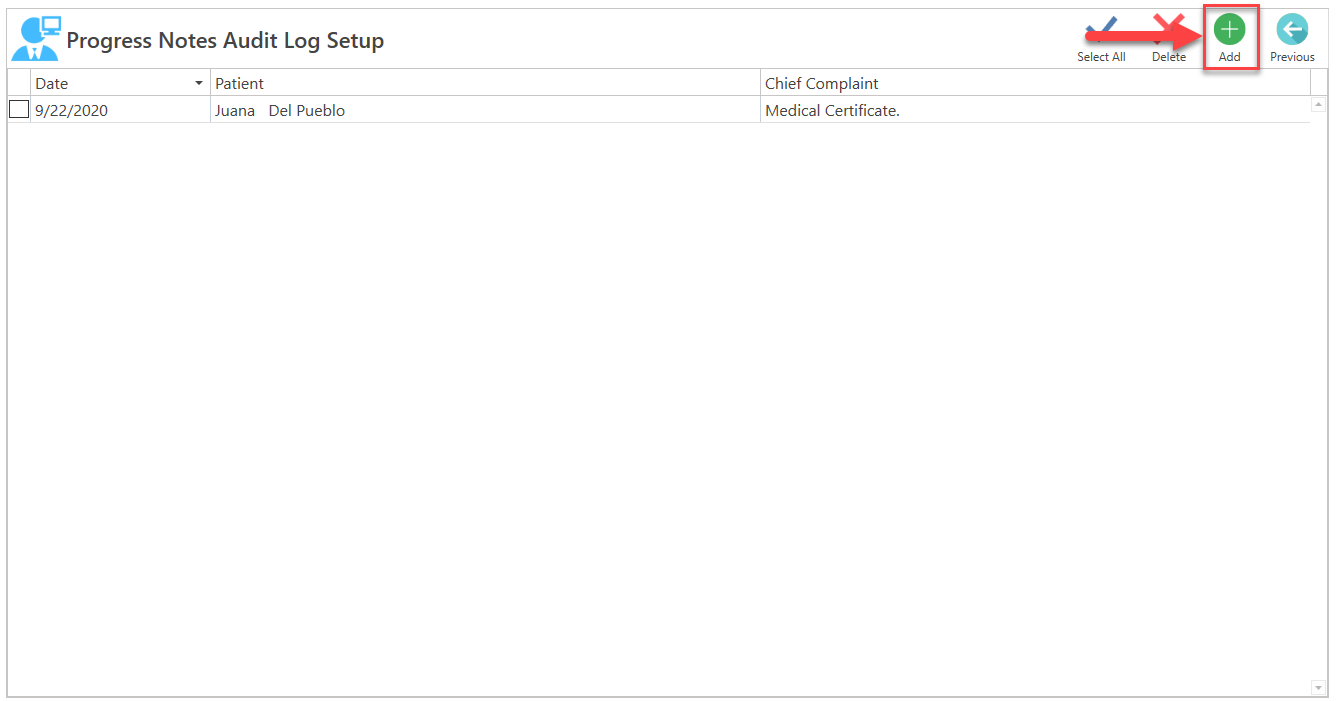
- The following screen will be displayed:
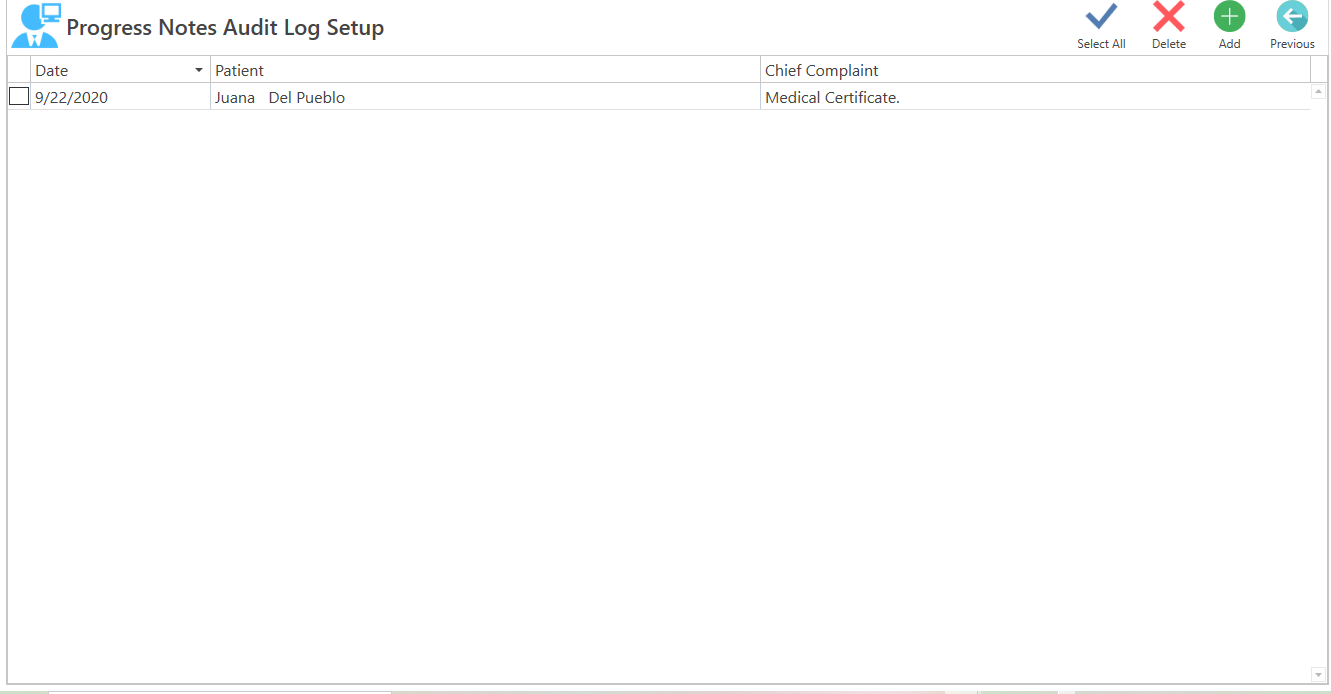
- Press the Add button, located at the top of the screen.
- Perform a patient search.
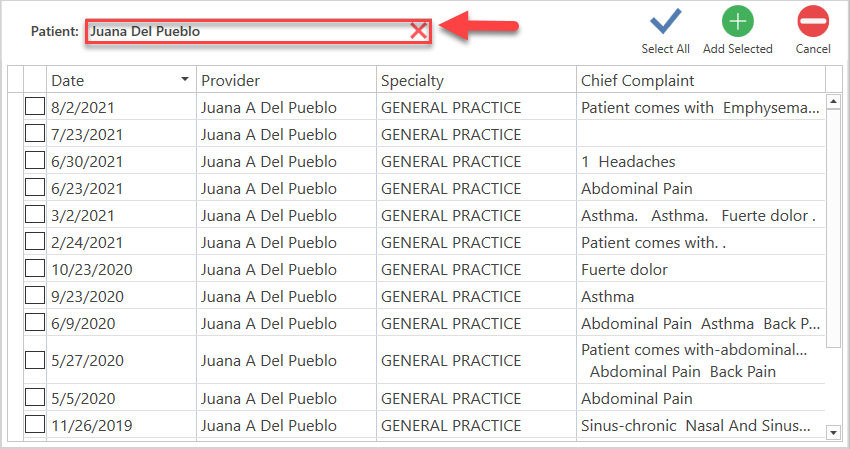
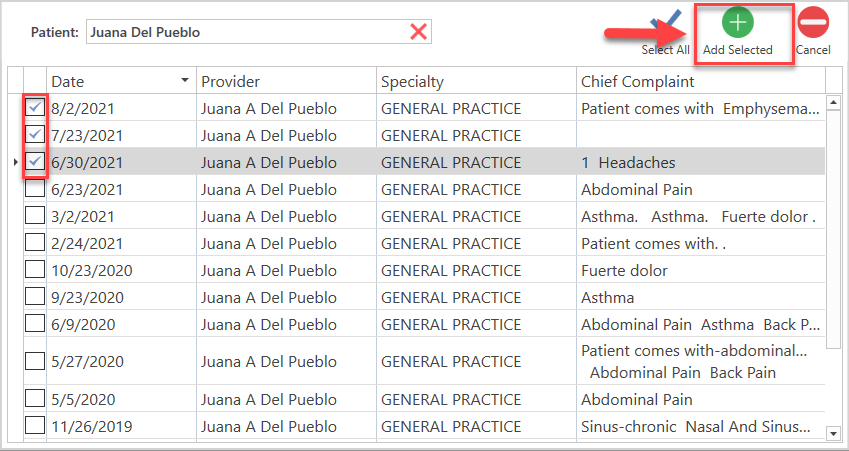
- The patient's progress notes will be displayed, select the ones to be audited.
- Once selected, press the Add Selected button.
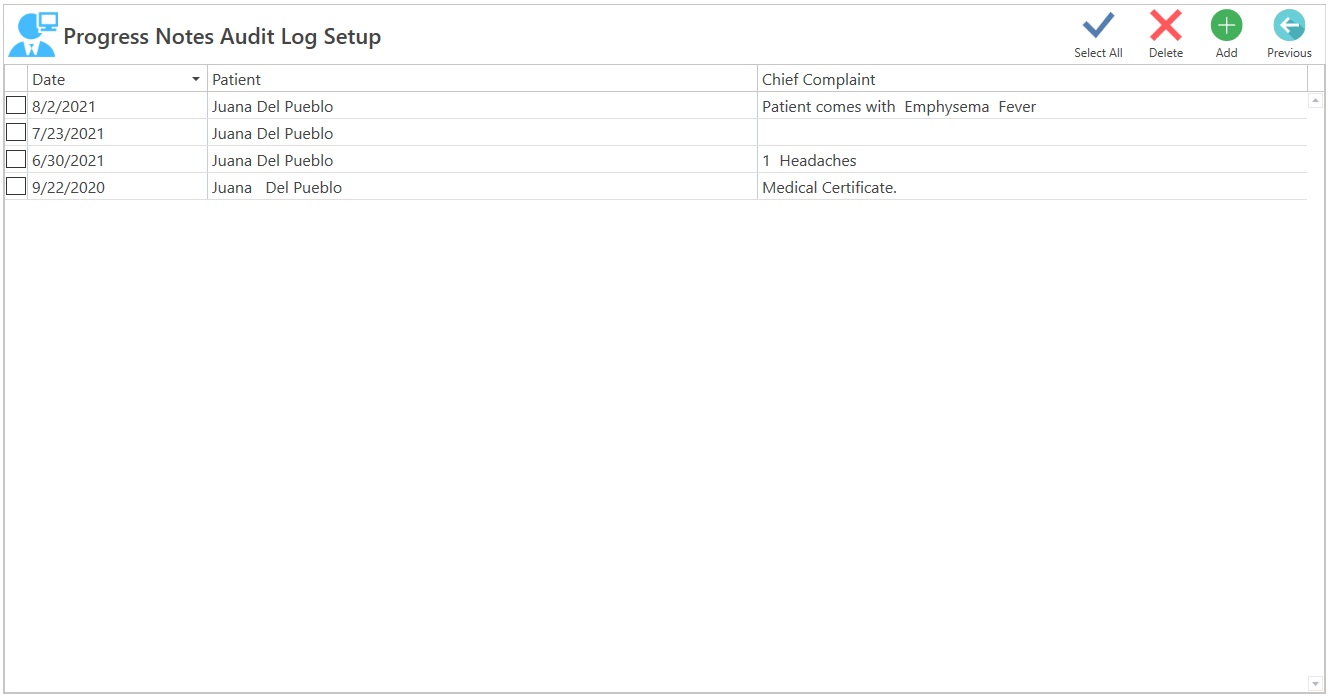
- These will be displayed in the Progress Note Audit Log Setup table.
Recommended Article:
- Learn More About: Settings / General / Progress Note Audit
Did you find it helpful? Yes No
Can you please tell us how we can improve this article?