How to edit the date and time on the Clinical Evaluation section?
Modified on: Thu, 21 Nov, 2024 at 11:33 AM
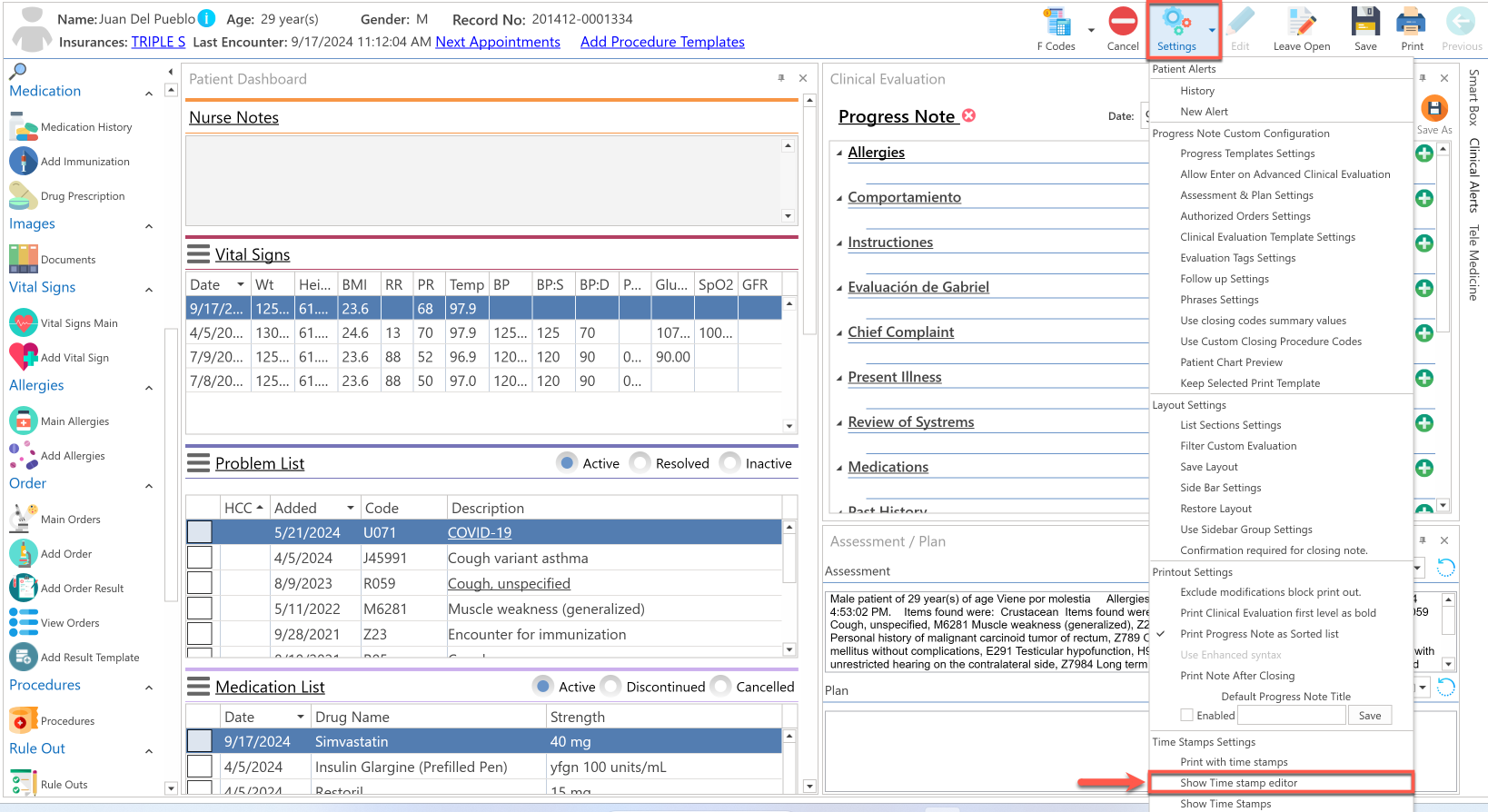
- Go to the Advanced Progress Note screen.
- Press the Settings button located at the top of the screen.
- Select the Show Time Stamp Editor option.
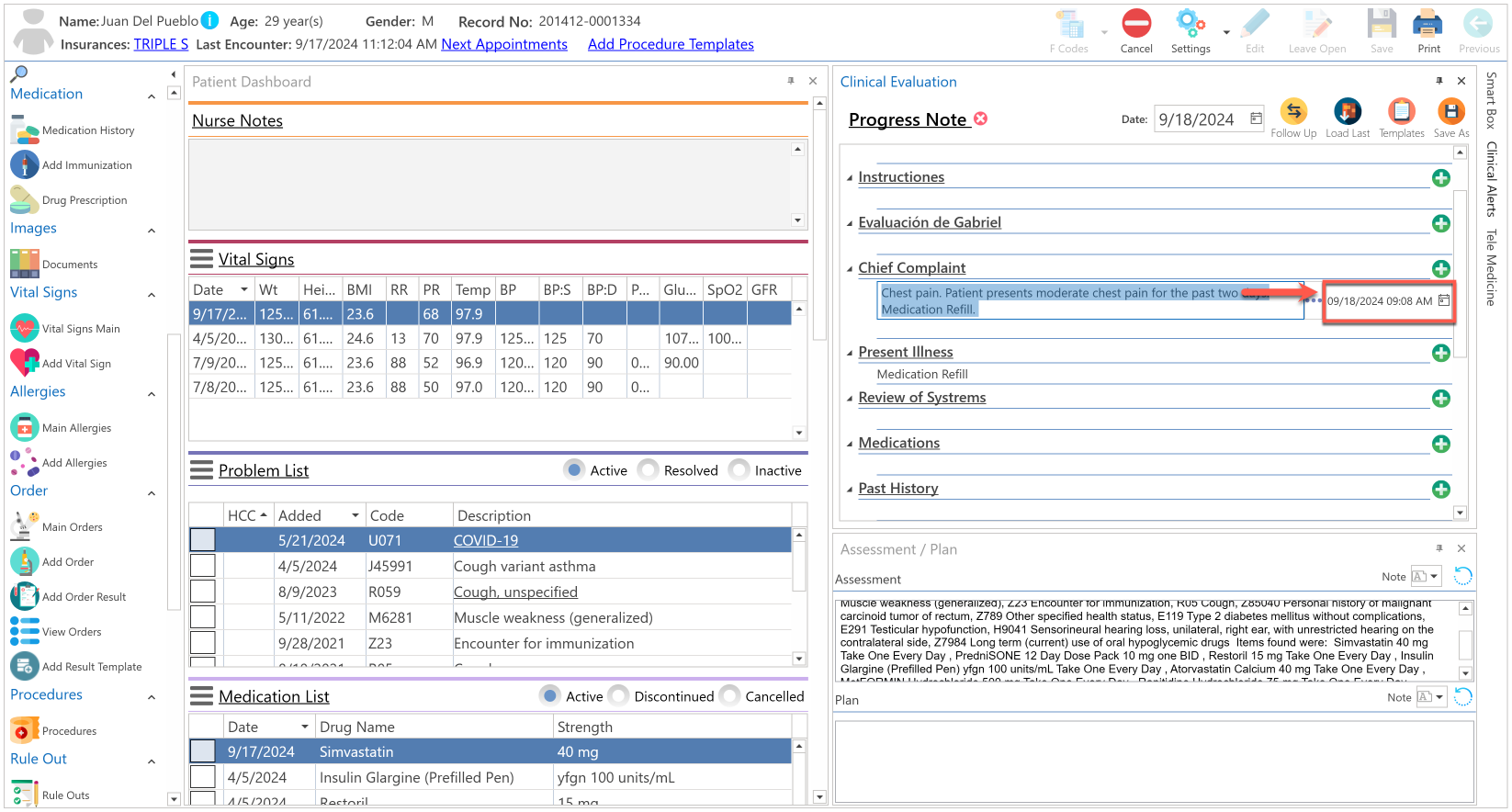
- Start the patient's clinical evaluation. (Chief Complaint, R.O.S., Physical Exam y Past History).
- Position mouse over the the Clinical Evaluation fields. We changed the date and time in the Chief Complaint field for example purposes.
- Edit date and time according to user preferences.
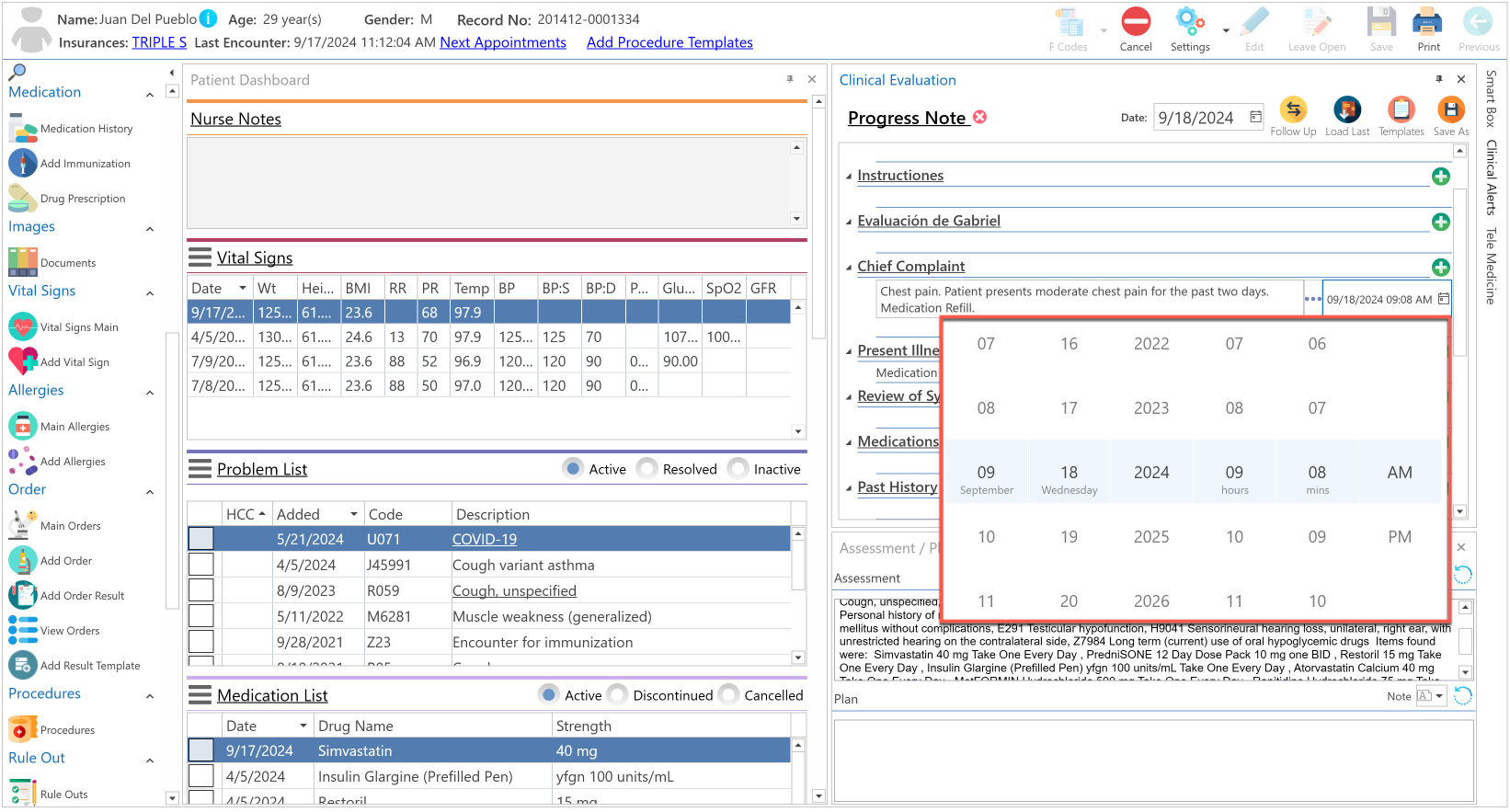
- Press enter on your keyboard or position mouse outside of the field.
- Date and time will be automatically changed.
Recommended Article:
- Learn More About: Advanced Progress Note / Settings / Show Time Stamp Editor
Did you find it helpful? Yes No
Can you please tell us how we can improve this article?