How to delete a section of the Patient Dashboard panel, in the Advanced Progress Note screen?
Modified on: Thu, 21 Nov, 2024 at 8:42 AM
- Go to the Advanced Progress Note screen.
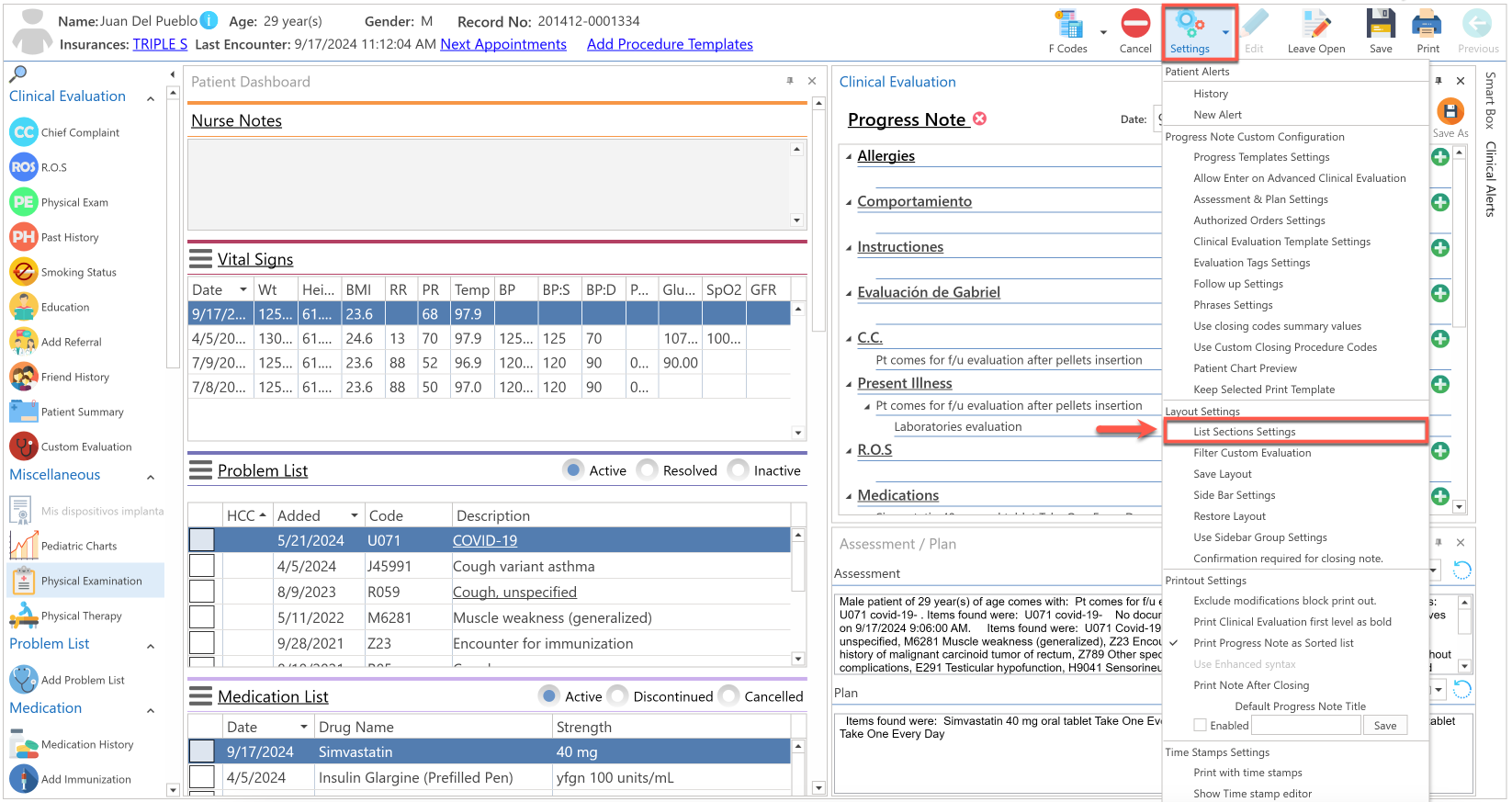
- Click on the Settings button located at the top of screen and then select the List Sections Settings option.
- The following screen will be displayed:
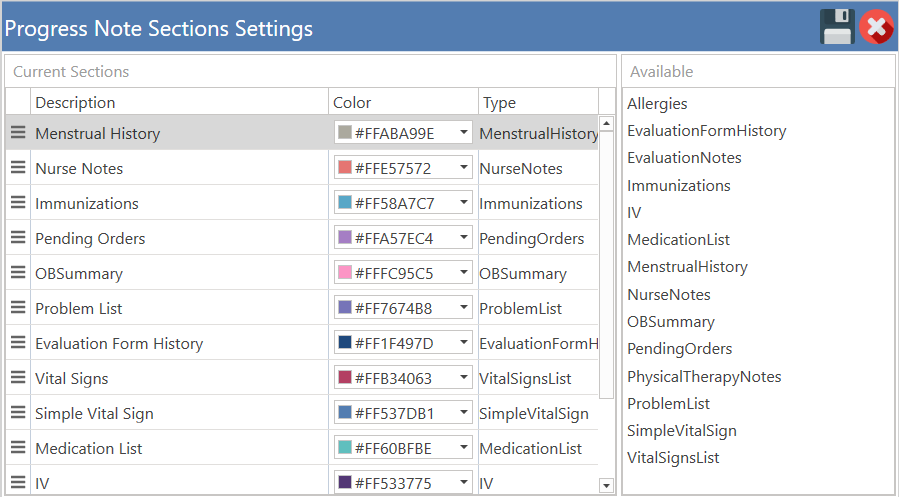
- Select the section you wish to delete from the Patient Dashboard panel in the Advanced Progress Note screen.
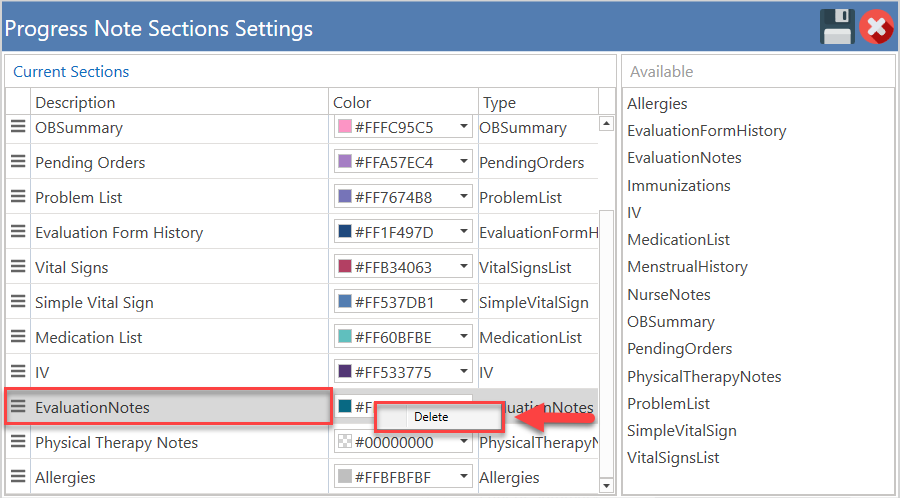
- Press with a right click on mouse over the section you wish to delete.
- For example, purposes we will delete the OBSummary section.
- Select the Delete option.
- The following confirmation message will be displayed:
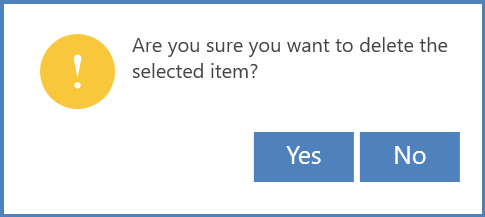
- Click on the Yes button in order to delete the selected section from the Patient Dashboard in the Advanced Progress Note.
- Click on the No button to cancel action.
Recommended Article:
- Learn More About: Advanced Progress Note / Settings / List Sections Settings
Did you find it helpful? Yes No
Can you please tell us how we can improve this article?