How can the provider see the selected patient's future appointments?
Modified on: Mon, 18 Nov, 2024 at 4:08 PM
- Go to the patient's clinical evaluation screen.
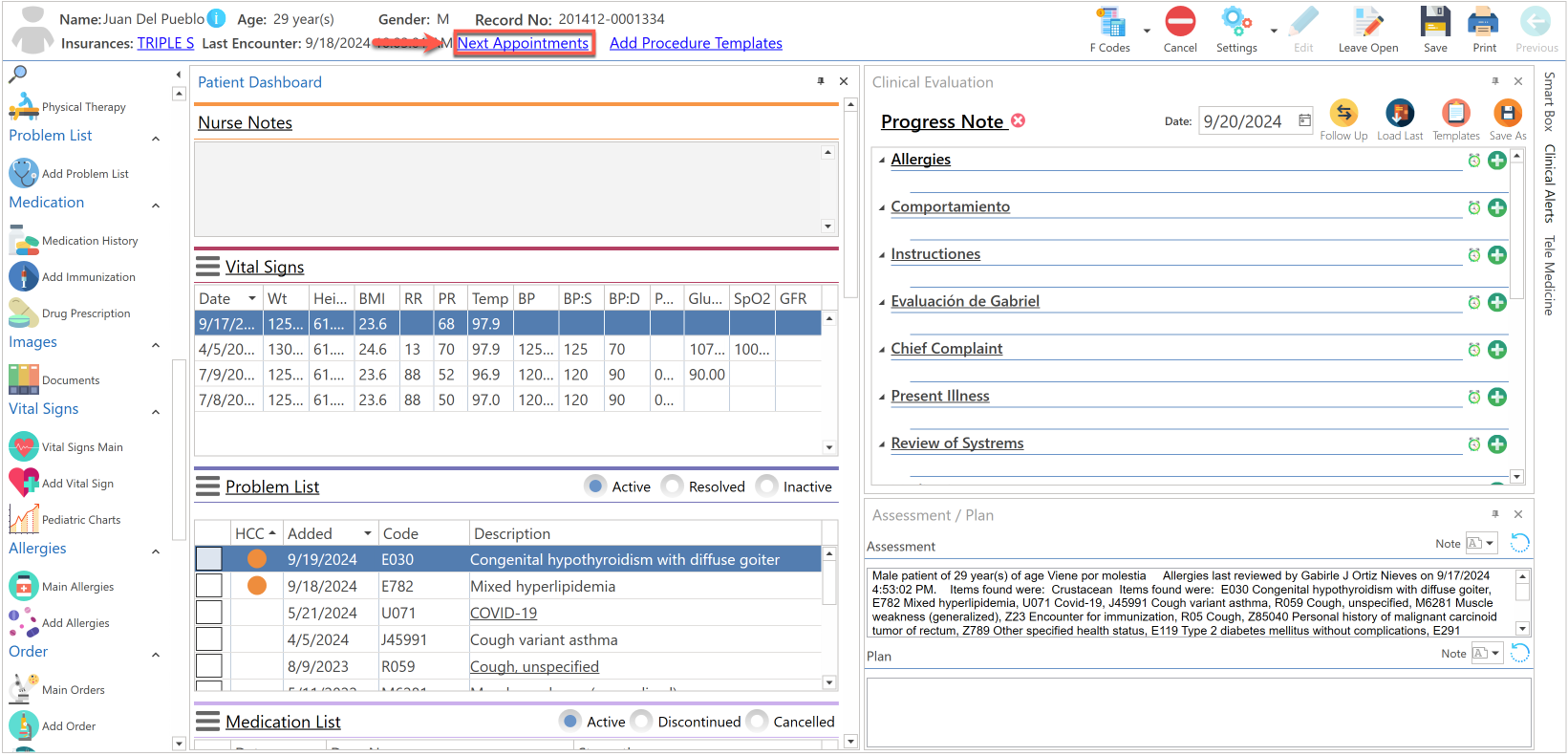
- Click on the Next Appointments link, located at the top of the screen.
- The following screen will be displayed:
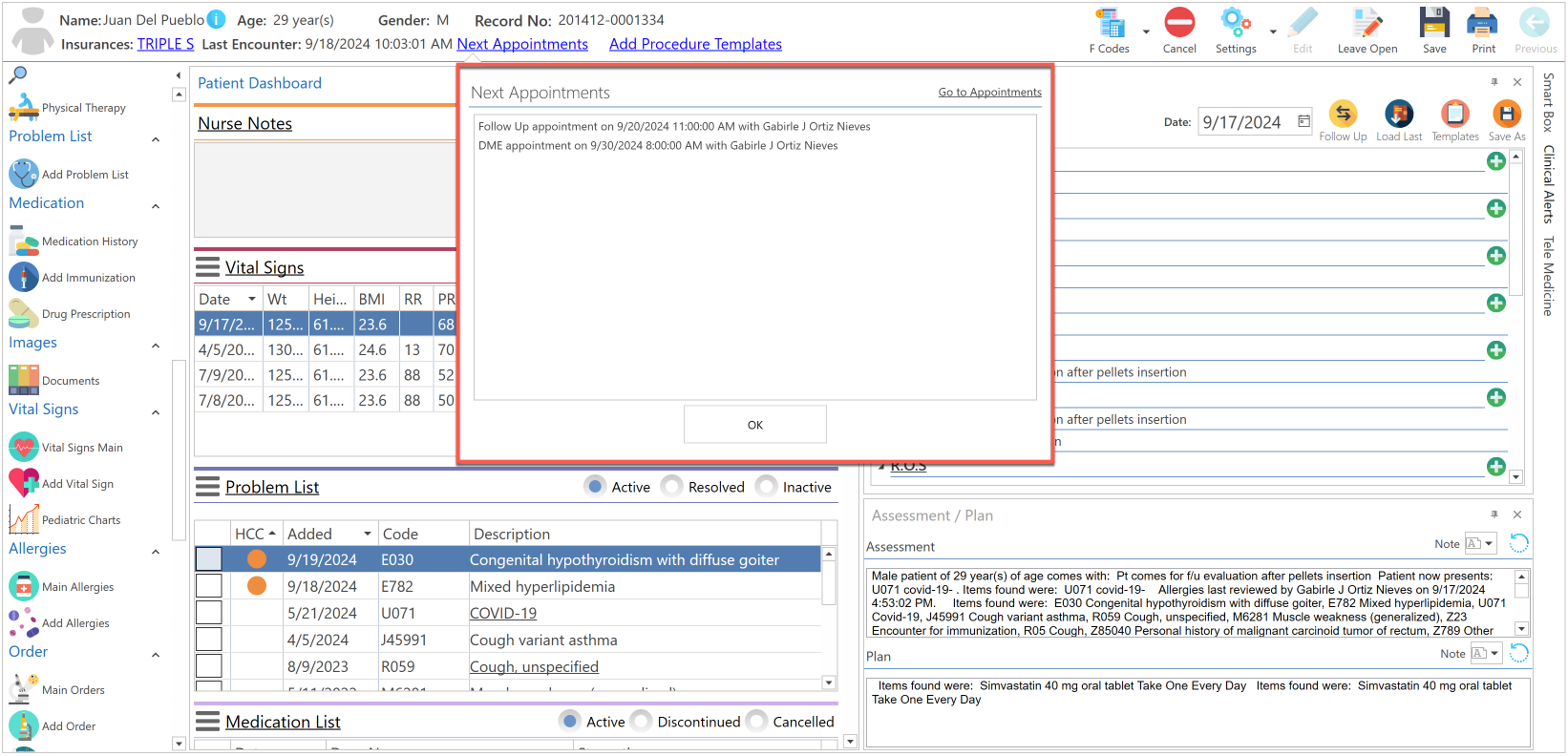
- Press the Ok button to hide the screen.
Recommended Article:
- Learn More About: Clinical Records / New Progress Note
Did you find it helpful? Yes No
Can you please tell us how we can improve this article?