How to configure the clinical assessment to be displayed as a paragraph?
Modified on: Thu, 21 Nov, 2024 at 11:10 AM
- Go to the Advanced Progress Note screen.
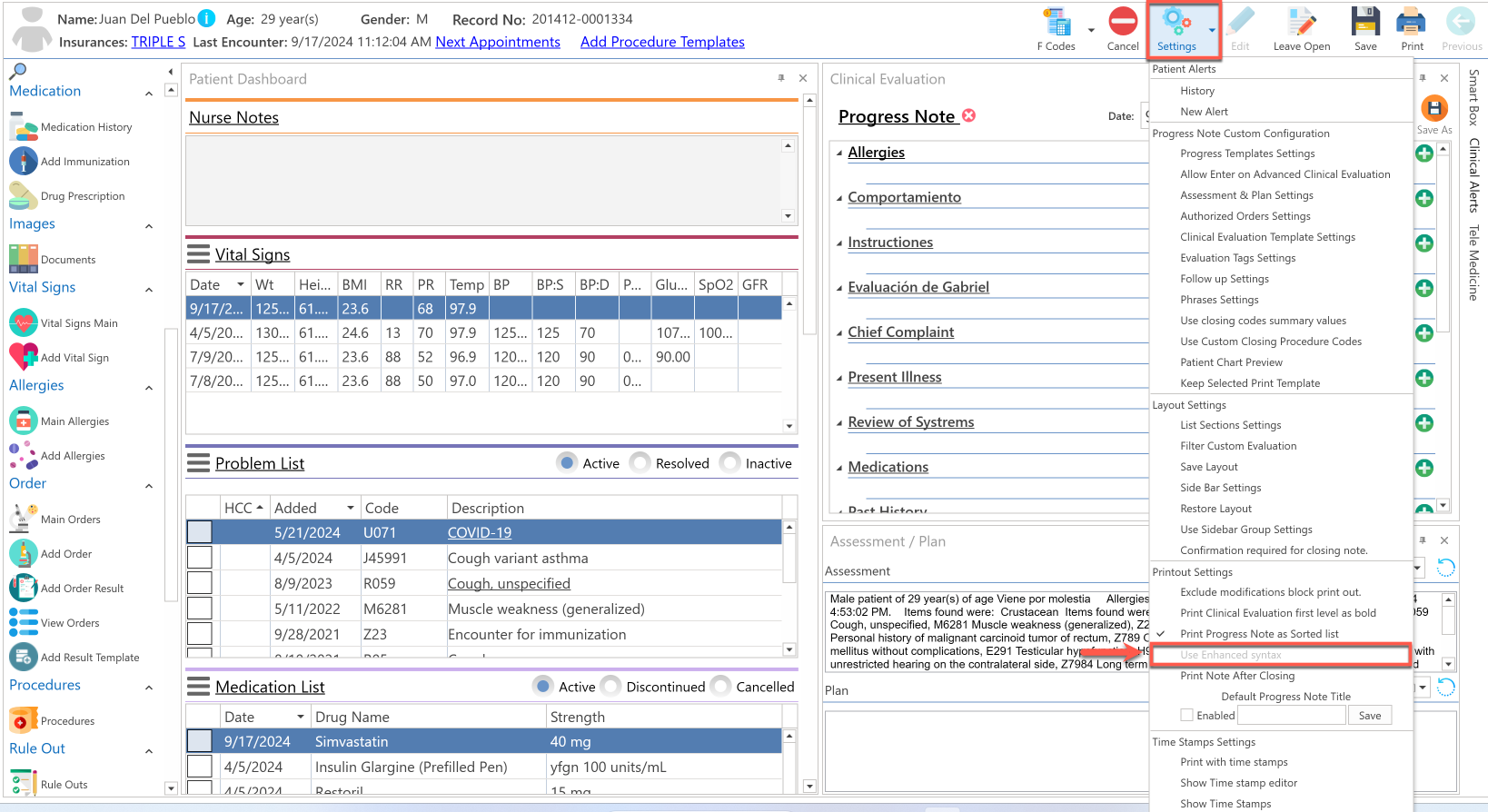
- Before starting the clinical evaluation, press the Settings button located at the top of the screen.
- Select the Use enhanced syntax option in the Printout Settings section.
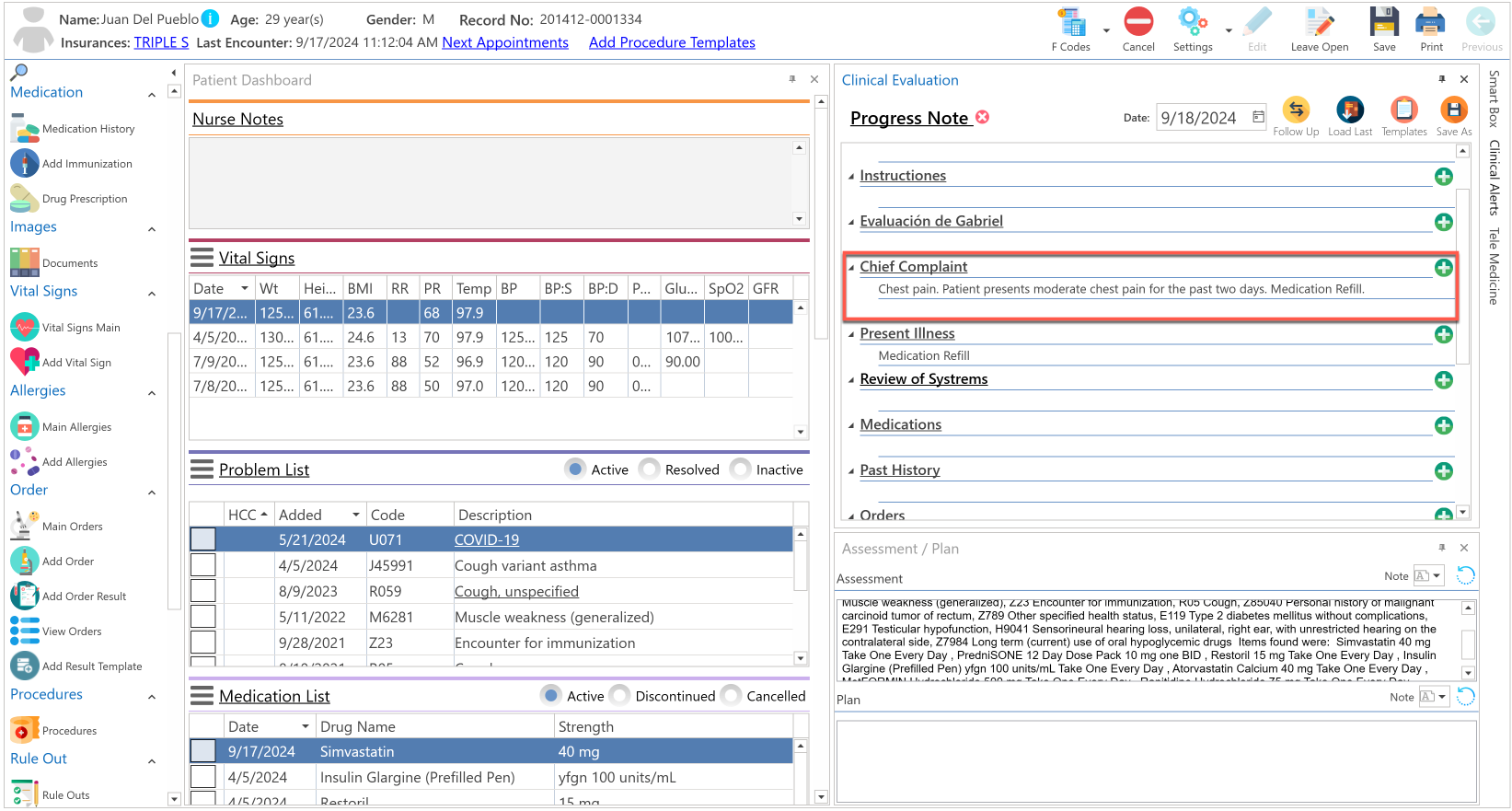
- Start the clinical evaluation of the patient.
- This will be displayed in the Clinical Evaluation section:
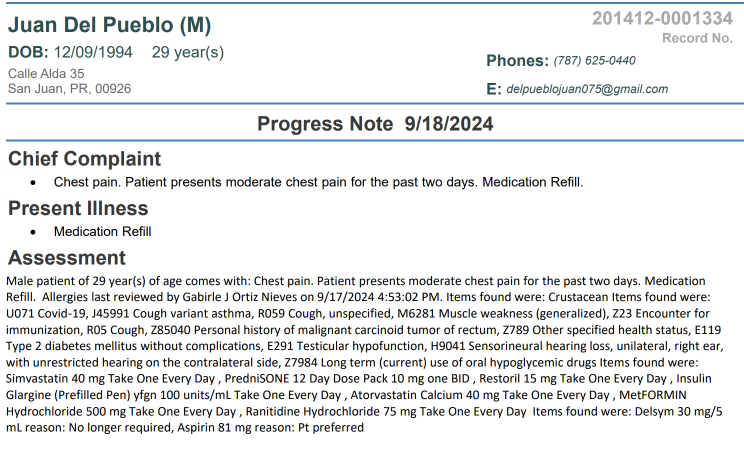
- This is how it will be displayed in the printed progress note:
Recommended Article:
- Learn More About: Advanced Progress Note / Settings / Use Enhanced Syntax
Did you find it helpful? Yes No
Can you please tell us how we can improve this article?