EHRez Tables
Modified on: Thu, 16 Jan, 2025 at 1:14 PM
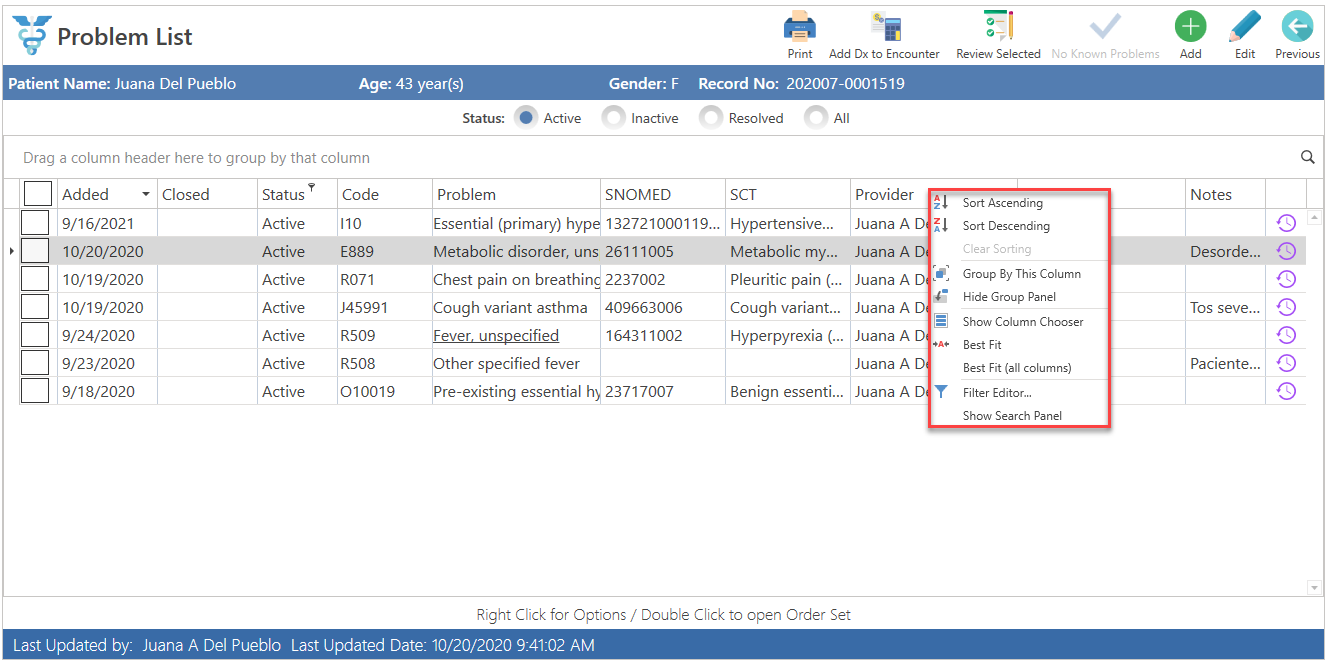
How to access the configuration for the data display in all the application tables?
- Position the right mouse button on the title of each column of the table.
What function does each configuration option perform?
- Sort Ascending - Allows filtering from oldest to newest.
- Sort Descending - Allows filtering from the most recent to the oldest.
- Group By This Column - Allows you to group the selected column.
- Show / Group Panel - Allows to group by columns.
- Show Column Chooser - Allows to add or remove columns from the table.
- Best Fit - Allows to display the full text of the selected column.
- Best Fit (All Columns) - Allows to display the text of all the columns of the table.
- Filter Editor - Allows to edit the filters.
- Show Search Panel - Allows to display the section to search the table content.
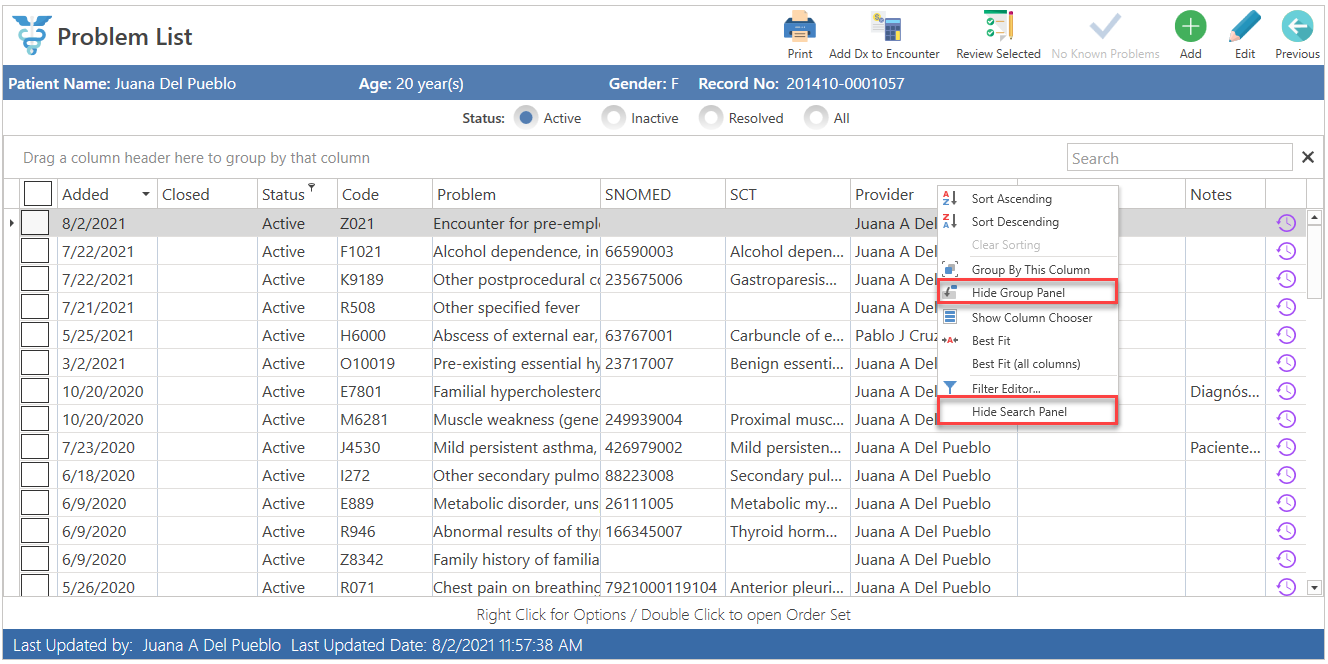
- Hide Group Panel - Allows you to hide the section, to group the columns if you have selected the Show Group Panel option.
- Hide Search Panel - Allows you to hide the search section of the table contents if you have selected the Show Search Panel option.
Did you find it helpful? Yes No
Can you please tell us how we can improve this article?