Text Message Usage Count
Modified on: Fri, 31 Jan, 2025 at 9:23 AM
How can I see the count of text messages sent to patients?
- The user should go to the Appointments Settings screen.
- Press the SMS Settings button, located at the top of the screen.

- The SMS Settings screen will be displayed and at the top of the screen, you will find the text message sending count for the current month.
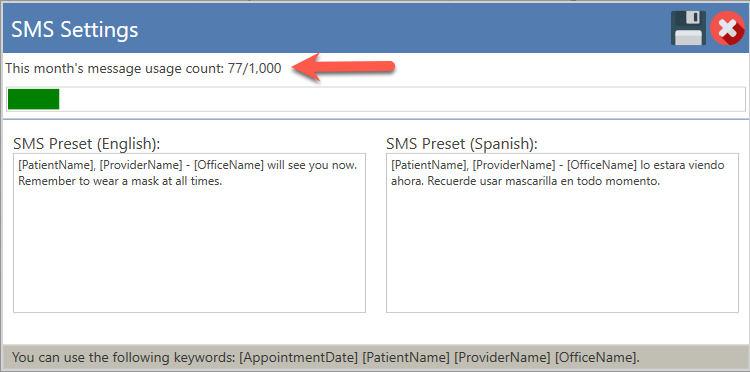
**Important Note: The customer has up to a maximum of 1000 text messages sent per month. If you exceed this limit, you will be billed additionally for each block of 500 text messages.
Did you find it helpful? Yes No
Can you please tell us how we can improve this article?