Billing / Print / Grid To Excel
Modified on: Wed, 29 Jan, 2025 at 1:47 PM
Description
Displays the claims report automatically exported to Excel format. 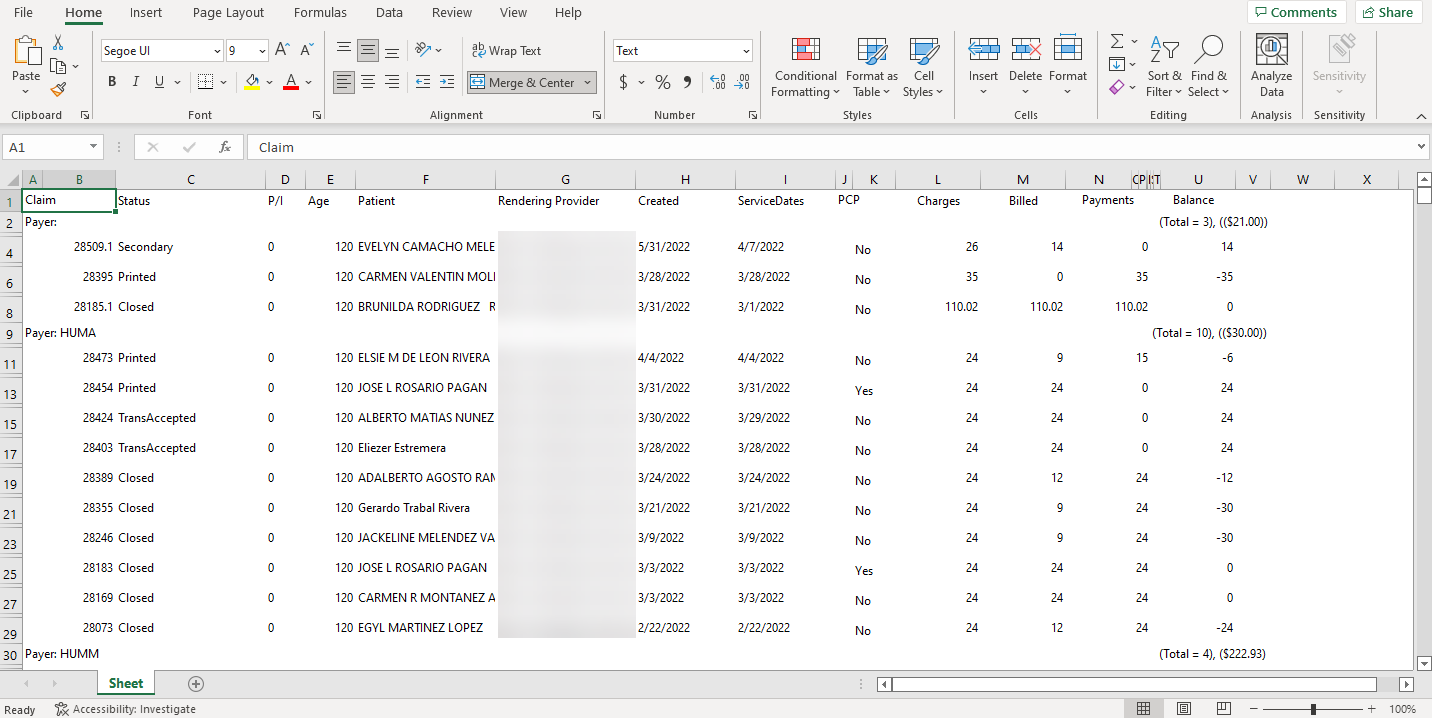
Access
Through Main Menu
- On the main screen, press the Billing button.
- Then, press the Print button located at the top of the screen and select the Grid to Excel option.
Through QuickLinks
- On the main screen, click on the QuickLinks text at the top of the screen and select the Billing option.
- Then, press the Print button located at the top of the screen and select the Grid to Excel option.
Through Patients
- On the Patient Details screen, press the Billing button located at the top of the screen and select the Go To Billing option.
- Then, press the Print button located at the top of the screen and select the Grid to Excel option.
Through Appointments
- On the Appointments screen, press the Billing button located at the top of the screen and select the Go To Billing option.
- Then, press the Print button located at the top of the screen and select the Grid to Excel option.
Recommended Article:
Did you find it helpful? Yes No
Can you please tell us how we can improve this article?