Billing / Print / Super Bill Compact
Modified on: Wed, 29 Jan, 2025 at 1:50 PM
Description
More compact detailed invoice report.
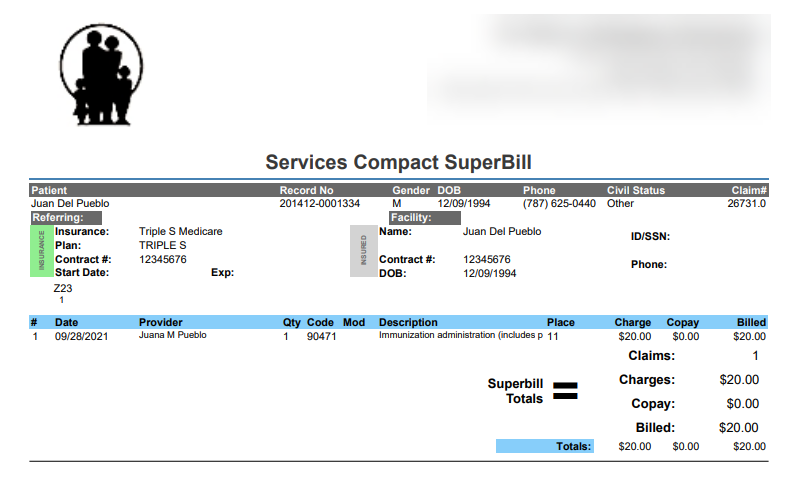
Access
Through Main Menu
- On the main screen, press the Billing button.
- Then, press the Print button located at the top of the screen and select the Super Bill (Compact) option.
Through QuickLinks
- On the main screen, click on the QuickLinks text located at the top of the screen and select the Billing option.
- Then, press the Print button located at the top of the screen and select the Super Bill (Compact) option.
Through Patients
- On the Patient Details screen, press the Billing button located at the top of the screen and select the Go To Billing option.
- Next, press the Print button located at the top of the screen and select the Super Bill (Compact) option.
Through Appointments
- On the Appointments screen, press the Billing button located at the top of the screen and select the Go To Billing option.
- Then, press the Print button located at the top of the screen and select the Super Bill (Compact) option.
Did you find it helpful? Yes No
Can you please tell us how we can improve this article?