How to deactivate a Disclosure?
Modified on: Thu, 13 Mar, 2025 at 4:48 PM
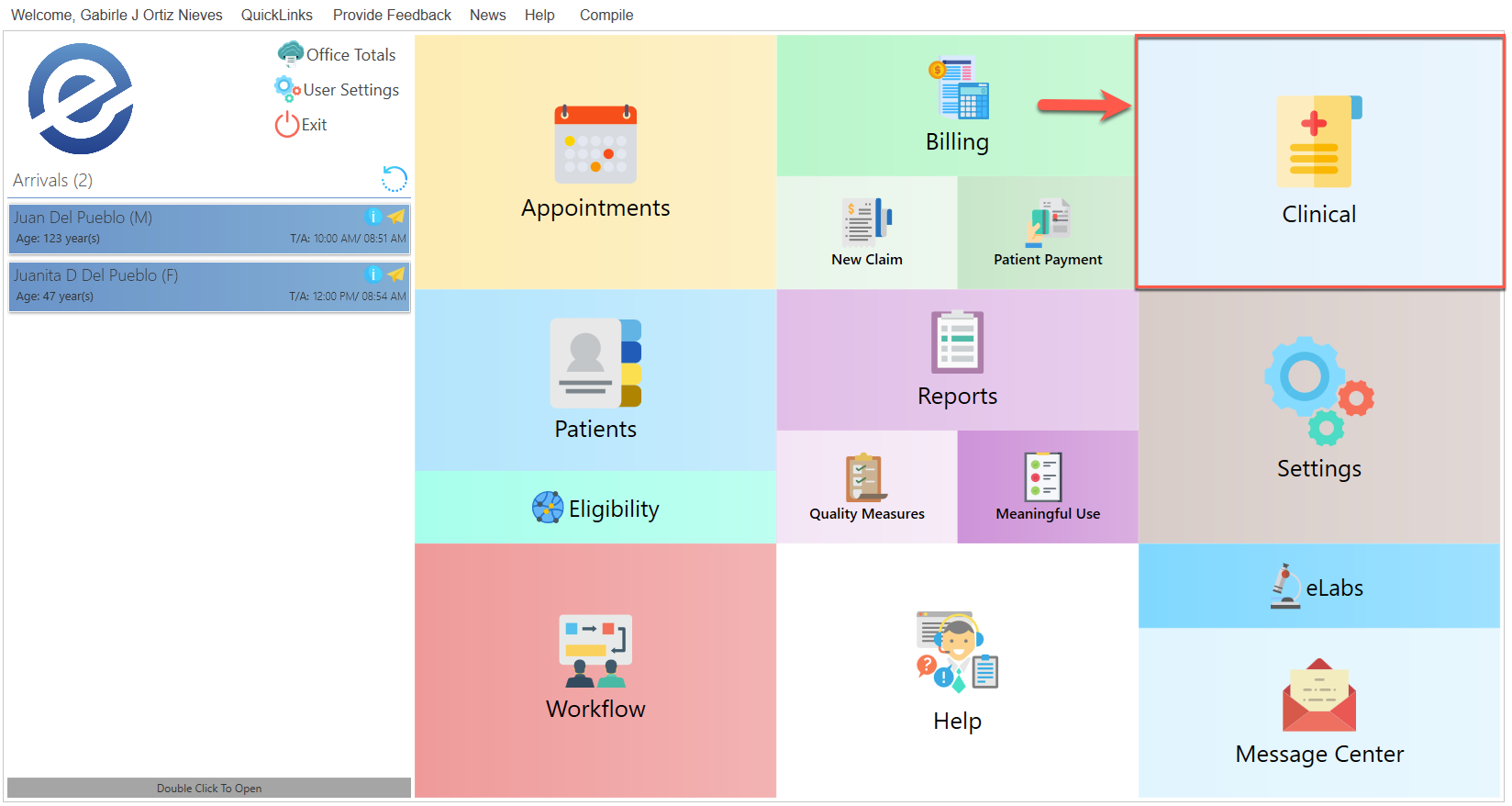
- In the main menu, press the Clinical button.
- The following screen will be displayed:
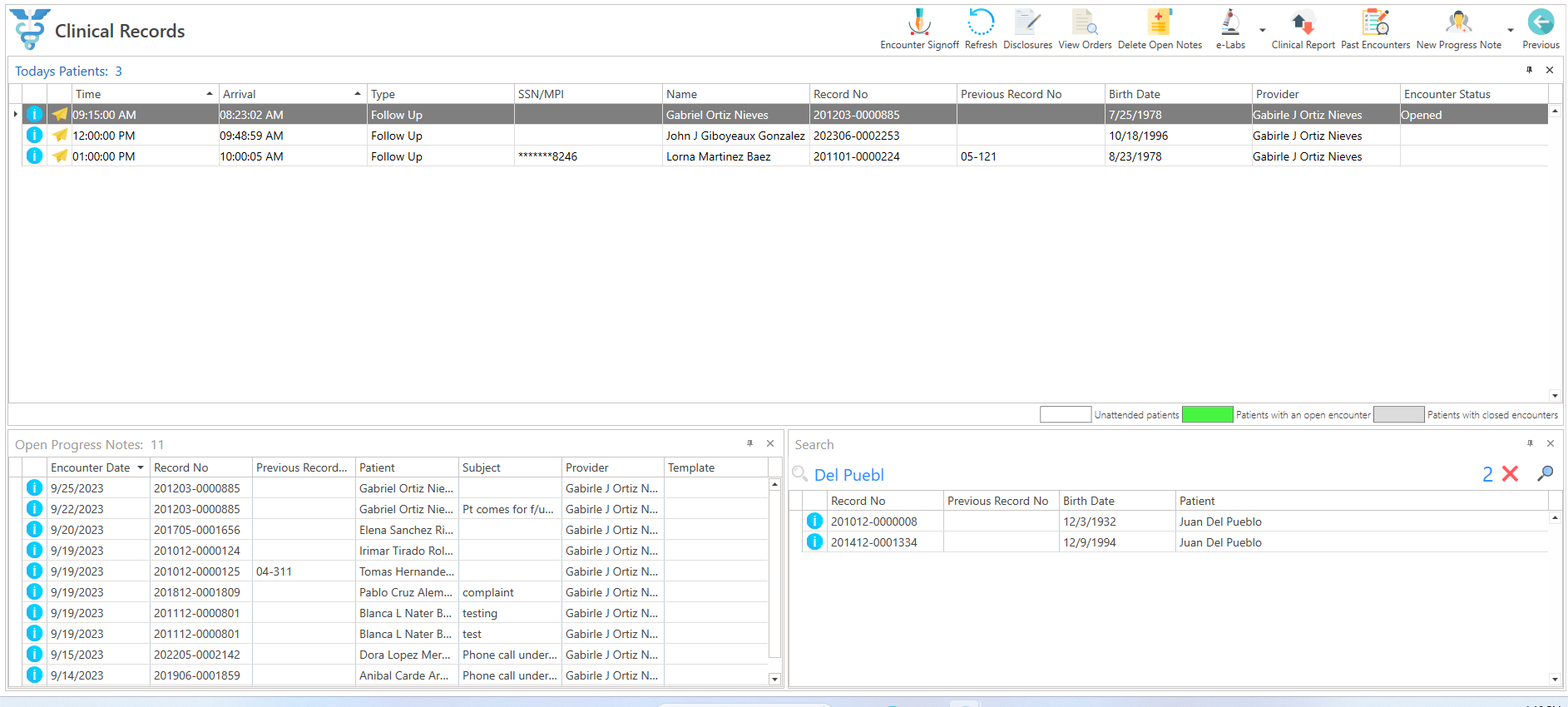
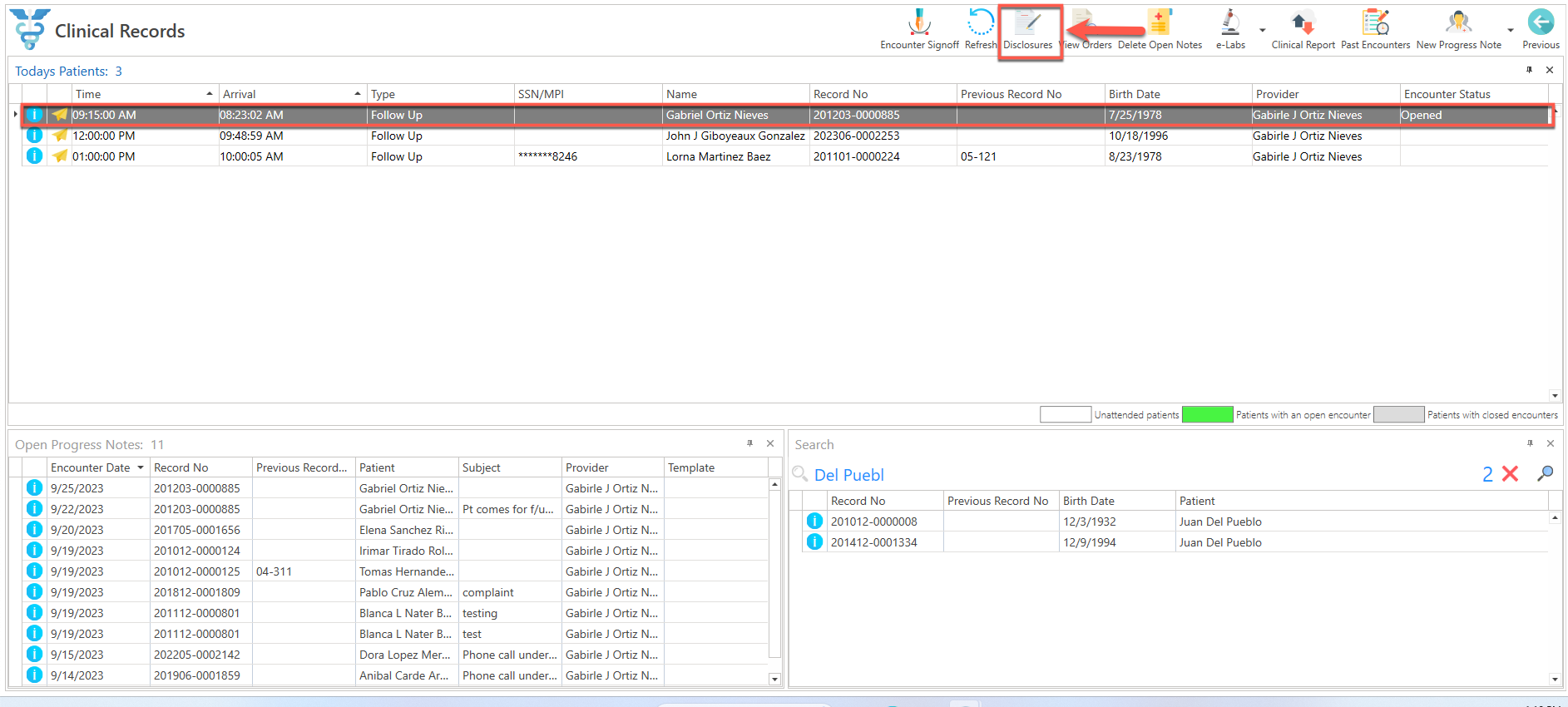
- Search and select the patient, for which you want to disable a Disclosure. (The user can select the patient from the Todays Patients, Open Progress Notes or Search sections).
- Once the patient is selected, press the Disclosures button, located at the top of the screen.
- The following screen will be displayed:
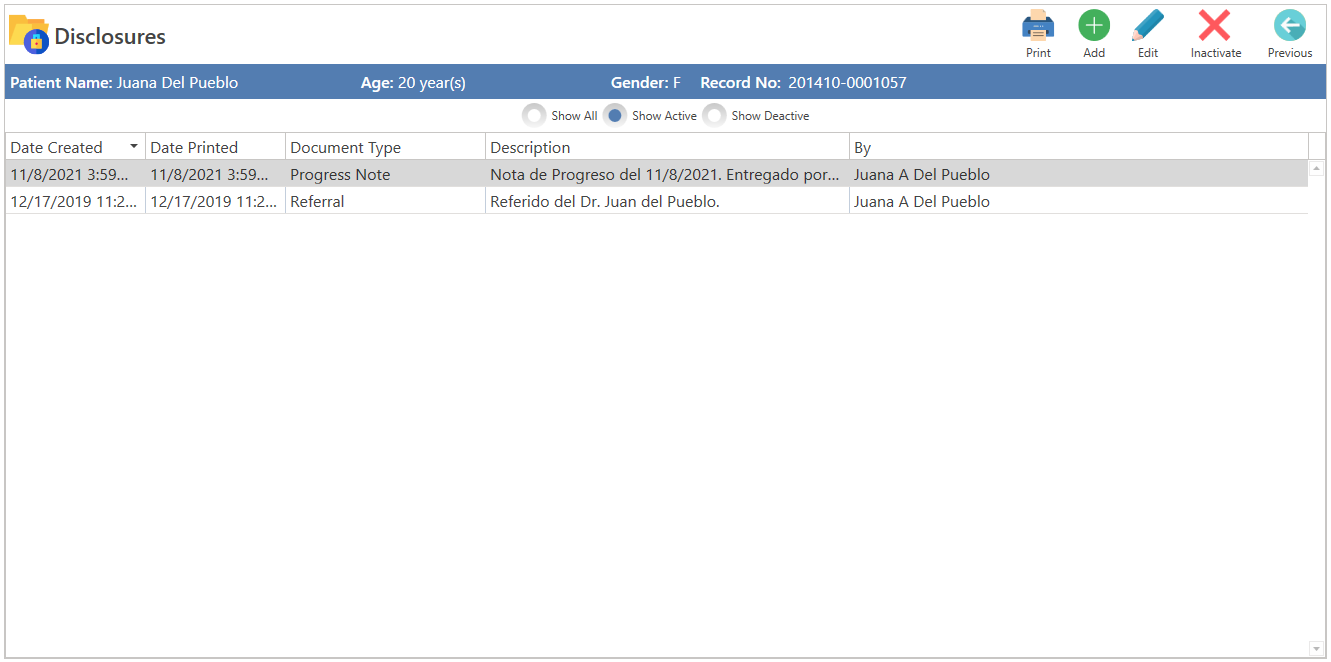
- Select the Disclosure you wish to deactivate.
- Then, press the Inactivate button, located at the top of the screen.
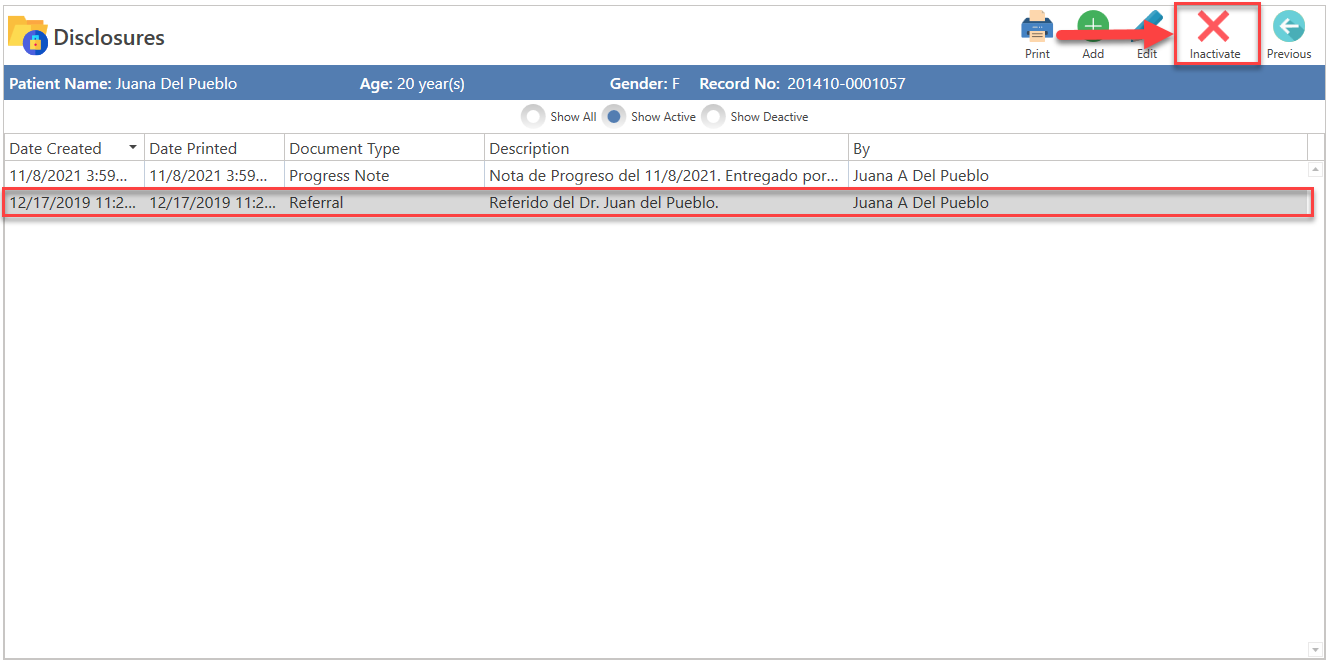
- The following screen will be displayed:
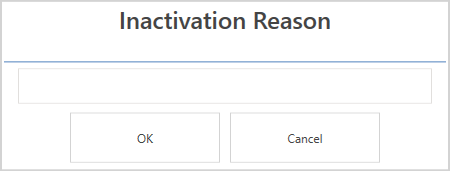
- Enter the reason why you are deactivating the selected Disclosure.
- Press the Ok button to enter the reason why you want to deactivate the Disclosure.
- It will automatically be deactivated.
Recommended Article:
- Learn More About: Clinical Records / Disclosures
Did you find it helpful? Yes No
Can you please tell us how we can improve this article?