How to avoid duplicated patients record?
Modified on: Thu, 13 Mar, 2025 at 2:43 PM
There are several options to avoid duplicating patient records.
Option #1
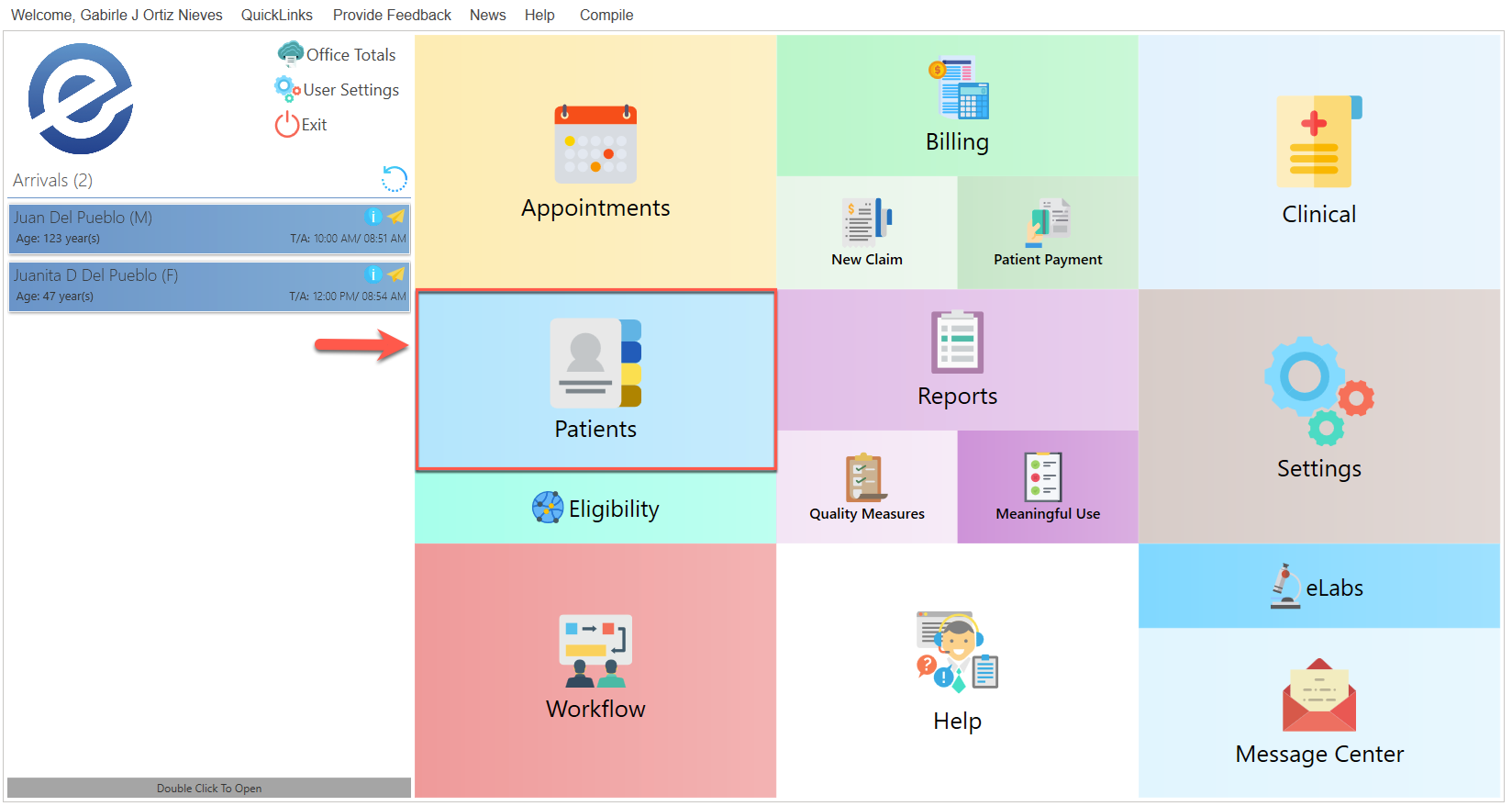
- Select th Patients button, which is located in the main menu.
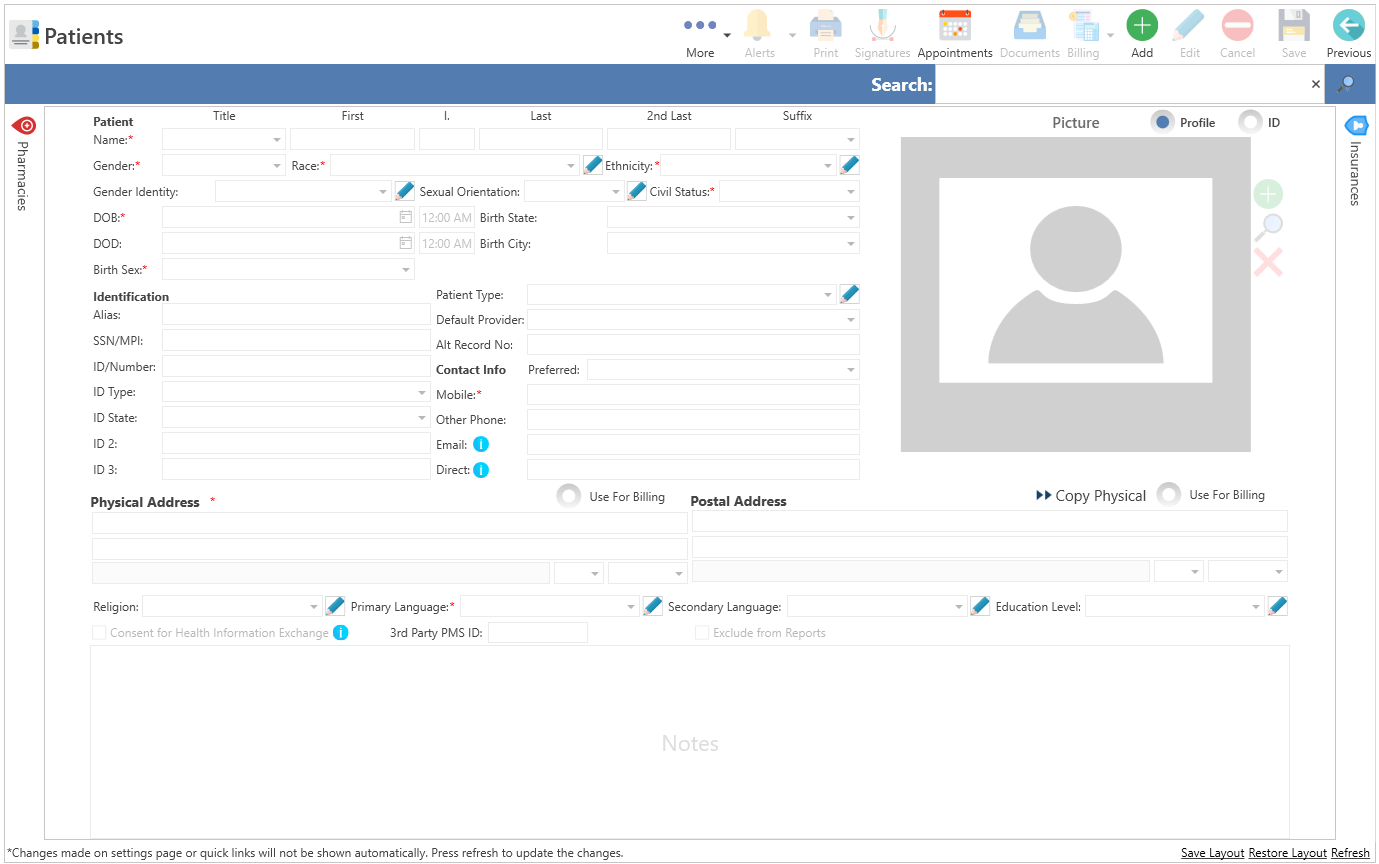
- The following screen will be displayed:
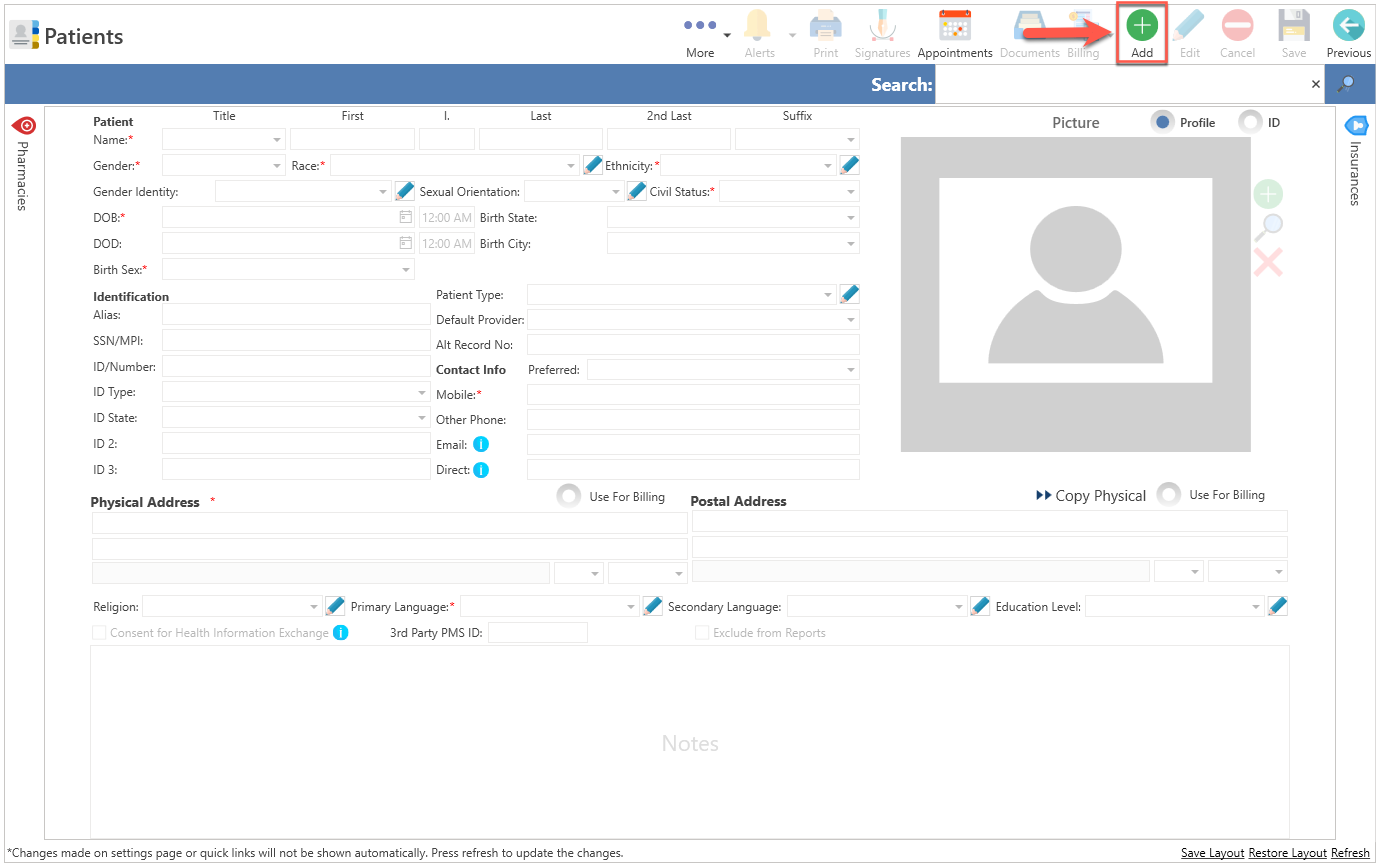
- To add an item, please click the Add button located at the top of the screen.
- The system will retrieve existing information using the patient's first name, last name, date of birth, and telephone number.
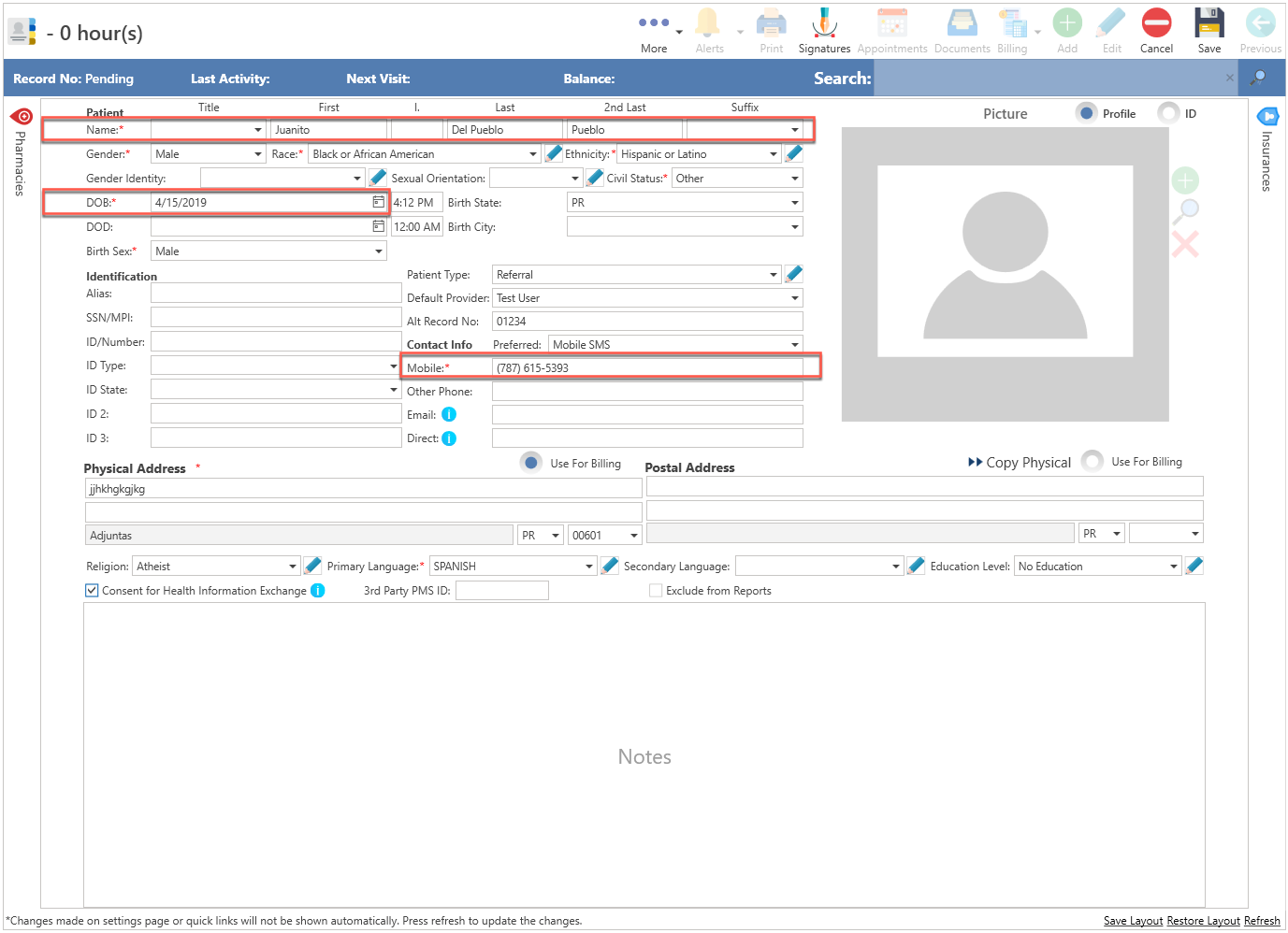
- If the same information is present in the system database, the following confirmation message will be displayed:
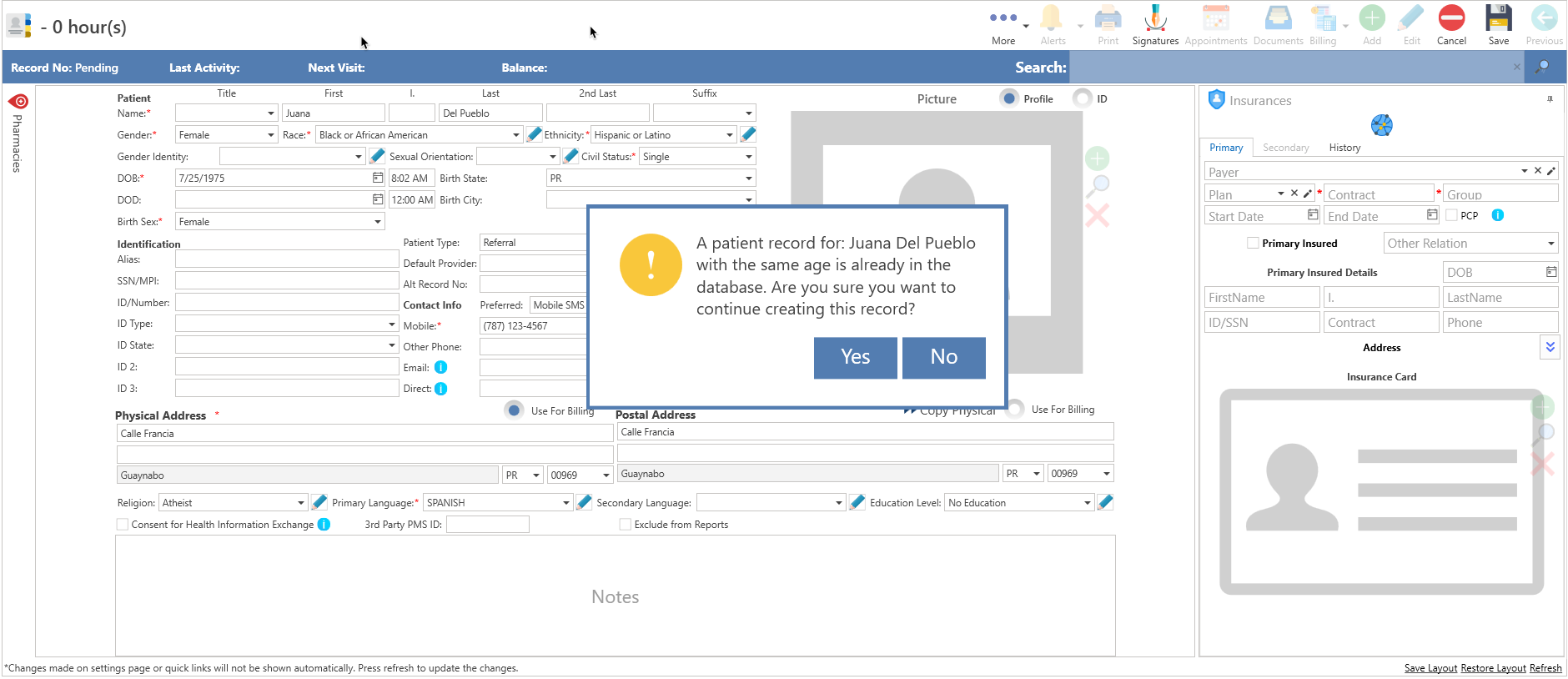
- If you recognize that this is the same patient, please press the No button. This action will cancel the record and prevent duplication.
- To continue with the patient record, please press the Yes button.
- The record will be created automatically.
Option #2
- Click on the QuickLinks text located at the top of the screen.
- Choose the Patients option.
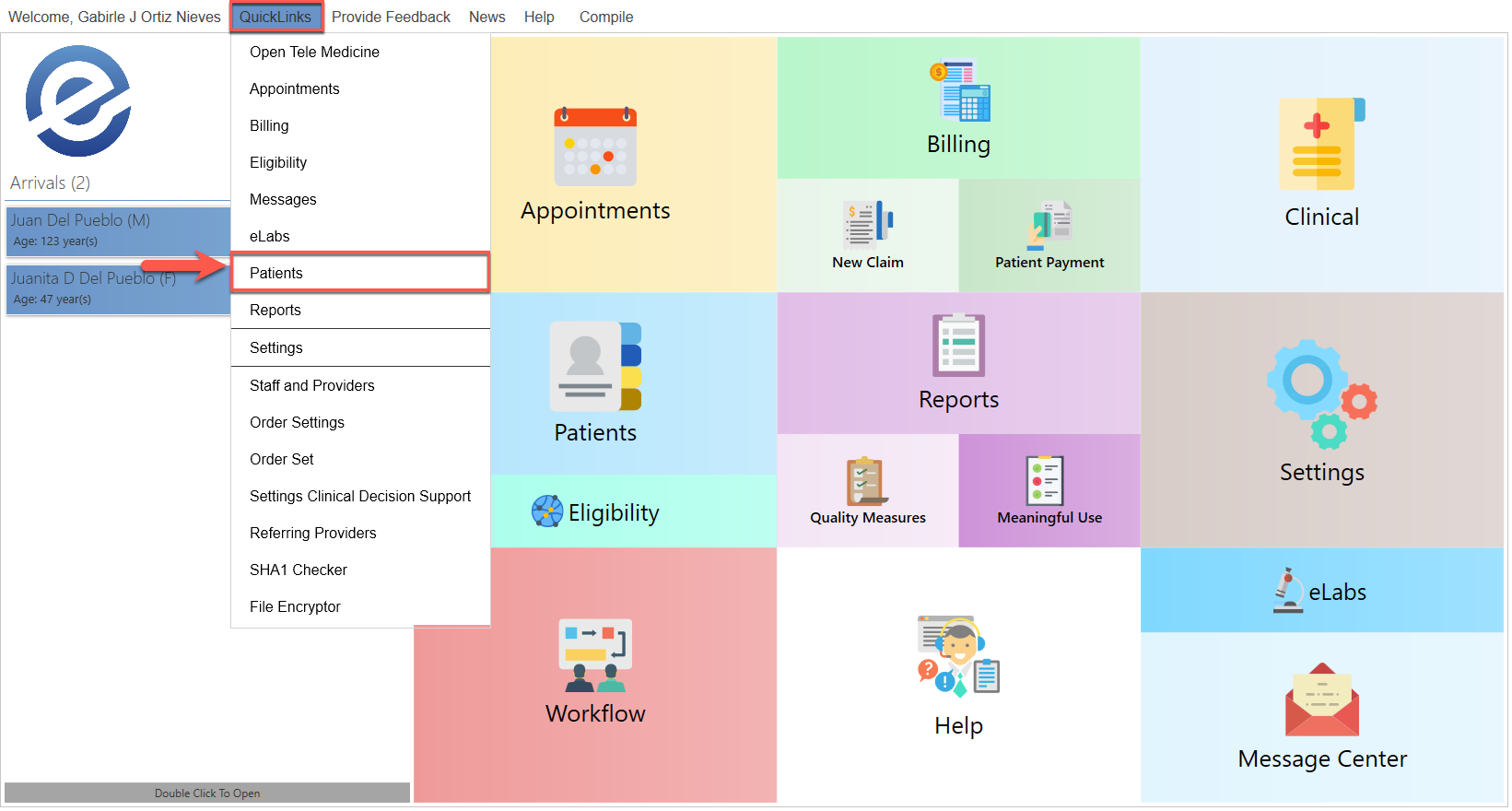
- The following screen will be displayed:
- To add an item, please click the Add button located at the top of the screen.
- The system will retrieve existing information using the patient's first name, last name, date of birth, and telephone number.
- If the same information is present in the system database, the following confirmation message will be displayed:
- If you recognize that this is the same patient, please press the No button. This action will cancel the record and prevent duplication.
- To continue with the patient record, please press the Yes button.
- The record will be created automatically.
Recommended Article:
- Learn More About: Patients
Did you find it helpful? Yes No
Can you please tell us how we can improve this article?