How to configure Side Bar items by age, age type and gender?
Modified on: Thu, 21 Nov, 2024 at 10:39 AM
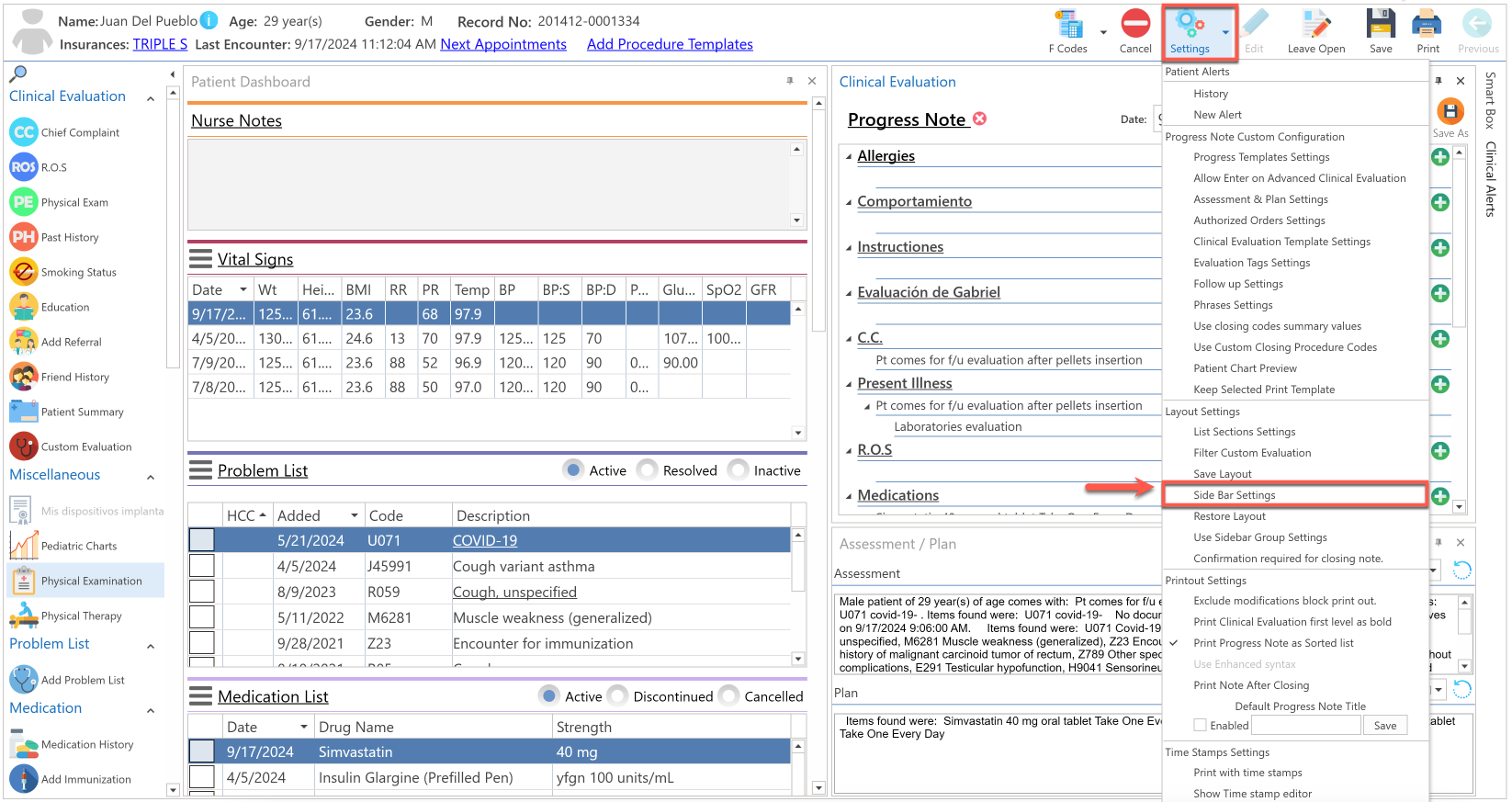
- Go to the Advanced Progress Note screen.
- Press the Settings button, located at the top of the screen.
- Select the Side Bar Settings option in the Layout Settings section.
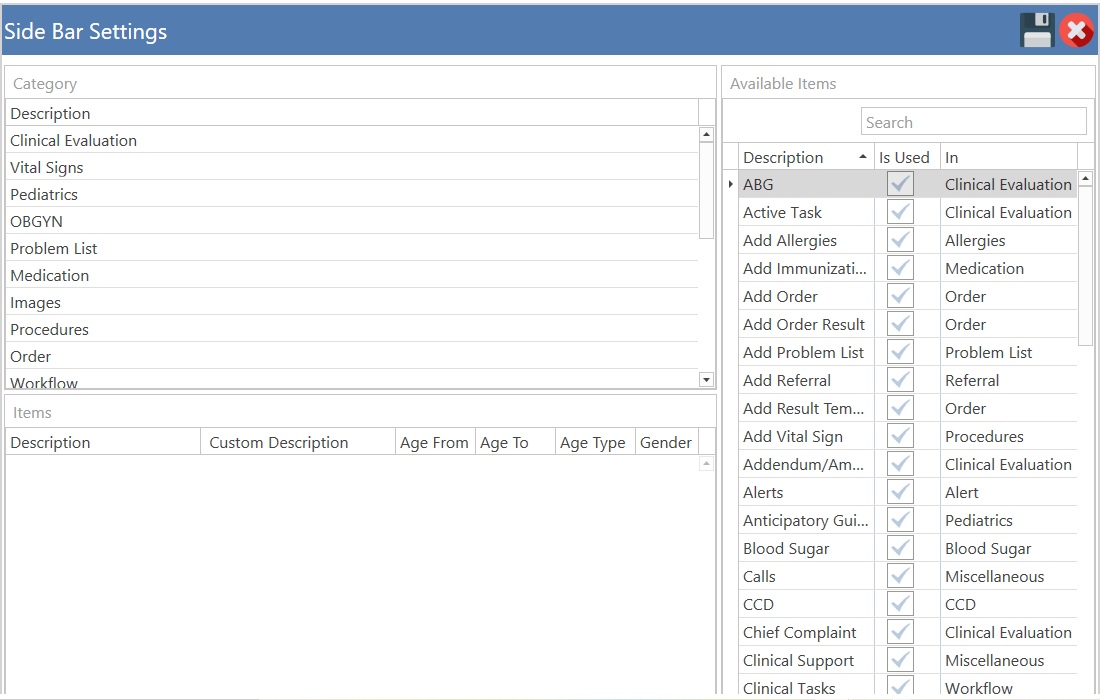
- The following screen will be displayed:
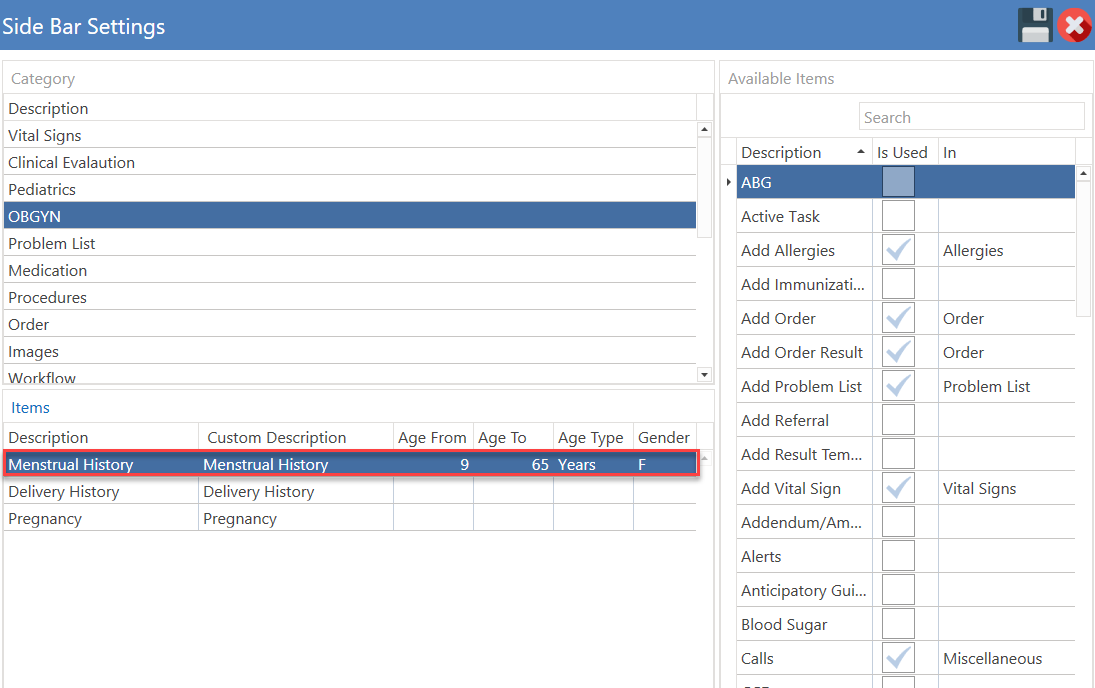
- Select the item, to which you want to set the age, age type and gender. For this example, the Menstrual History element was configured.
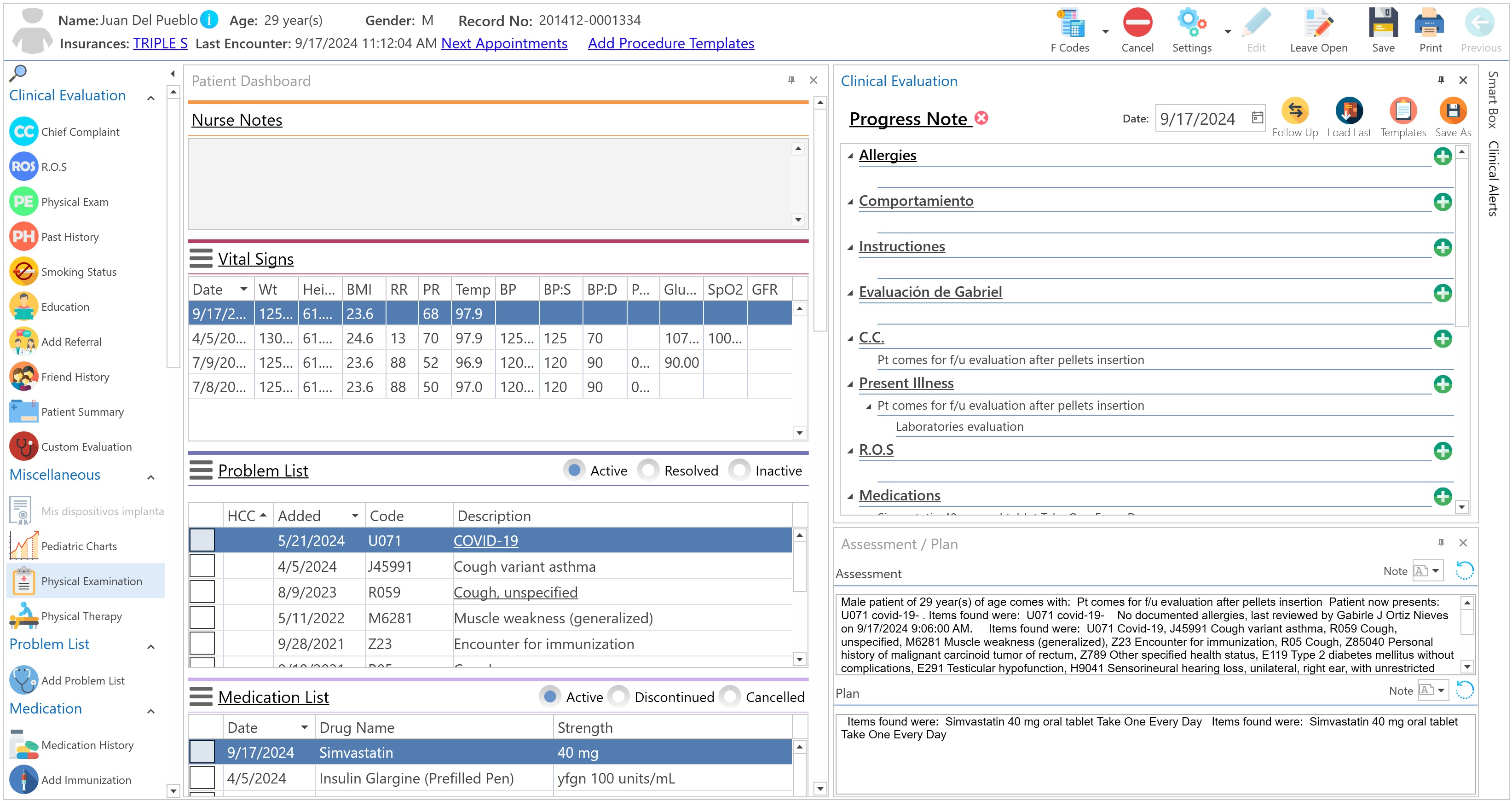
- When selecting a male patient, this section will not be displayed in the Side Bar section.
Recommended Article:
- Learn More About: Advanced Progress Note / Settings / Side Bar Settings
Did you find it helpful? Yes No
Can you please tell us how we can improve this article?