What to do to display the user's date and initials, which you documented, in the patient's clinical evaluation?
Modified on: Thu, 21 Nov, 2024 at 11:21 AM
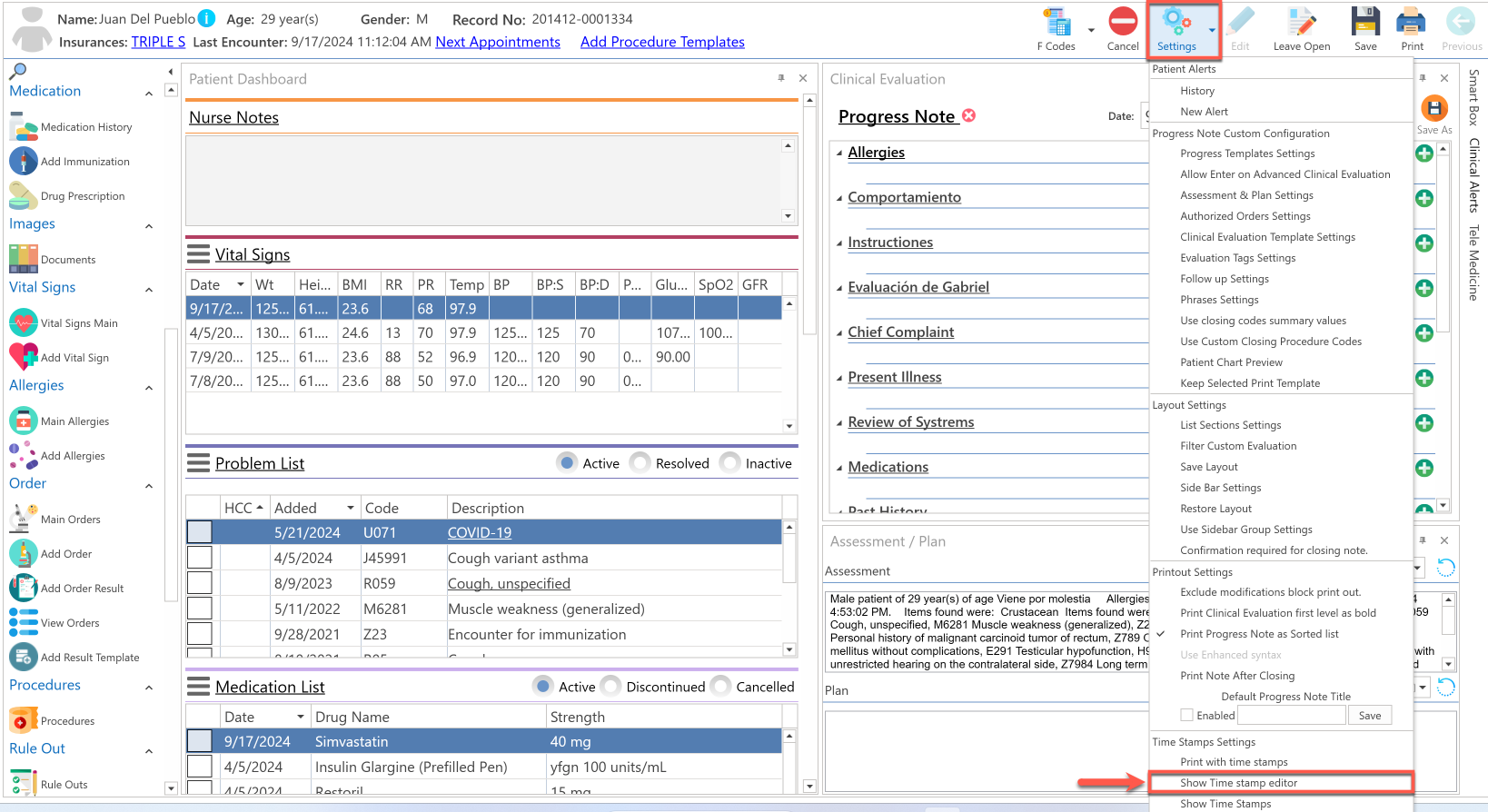
- Go to the Advanced Progress Note screen.
- Press the Settings button located at the top of the screen.
- Then, select the Print with time stamp option in the Time Stamp Settings section.
- Start the clinical evaluation of the patient.
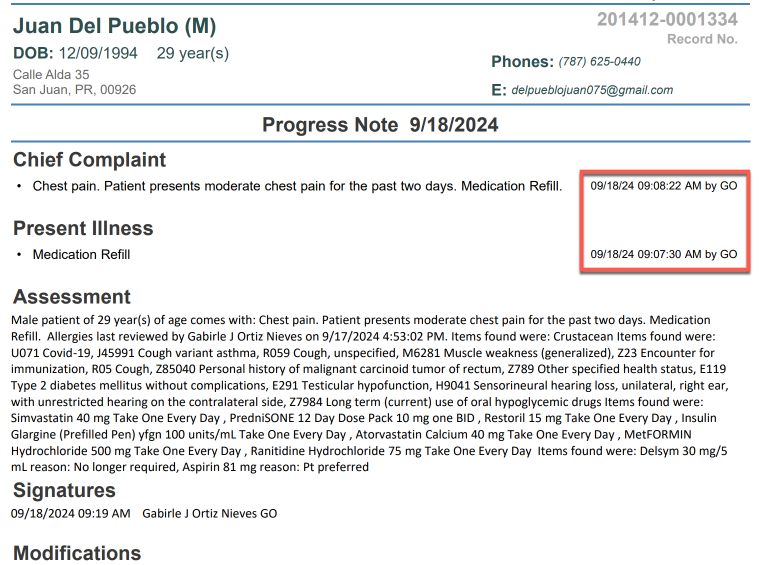
- Once you have completed the clinical evaluation, proceed to print or close the progress note to display them.
- This will display the user's initials and the date on which the patient was evaluated:
Recommended Article:
- Learn More About: Advanced Progress Note / Settings / Print with time stamp
Did you find it helpful? Yes No
Can you please tell us how we can improve this article?