Login
Modified on: Fri, 4 Oct, 2024 at 12:41 PM
Description
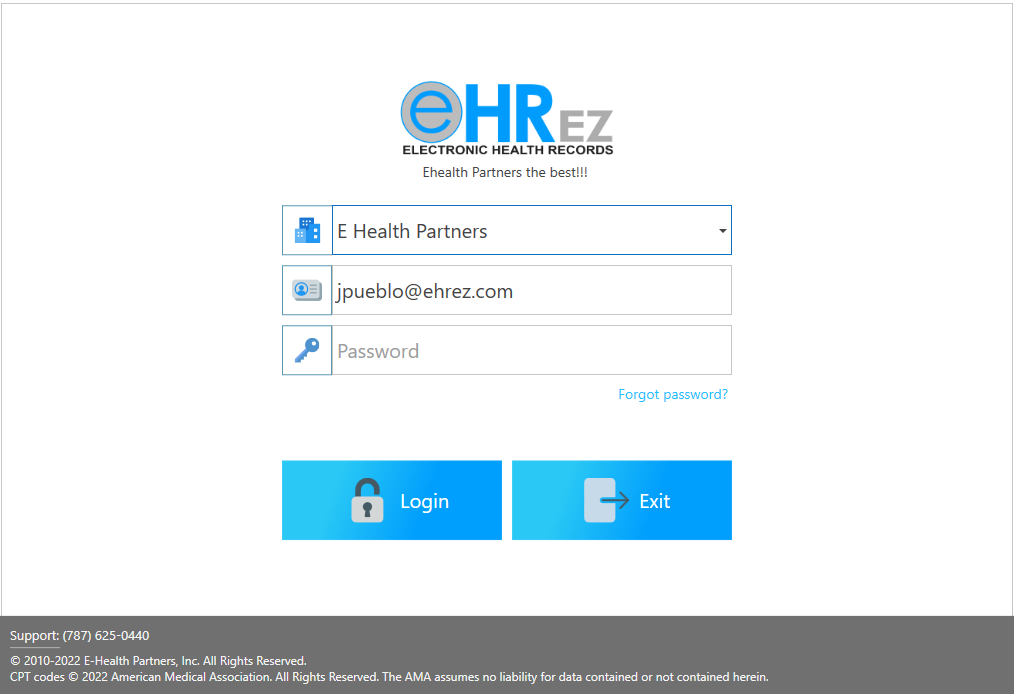
Initial screen used to log into the system.
Sections
- Office: Displays the name of the office where the user is located.
- Username: Username assigned by your system administrator.
- Password: Your password.
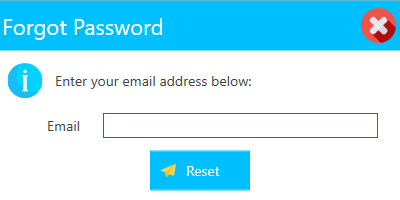
- Forgot Password: By pressing this link, allows user to reset the forgotten password.
- Cancel: Allows to close screen.
- Reset: Once user writes the email, will press the Reset button, in order to change password, when email is received.
- Cancel: Allows to close screen.
- Messages: Welcome message, as configured in Settings / General / General, in the System Access Message field.
Buttons
- Login: Click on, to authenticate with the provided credentials.
- Exit: Click on, to exit EHRez®.
- Other Information: Footer bar displays access and support information about our company.
Important: For clients with multiple databases, users must select the database, associated with their account.
Did you find it helpful? Yes No
Can you please tell us how we can improve this article?