How to configure a Direct account to a provider?
Modified on: Fri, 6 Dec, 2024 at 9:30 AM
- Go to the Settings screen.
- Click on the Office button and then select the Referring Providers button.
- The following screen will be displayed:
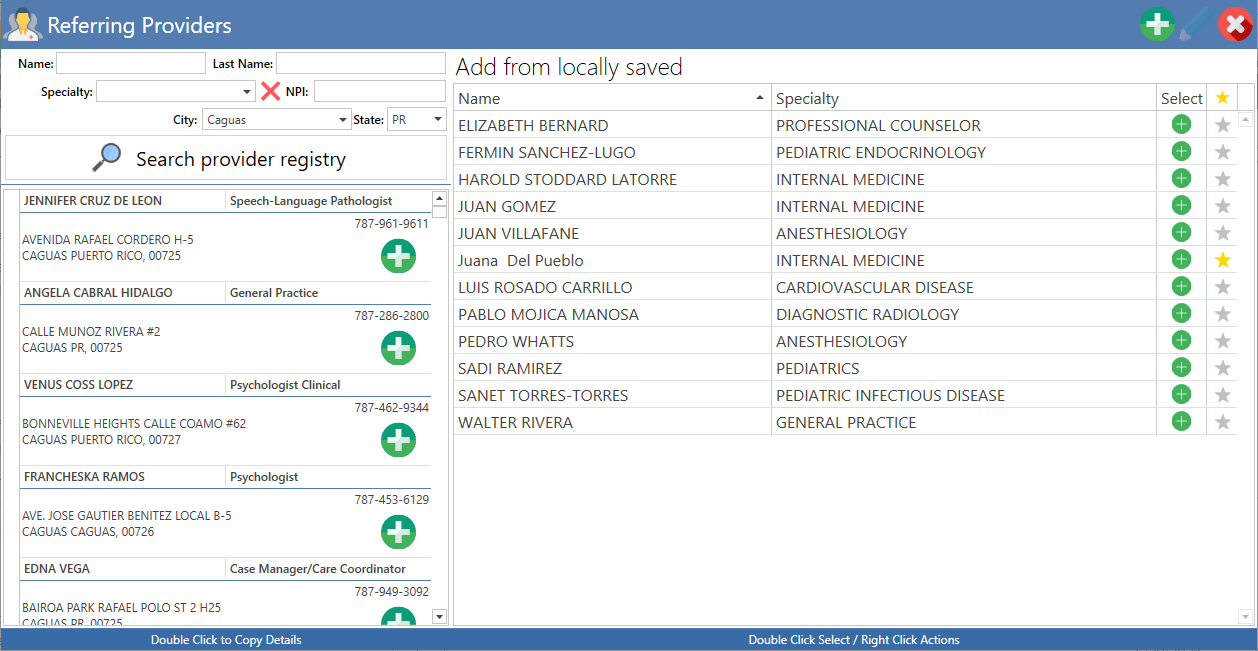
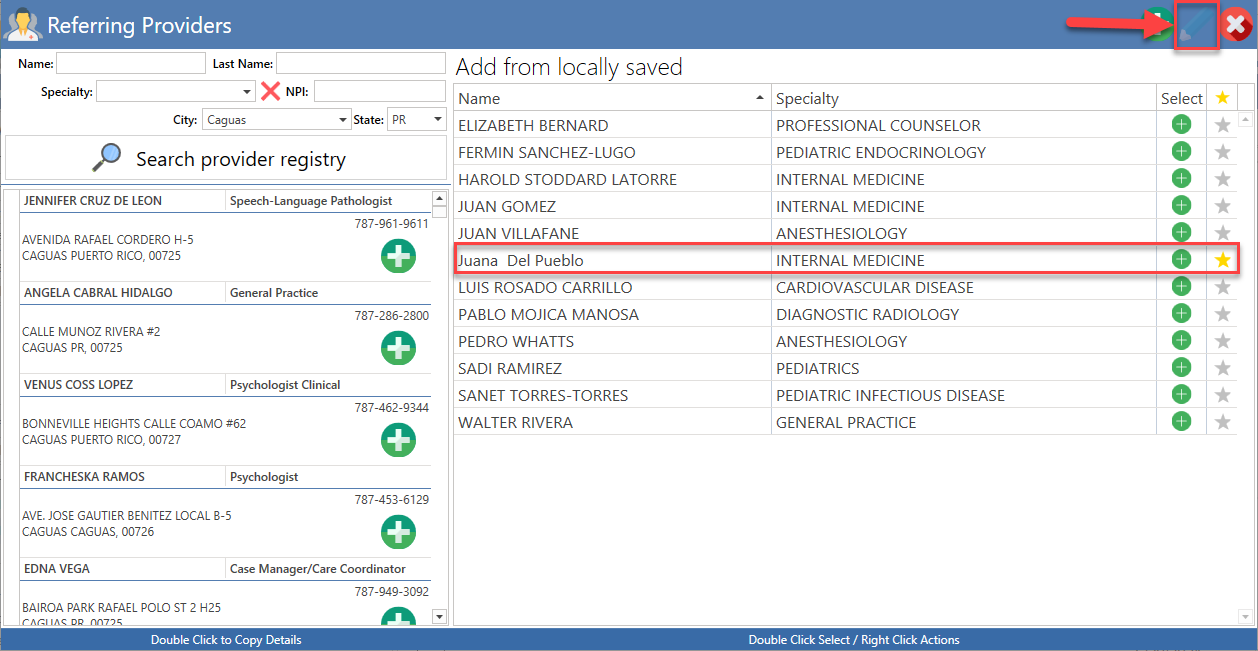
Select the provider to whom you will configure the Direct account.
Then click on the Edit button located at the top of the screen.
- The following screen will be displayed:
- Fill the Direct field by the following form. Write the providers NPI followed by direct.ehrez.com.
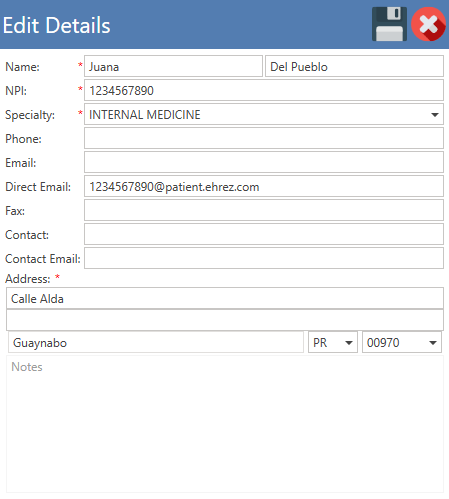
- Click on the Save button to store changes.
Recommended Article:
- Learn More About: Advanced Progress Note / Patient Referral
Did you find it helpful? Yes No
Can you please tell us how we can improve this article?