How to edit the normal vital sign values of a specific patient profile?
Modified on: Fri, 6 Dec, 2024 at 3:22 PM
- Go to the Vital Signs screen.
- Click on the Settings button located at the top of screen.
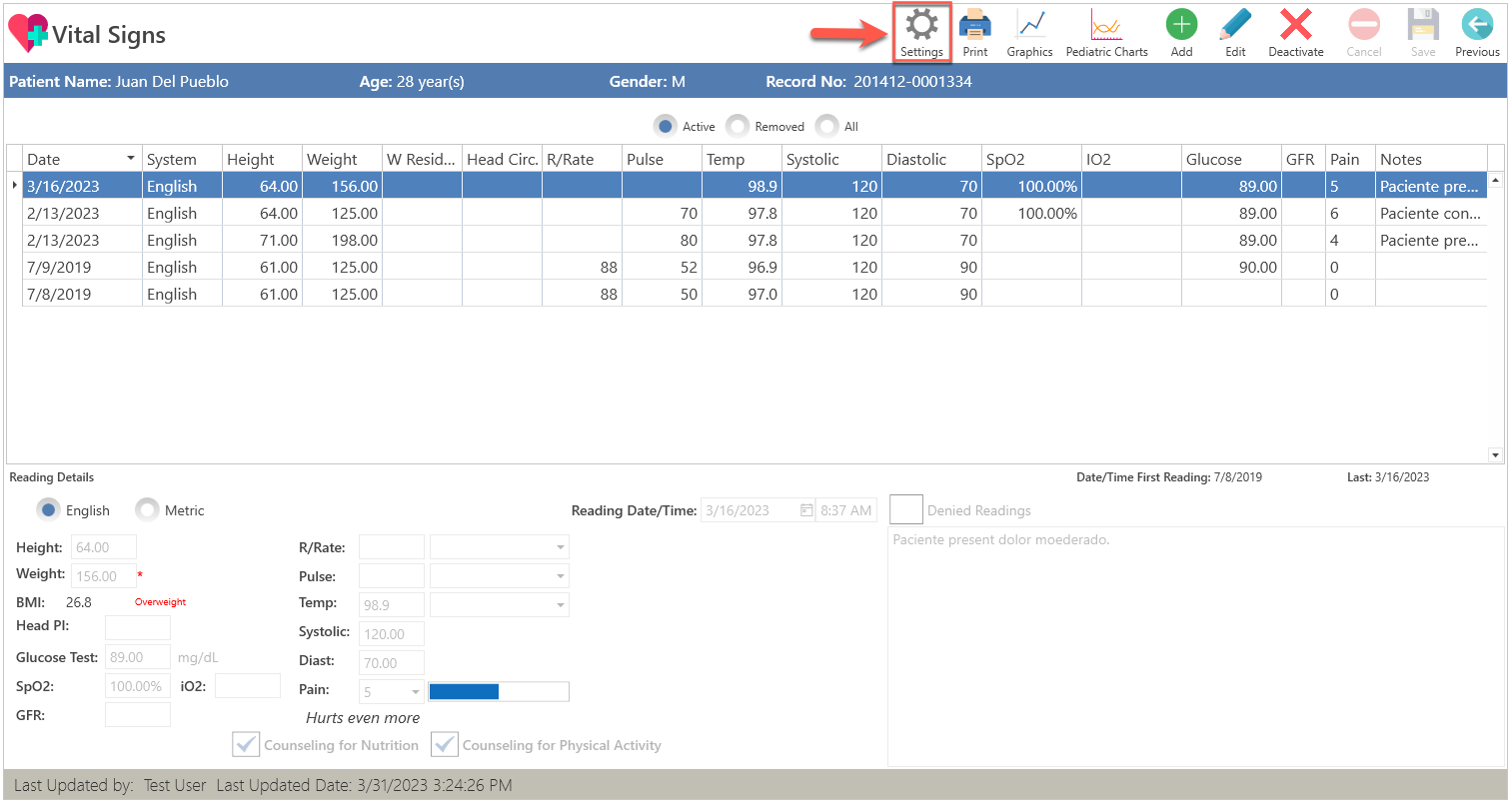
- The following screen will be displayed:
Select the patient specific profile to be edited.
Once selected, click on the Edit button located at the top of screen.
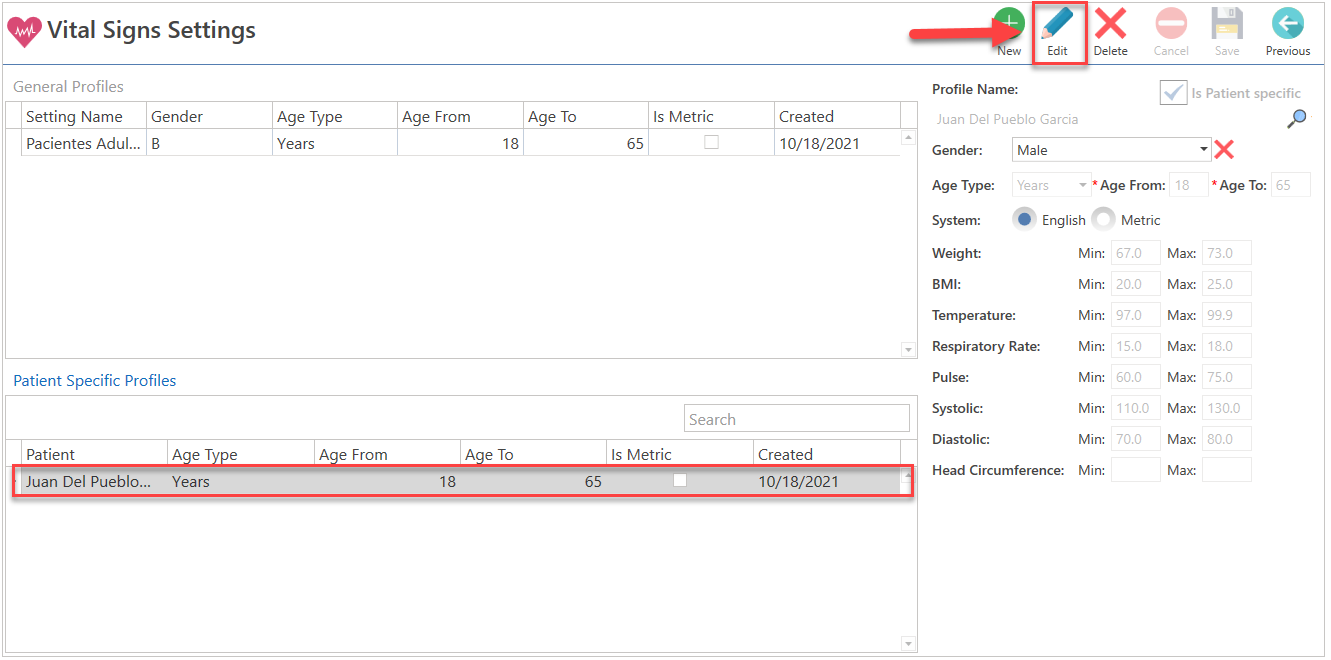

- Once edition is completed, click on the Save button in order to store changes.
Artículo Recomendado:
- Conociendo el área de: Advanced Progress Note / Vital Signs / Settings
Did you find it helpful? Yes No
Can you please tell us how we can improve this article?